This site uses cookies to enhance your user experience. By clicking any link on this site you are giving your consent to our cookie policy. Read more
Reject
Accept All
Zoho Mail - Email and Calendar

Zoho Mail - Email and Calendar

verified Verified App

Developer: Zoho Corporation

  • category

    Category: Communication

  • price

    Price: free

  • age rating

    Age Rating: Everyone

  • rating

    Rating: 4.5

  • download

    Downloads: 5,000,000+

  • version

    Version: 2.10.2

Screenshot 1
Screenshot 2
Screenshot 3
Screenshot 4
Screenshot 5
Screenshot 6
Screenshot 7
Screenshot 8
Screenshot 9
Screenshot 10
Screenshot 11
Screenshot 12
Screenshot 13
Screenshot 14
Screenshot 15
Screenshot 16
Screenshot 17
Screenshot 18

Features & Highlights

Advanced Security Features

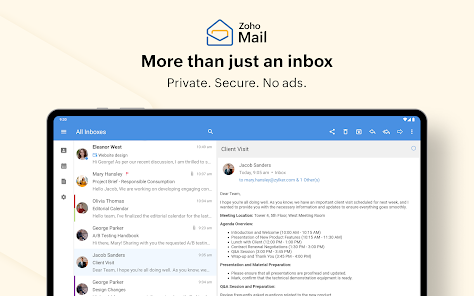
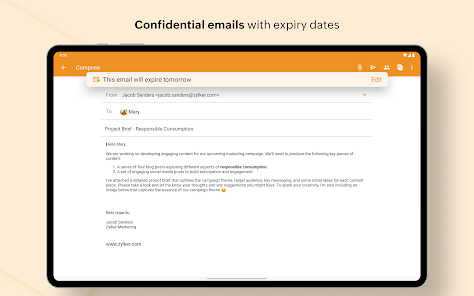
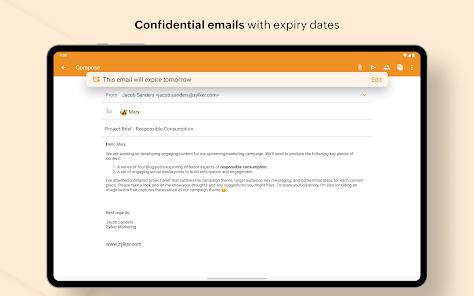
Zoho Mail prioritizes your privacy with advanced security measures, including end-to-end encryption and two-factor authentication. These features ensure that your sensitive information remains protected from unauthorized access, giving you peace of mind while managing your communications.

Collaboration Tools

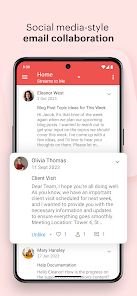
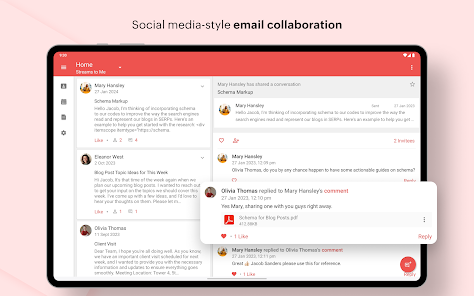
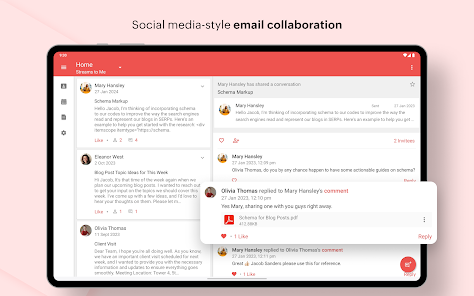
Zoho Mail offers a suite of collaboration tools that make teamwork seamless. You can share documents, chat in real-time, and manage tasks directly from your inbox, allowing you to stay organized and connected with your team members without juggling multiple applications.

Custom Domain Email

Zoho Mail allows you to create a professional email address with your own domain name, enhancing your brand's credibility. This feature is perfect for businesses looking to maintain a professional image while communicating with clients and partners, all within a secure and reliable email platform.

Integrated Calendar

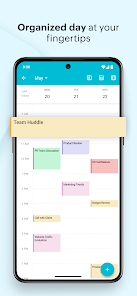
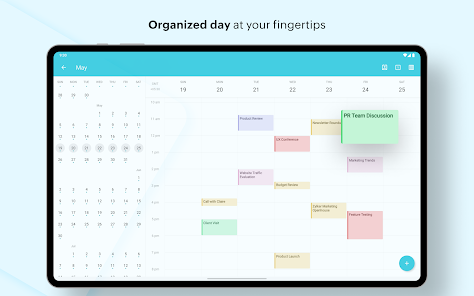
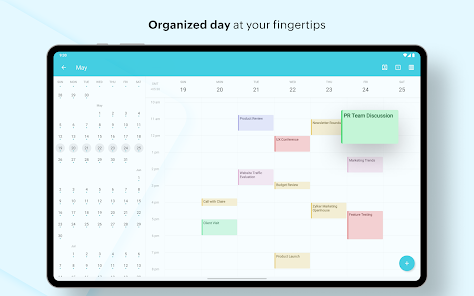
With Zoho Mail's integrated calendar, you can manage your schedule effortlessly. You can create events, set reminders, and sync with other calendars, making it easy to keep track of your appointments and collaborate with team members, all without leaving the email interface.

Pros & Cons

Pros
  • Ad-free email experience for professional communication
  • Robust security features to protect your data
  • Seamless integration with Zoho apps and third-party tools
  • Intuitive calendar for easy scheduling and management
  • Customizable domains for a personalized touch
Cons
  • Limited integration with third-party applications
  • User interface can feel outdated for some
  • Storage limits on lower-tier plans can be restrictive
  • Customer support response times may vary significantly

Real Experience Using Zoho Mail - Email and Calendar

Application Scenarios

Zoho Mail is designed to cater to a variety of users, ranging from individuals to large enterprises. For professionals who need a reliable email service, Zoho Mail provides a clean and ad-free interface, making it ideal for business communication. Many users appreciate its integration with the Zoho suite, allowing seamless collaboration with tools like Zoho Projects and Zoho CRM. Furthermore, the application is beneficial for teams that require shared calendars and task management, as it enables efficient scheduling and project tracking. Small businesses can particularly benefit from Zoho Mail's custom domain feature, which enhances brand professionalism. Additionally, remote workers find the email client handy for maintaining clear communication, while educators and students utilize it for organizing academic correspondence and events.

User Experience

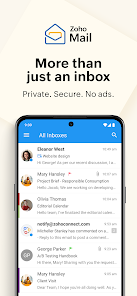
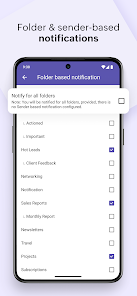
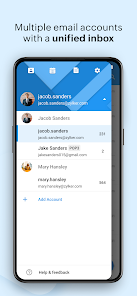
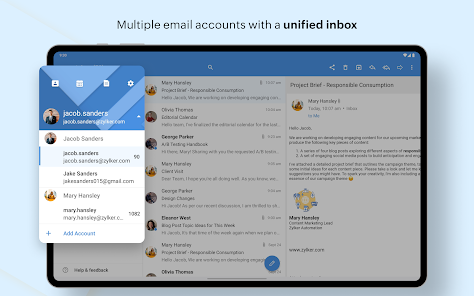
The user experience with Zoho Mail is generally positive, thanks to its intuitive interface and robust features. Users often highlight the simplicity of navigating through emails and calendars, aided by customizable filters and labels that help in organizing messages effectively. The search functionality is particularly praised for its speed, allowing users to find emails quickly, even in large inboxes. The mobile app complements the desktop version well, ensuring that users can manage their emails on the go without any hassle. Many users have also reported satisfaction with the security features, including two-factor authentication and end-to-end encryption, which provide peace of mind when handling sensitive information. However, some users might find the learning curve a bit steep when exploring advanced features, but overall, the experience is smooth and efficient.

Pricing

Zoho Mail offers a range of pricing plans to cater to different user needs. The free plan is suitable for individuals or small teams, providing essential features like a custom domain and up to 5GB of storage per user. For those who require more storage and advanced functionalities, the premium plans start at a competitive price point. Users can choose monthly or annual billing options, providing flexibility according to their preferences. The pricing structure is transparent, with no hidden fees, making it easier for users to budget their expenses. Overall, the value for money is commendable, especially when considering the features included in the higher-tier plans.

Updates & Support

Zoho Mail is regularly updated to enhance user experience and security. Users can expect frequent improvements and new features, which are communicated through in-app notifications and release notes. The support team is accessible through various channels, including email and live chat, ensuring that users can find assistance when needed. Many users have reported positive experiences with the support team, noting their prompt responses and helpful solutions. Additionally, Zoho provides a comprehensive help center and community forums where users can find FAQs, tutorials, and troubleshoot common issues. This proactive approach to updates and support solidifies Zoho Mail's reputation as a reliable email service.

verified Security & Privacy Review

Zoho Mail places a strong emphasis on security and privacy, ensuring that users’ data is well-protected. The app utilizes advanced encryption standards for data both at rest and in transit, safeguarding sensitive information from unauthorized access. Two-factor authentication (2FA) adds an additional layer of security, helping to ensure that only authorized users can access their accounts. In terms of privacy practices, Zoho Mail adheres to strict data protection policies, committing to not sell or share user data with third parties for advertising purposes. The app also allows users to control their privacy settings, enabling them to manage permissions for data sharing effectively. Users can expect transparency regarding data handling, as Zoho provides clear information about data collection and usage practices. The app requests only essential permissions, minimizing the risk of unnecessary data exposure. Overall, Zoho Mail demonstrates a robust approach to security and privacy, making it a reliable choice for users concerned about their digital footprint.

Reviews

4.5

“User-friendly interface makes email management easy.”

“Great integration with other Zoho apps.”

“Calendar features are intuitive and efficient.”

“Excellent customer support when needed.”

“Reliable and secure email service overall.”

Editor's Choice