This site uses cookies to enhance your user experience. By clicking any link on this site you are giving your consent to our cookie policy. Read more
Reject
Accept All
UC Browser-Safe, Fast, Private

UC Browser-Safe, Fast, Private

verified Verified App

Developer: UCWeb Singapore Pte. Ltd.

  • category

    Category: Communication

  • price

    Price: free

  • age rating

    Age Rating: Everyone

  • rating

    Rating: 4.4

  • download

    Downloads: 1,000,000,000+

  • version

    Version: /

Screenshot 1
Screenshot 2
Screenshot 3
Screenshot 4
Screenshot 5
Screenshot 6
Screenshot 7

Features & Highlights

Customizable Interface

Personalize your browsing experience with UC Browser's customizable interface. Choose from various themes, layouts, and shortcuts to create a browser that feels uniquely yours, allowing you to navigate the web in a way that suits your style and preferences.

Download Manager

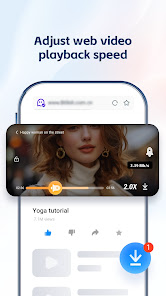
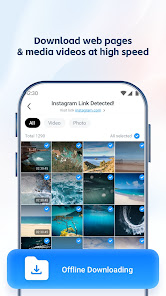
Effortlessly manage your downloads with UC Browser's powerful download manager. It supports multiple downloads, pause and resume functionality, and even background downloading, ensuring that you never lose a file and can easily access your downloaded content anytime.

Fast Browsing Experience

UC Browser offers a remarkably fast browsing experience that optimizes data usage and enhances loading times. With its advanced compression technology, you can enjoy smoother navigation and quicker access to your favorite sites, making it ideal for users on the go.

Privacy Protection Tools

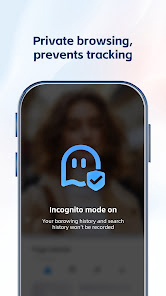
Take control of your online privacy with UC Browser's robust protection tools. The app includes features like incognito mode and ad-blocking capabilities, ensuring your browsing history remains private and your experience is free from unwanted distractions.

Pros & Cons

Pros
  • Enjoy lightning-fast browsing speeds for seamless navigation.
  • Experience enhanced privacy with built-in ad blockers.
  • Save data with efficient compression technology.
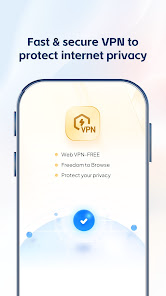
  • Access content securely with encrypted connections.
  • User-friendly interface for easy browsing experience.
Cons
  • Limited support for modern web standards
  • Frequent ads can disrupt browsing experience
  • Privacy concerns over data collection practices
  • Occasional performance issues with heavy websites

Real Experience Using UC Browser-Safe, Fast, Private

Application Scenarios

UC Browser-Safe, Fast, Private is designed for users who prioritize speed and security in their browsing experience. Whether you are browsing while commuting, streaming videos, or downloading files, this app caters to various scenarios. For students and professionals who need to access information quickly, the browser's Turbo Mode accelerates loading times, making it perfect for research on the go. Additionally, its ad-blocking feature enhances video streaming experiences by reducing interruptions, ideal for binge-watching your favorite shows or catching up on the latest news. Travelers can benefit from the app’s data-saving mode, which minimizes data usage while allowing seamless access to the web, ensuring that they stay connected without incurring extra costs.

User Experience

The user experience of UC Browser is notably smooth and intuitive. Upon launching the app, users are greeted with a clean and organized interface that emphasizes ease of navigation. The homepage features customizable shortcuts to frequently visited sites, making it easy to access favorite pages with a single tap. The browser's privacy features, such as incognito mode and tracking protection, instill confidence among users who are concerned about their online footprint. Furthermore, the app boasts a built-in file manager, allowing users to download and manage files efficiently without needing third-party applications. Performance-wise, UC Browser stands out with its quick loading times and responsive controls, making for a pleasant browsing experience.

Pricing

UC Browser-Safe, Fast, Private is available for free, making it an accessible option for users looking for a reliable browsing solution without financial commitment. While the app does feature advertisements, they are not overly intrusive and do not significantly detract from the overall experience. Users can enjoy all core functionalities without any premium subscription, although there may be optional in-app purchases for additional features or enhancements. This freemium model allows users to explore various functionalities without the risk of financial investment, making it an attractive choice for all user demographics.

Updates & Support

Regular updates to UC Browser ensure that users benefit from the latest features and security enhancements. The developers are committed to improving the app based on user feedback, which is evident in their responsive update cycle. Users can easily access support through the app's help section, where they can find FAQs, troubleshooting tips, and contact options for more personalized assistance. The active community around UC Browser often shares tips and tricks, enhancing the overall experience by providing additional resources for users. Overall, the combination of timely updates and robust support ensures that users can browse confidently, knowing they are backed by a dedicated development team.

verified Security & Privacy Review

The UC Browser-Safe, Fast, Private app prioritizes user security and privacy through various features designed to protect personal information. The app claims to have a built-in ad blocker, which not only enhances browsing speed but also reduces exposure to potentially harmful ads that may compromise user data. UC Browser employs encryption protocols to secure data transmission, helping to safeguard against unauthorized access. However, users should be aware that the app requires several permissions, including access to location and device storage, which may raise privacy concerns. It is crucial for users to review these permissions and assess their necessity based on individual usage patterns. Regarding data handling, UC Browser states that it does not track users' browsing history for advertising purposes, yet some users report concerns about data collection practices. Transparency in data policies is essential, and while the app offers privacy features, users should remain vigilant and informed about how their data is managed. Overall, UC Browser aims to provide a secure browsing experience but encourages users to understand the implications of the permissions granted.

Reviews

4.4

“Fast browsing speed with great privacy features!”

“User-friendly interface, easy to navigate.”

“Excellent ad-blocking capabilities enhance the experience.”

“Reliable and safe for private browsing sessions.”

“Download feature is super convenient and efficient.”

Editor's Choice