This site uses cookies to enhance your user experience. By clicking any link on this site you are giving your consent to our cookie policy. Read more
Reject
Accept All

Advertiser and Editorial Disclosures

Microsoft Edge: AI browser

Microsoft Edge: AI browser

verified Verified App

Developer: Microsoft Corporation

  • category

    Category: Communication

  • price

    Price: 0

  • age rating

    Age Rating: Everyone

  • rating

    Rating: 4.7

  • download

    Downloads: /

  • version

    Version: 130.0.2849.80

Screenshot 1
Screenshot 2
Screenshot 3
Screenshot 4
Screenshot 5
Screenshot 6
Screenshot 7
Screenshot 8

Features & Highlights

Collections for Organization

Collections in Microsoft Edge help you organize your online research and inspiration effortlessly. You can save webpages, images, and notes all in one place, making it easy to revisit your ideas later. This feature is particularly useful for students and professionals who need to keep their resources neatly arranged.

Integrated AI Tools

Microsoft Edge comes equipped with integrated AI tools that enhance your browsing experience. From smart search suggestions to contextual insights, these features help you find information faster and more efficiently, making your online tasks smoother and more intuitive.

Privacy and Security Features

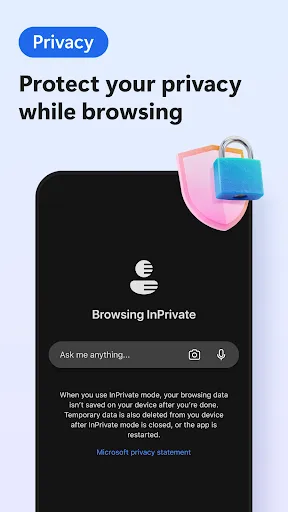
With robust privacy and security features, Microsoft Edge ensures that your data remains protected while you browse. Enhanced tracking prevention and built-in password manager give you peace of mind, allowing you to explore the web confidently without compromising your personal information.

Reading Mode

The Reading Mode in Microsoft Edge transforms cluttered webpages into clean, distraction-free environments. This feature optimizes content layout for better readability, making it perfect for users who want to focus on articles, reports, or any text-heavy content without unnecessary visual noise.

Pros & Cons

Pros
  • Enhanced privacy features protect your online data.
  • Fast page loading for efficient browsing experiences.
  • Integrated AI tools boost productivity and creativity.
  • Seamless compatibility with Windows and Microsoft services.
  • User-friendly interface simplifies navigation and access.
Cons
  • Limited extension support compared to competitors
  • User interface can feel cluttered and overwhelming
  • Frequent updates may disrupt browsing experience
  • Privacy settings are less intuitive for users

Real Experience Using Microsoft Edge: AI browser

Application Scenarios

Microsoft Edge: AI browser is designed to enhance productivity and streamline online tasks across various scenarios. Whether you're conducting research for a project, browsing for leisure, or managing multiple work-related tasks, this browser integrates AI capabilities to provide a seamless experience. Users can benefit from features such as intelligent search suggestions that predict queries, making information retrieval quick and efficient. For professionals, the browser's built-in tools for web collaboration and document management can significantly reduce the time spent switching between applications. Additionally, for students and educators, the AI-driven features can assist in organizing study materials and curating resources, transforming how they interact with the web.

User Experience

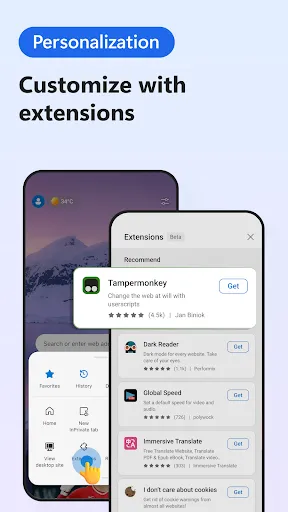
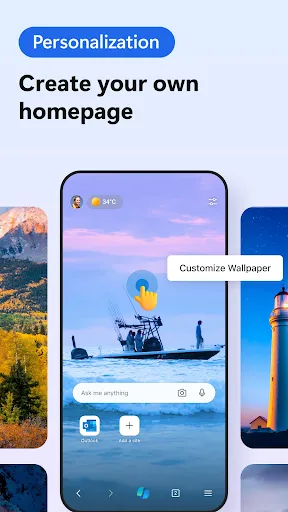
The user experience of Microsoft Edge: AI browser is characterized by its clean interface and intuitive design. Navigating through tabs and bookmarks feels effortless, and the browser's performance is commendable, with fast loading times and minimal lag. The integration of AI is particularly impressive; it not only suggests relevant content but also learns user preferences over time, tailoring the browsing experience to individual needs. Privacy settings are robust, allowing users to browse securely without compromising their data. Furthermore, the browser's customization options, including themes and extensions, provide users with the flexibility to personalize their browsing environment. Overall, the user experience is enhanced by features that prioritize both functionality and aesthetics.

Pricing

Microsoft Edge: AI browser is available for free, which makes it an attractive option for a wide range of users. While the core features of the browser are free, users may encounter premium features or extensions that come at an additional cost. However, the free version still offers a comprehensive set of tools and functionalities that cater to both casual and professional users. This pricing strategy aligns with Microsoft’s goal of making advanced technology accessible to everyone, ensuring that users can leverage AI capabilities without financial barriers.

Updates & Support

Microsoft Edge: AI browser regularly receives updates that enhance performance, security, and functionality. These updates are typically rolled out automatically, ensuring users benefit from the latest features without needing to manually install them. For support, Microsoft provides a robust help center, complete with troubleshooting guides, FAQs, and community forums where users can share experiences and solutions. Additionally, users can connect with customer service for more personalized assistance. This commitment to regular updates and strong support contributes to a reliable browsing experience, allowing users to navigate the internet confidently.

verified Security & Privacy Review

The Microsoft Edge: AI browser prioritizes security and privacy with a range of robust features designed to protect user data. It employs advanced encryption protocols to safeguard browsing sessions, ensuring that sensitive information remains secure during online transactions and communications. Edge integrates features such as Microsoft Defender SmartScreen, which helps identify and block phishing sites and malicious downloads, enhancing the overall safety of the browsing experience. The browser also includes a built-in VPN for private browsing, adding an additional layer of anonymity when accessing the internet. In terms of privacy practices, Microsoft Edge provides users with comprehensive control over their data. Users can easily manage permissions, including location access, camera, and microphone settings, allowing them to tailor their experience according to their comfort level. Furthermore, the browser offers options to block third-party cookies and limit tracking, ensuring a more private browsing environment. Microsoft is transparent about its data handling policies, detailing how user data is collected and used to improve services while offering users the ability to review and delete their data as needed. Overall, Microsoft Edge: AI browser emphasizes a strong commitment to safeguarding user privacy and security.

Reviews

4.7

“Fast and efficient browsing experience!”

“Great integration with Microsoft services.”

“User-friendly interface, easy to navigate.”

“Impressive AI features enhance productivity.”

“Smooth performance with minimal resource usage.”

Compare APP

FAQ

1

Does Microsoft Edge: AI browser collect my personal data?

Microsoft Edge: AI browser may collect certain data to improve user experience and functionality, but it offers privacy settings that allow users to manage their data collection preferences.

2

Does Microsoft Edge: AI browser offer a free trial or free version?

Microsoft Edge: AI browser is available for free, allowing users to access its core features without a subscription, while premium features may require a subscription.

3

Does Microsoft Edge: AI browser require an internet connection?

Yes, Microsoft Edge: AI browser requires an internet connection to access online content and utilize its AI features, though some functionalities may be available offline.

4

How can I contact support or send feedback for Microsoft Edge: AI browser?

You can contact support for Microsoft Edge: AI browser through the Microsoft support website or use the feedback feature within the browser to send your comments directly to the development team.

5

How do I manage or cancel my Microsoft Edge: AI browser subscription?

You can manage or cancel your Microsoft Edge: AI browser subscription through the account settings in the browser or by visiting the Microsoft account management website.

How to use Microsoft Edge: AI browser

1

Can I get support for Microsoft Edge on mobile devices?

Yes, you can get support for Microsoft Edge on mobile devices through the Microsoft support website or the app support section.

2

How can I contact Microsoft Edge customer service?

You can reach Microsoft Edge customer service through the Microsoft support website or by calling their customer support number listed there.

3

How can I find my Microsoft Edge version?

Click on the three dots in the upper right corner, go to "Help and feedback," then select "About Microsoft Edge" to see your version.

4

How do I log into Microsoft Edge?

Open Microsoft Edge, click on the profile icon in the upper right corner, and select "Sign in" to enter your Microsoft account credentials.

5

How do I manage my Microsoft Edge profile?

Click on the profile icon in the upper right corner, select "Manage profile settings," and you can edit or add profiles as needed.

Editor's Choice