This site uses cookies to enhance your user experience. By clicking any link on this site you are giving your consent to our cookie policy. Read more
Reject
Accept All
Google Messages

Google Messages

verified Verified App

Developer: Google LLC

  • category

    Category: Communication

  • price

    Price: 0

  • age rating

    Age Rating: Everyone

  • rating

    Rating: 3.6

  • download

    Downloads: /

  • version

    Version: 45608

Screenshot 1
Screenshot 2
Screenshot 3
Screenshot 4
Screenshot 5
Screenshot 6
Screenshot 7
Screenshot 8

Features & Highlights

End-To-End Encryption

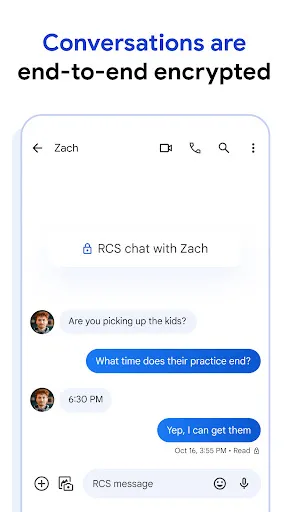
Google Messages prioritizes your privacy with end-to-end encryption for one-on-one conversations. This means that only you and the person you're chatting with can read the messages, providing peace of mind and ensuring that your private discussions stay secure from prying eyes.

RCS Messaging Support

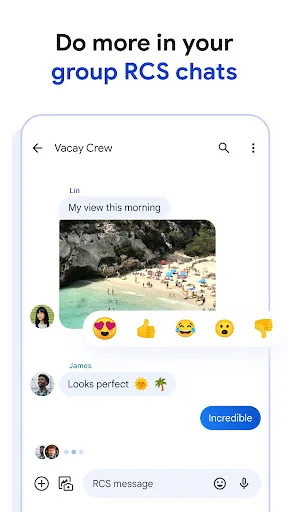
The app supports Rich Communication Services (RCS), enhancing traditional SMS with features like read receipts, typing indicators, and larger file transfers. This makes your conversations more interactive and informative, bridging the gap between messaging and chat apps for a modern communication experience.

Rich Media Sharing

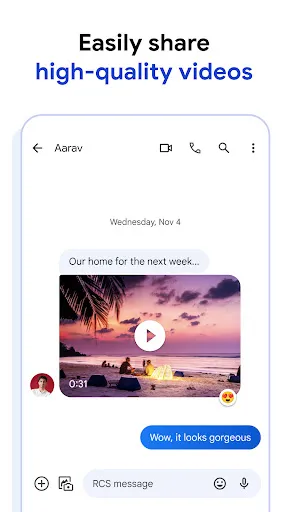
Google Messages makes it easy to share photos, videos, and audio messages seamlessly with your contacts. Whether you're sending a quick snapshot or a longer video, the app ensures that your media is sent quickly and with high quality, keeping your conversations vibrant and engaging.

Smart Replies

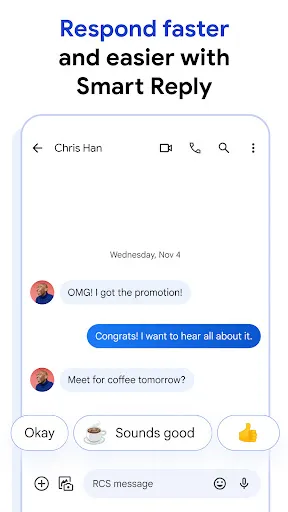
With Smart Replies, Google Messages suggests quick responses based on the context of your conversation. This feature allows you to reply to messages without having to type, saving you time and making your chatting experience more efficient, especially during busy moments.

Pros & Cons

Pros
  • Seamless integration with Android devices enhances usability.
  • Rich media sharing makes conversations more engaging.
  • End-to-end encryption ensures secure messaging.
  • Smart replies save time with quick responses.
  • Cross-platform support connects users across devices.
Cons
  • Limited compatibility with non-Google devices
  • Lacks advanced messaging features
  • Inconsistent delivery for SMS and RCS
  • Privacy concerns with data storage

Real Experience Using Google Messages

Application Scenarios

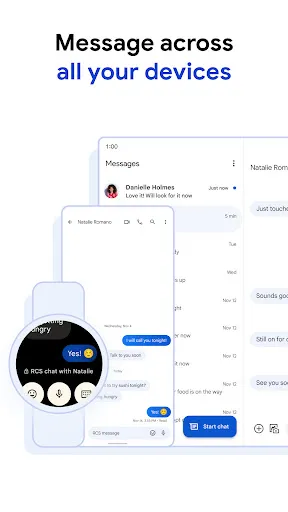
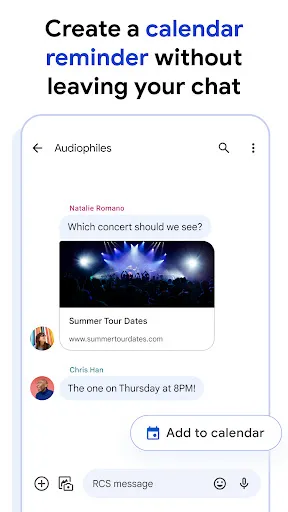
Google Messages serves as an essential tool for a variety of communication needs. Whether you are sending a quick text to a friend, sharing multimedia content like photos and videos, or engaging in group chats, this app fits seamlessly into everyday life. It is particularly useful for users who frequently communicate with others using SMS or RCS (Rich Communication Services). The app’s integration with Google services allows for easy sharing of links, location data, and calendar events, making it a versatile option for both personal and professional interactions. Additionally, its built-in search functionality enables users to find old messages effortlessly, which is particularly beneficial for those who rely on text conversations for important information.

User Experience

The user experience of Google Messages is generally intuitive and user-friendly. The clean interface is designed for ease of navigation, allowing even the most novice users to feel comfortable. Customization options such as themes, fonts, and chat bubble colors provide a personalized touch, enabling users to tailor the app to their preferences. Features like Smart Reply, which suggests quick responses based on the context of the conversation, enhance the messaging experience by saving time. Furthermore, the app's ability to handle multiple messaging types—SMS, MMS, and RCS—means users can enjoy a more enriched chat experience without switching between different apps. However, some users have reported occasional bugs, particularly with notifications, which can disrupt the overall experience.

Pricing

Google Messages is completely free to download and use, making it an attractive option for users looking to manage their messaging without incurring any costs. While data charges may apply if users are not connected to Wi-Fi, the app itself does not impose any fees for its features. This makes Google Messages a cost-effective solution for both casual and heavy users alike. The absence of in-app purchases or subscription models adds to its appeal, ensuring that all features are accessible to every user without any hidden costs.

Updates & Support

Google is committed to regularly updating Messages to enhance functionality and improve security. Users can expect new features, performance improvements, and bug fixes to be rolled out periodically. The app also benefits from Google's robust support system, which includes FAQs, online forums, and direct support channels for troubleshooting. Users can report issues or provide feedback through the app, ensuring that their concerns are heard and addressed. Overall, the combination of regular updates and accessible support makes Google Messages a reliable choice for users looking for a dependable messaging solution.

verified Security & Privacy Review

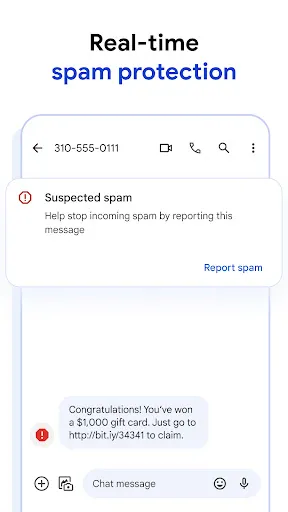
Google Messages prioritizes user security and privacy through a variety of robust features and practices. The app employs end-to-end encryption for one-on-one RCS (Rich Communication Services) chats, ensuring that messages are only accessible to the sender and recipient. This encryption is a significant enhancement over traditional SMS, which lacks such protections. In terms of permissions, Google Messages requests access to necessary features such as contacts, storage, and SMS. Users have the option to manage these permissions, allowing for greater control over their data. The app also provides users with the ability to block unwanted messages and report spam, further enhancing the overall security experience. Google's commitment to privacy is reflected in its transparent data handling practices. User data is not sold to third parties, and the company adheres to strict compliance with global privacy regulations. Regular updates and security patches are rolled out to address potential vulnerabilities, ensuring that user data remains protected against emerging threats.

Reviews

3.6

“User-friendly interface and seamless messaging experience”

“Great integration with other Google services”

“Occasional bugs, but overall reliable”

“Notifications could be more consistent”

“Love the rich media sharing features”

Editor's Choice