This site uses cookies to enhance your user experience. By clicking any link on this site you are giving your consent to our cookie policy. Read more
Reject
Accept All

Advertiser and Editorial Disclosures

Brave Private Web Browser, VPN

Brave Private Web Browser, VPN

verified Verified App

Developer: Brave Software

  • category

    Category: Communication

  • price

    Price: 0

  • age rating

    Age Rating: Everyone

  • rating

    Rating: 4.7

  • download

    Downloads: /

  • version

    Version: 1.73.89

Screenshot 1
Screenshot 2
Screenshot 3
Screenshot 4
Screenshot 5
Screenshot 6
Screenshot 7
Screenshot 8

Features & Highlights

Integrated VPN

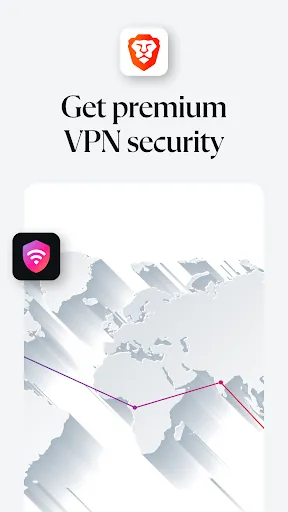
With Brave's integrated VPN, you can browse securely and privately from anywhere. This feature encrypts your internet connection, providing an extra layer of security while accessing public Wi-Fi or sensitive sites, ensuring your data remains safe from prying eyes.

Privacy Protection

Brave Private Web Browser prioritizes your privacy with built-in ad and tracker blocking, ensuring a cleaner browsing experience. This means less clutter and faster load times, allowing you to surf the web without being followed by invasive advertisements or data trackers.

Speed Optimization

Brave is designed to deliver a fast browsing experience by blocking unwanted content and optimizing resource usage. This results in quicker page loads and smoother navigation, allowing you to get to the information you need without unnecessary delays.

User-Friendly Interface

Brave offers a sleek and intuitive interface that makes browsing enjoyable for users of all experience levels. Its easy navigation and customizable settings empower you to tailor your browsing experience to suit your preferences, making online activities more convenient.

Pros & Cons

Pros
  • Brave blocks intrusive ads for a faster browsing experience.
  • Your data remains private with built-in tracking protection.
  • Enjoy seamless browsing with enhanced security features enabled.
  • Integrated VPN provides safe access to geo-restricted content.
  • Earn rewards while browsing with optional cryptocurrency features.
Cons
  • Limited server locations may affect connection speed and reliability.
  • Some websites may not function properly with built-in ad blocking.
  • Premium features require a subscription, adding to overall costs.

Real Experience Using Brave Private Web Browser, VPN

Application Scenarios

The Brave Private Web Browser with VPN is designed for users who prioritize privacy and security while browsing the internet. It is particularly useful for individuals who frequently use public Wi-Fi networks, as the built-in VPN encrypts data, ensuring sensitive information remains secure from prying eyes. Additionally, the browser is ideal for those who wish to bypass geo-restrictions, allowing access to content that may be unavailable in certain regions. Users engaged in online activities such as banking, shopping, or accessing personal accounts will find the browser’s privacy features invaluable. Furthermore, digital nomads and travelers can benefit from the VPN functionality to maintain their online security while on the go. Overall, Brave is a versatile tool that caters to anyone looking to enhance their online privacy and freedom.

User Experience

The user experience of the Brave Private Web Browser is commendable, featuring a clean and intuitive interface that makes navigation seamless. Users can easily access their bookmarks and browsing history, and the tab management system is user-friendly, allowing for smooth multitasking. One standout feature is the integrated ad and tracker blocking, which significantly speeds up page load times and reduces unwanted distractions. Users report a noticeable difference in browsing speed compared to traditional browsers. The VPN service is straightforward to activate, providing users with a simple toggle switch to connect or disconnect. Additionally, Brave incorporates a rewards system that allows users to earn cryptocurrency by viewing privacy-respecting ads. Overall, users appreciate the combination of privacy features and ease of use, making it a compelling choice for both casual and advanced users.

Pricing

Brave Private Web Browser is free to download and use, making it accessible to a wide audience. The browser includes several features at no cost, such as ad blocking and tracker prevention. However, to access the full capabilities of the integrated VPN, users must subscribe to a paid plan. The pricing model is competitive, offering various tiers that cater to different needs and budgets. Users can choose from monthly or annual subscriptions, with the annual plan providing a more cost-effective option. Brave occasionally offers promotional discounts, making it even more appealing for those looking to maximize value while ensuring their online security.

Updates & Support

Brave is committed to providing regular updates to enhance performance and security features. The development team actively listens to user feedback, often implementing suggestions in new releases. Users can expect frequent enhancements that address security vulnerabilities and improve overall user experience. Support is readily available through the Brave community forums, where users can seek assistance and share experiences. Additionally, the official website offers a comprehensive help center with guides and FAQs to help users navigate any issues they encounter. The proactive approach to updates and support ensures users feel valued and secure while using the browser, fostering a strong community around the app.

verified Security & Privacy Review

The Brave Private Web Browser, VPN prioritizes user security and privacy with a robust set of features designed to protect personal information. The app employs advanced encryption protocols to safeguard browsing data, ensuring that users can surf the web without fear of eavesdropping. Brave's built-in VPN further enhances privacy by masking users' IP addresses and encrypting internet traffic. Brave takes a strong stance on data handling, making it clear that it does not track user activity or sell personal data to third parties. The app operates on a strict no-logs policy, meaning that user browsing history is not recorded or stored. Permissions requested by the app are minimal, focusing solely on what is necessary for functionality, thus minimizing data exposure. Additionally, Brave offers features like ad blocking and tracker prevention, which not only enhance user experience but also contribute to overall security by reducing the risk of malicious attacks. Overall, Brave Private Web Browser, VPN stands out as a reliable choice for users seeking a secure and private browsing experience.

Reviews

4.7

“Fast browsing with excellent privacy features.”

“Ad-blocking works flawlessly, improving my experience.”

“Love the built-in VPN for extra security.”

“User-friendly interface makes navigation easy.”

“Reward system for browsing is a nice touch.”

FAQ

1

Does Brave Private Web Browser, VPN collect my personal data?

Brave Private Web Browser, VPN is designed to prioritize user privacy and does not collect personal data or browsing history, ensuring that your online activities remain confidential.

2

Does Brave Private Web Browser, VPN offer a free trial or free version?

Brave Private Web Browser, VPN offers a free version with limited features, along with a subscription plan that provides access to the full range of services, including the VPN functionality.

3

Does Brave Private Web Browser, VPN require an internet connection?

Yes, Brave Private Web Browser, VPN requires an internet connection to function, as it needs to route your traffic through its servers to provide privacy and security while browsing.

4

How can I contact support or send feedback for Brave Private Web Browser, VPN?

You can contact support or send feedback for Brave Private Web Browser, VPN through the official Brave website, where you can find support resources, submit a help request, or participate in community forums.

5

How do I manage or cancel my Brave Private Web Browser, VPN subscription?

You can manage or cancel your Brave Private Web Browser, VPN subscription through the account settings in the app or on the Brave website, where you can follow the prompts to make changes to your subscription.

How to use Brave Private Web Browser, VPN

1

Can I activate my VPN account on multiple devices?

Yes, you can activate your Brave VPN account on multiple devices as long as you log in with the same credentials on each device.

2

Can I change my customer service preferences in Brave?

Yes, you can change your customer service preferences by logging in, navigating to the settings, and adjusting your communication preferences under 'Customer Support.'

3

How can I contact customer service for account issues?

For account issues, visit the Brave support page and use the contact form or live chat option to reach customer service.

4

How do I log in to my Brave account?

To log in, open the Brave browser, click on the menu, select 'Log in,' and enter your credentials. Make sure you have a stable internet connection.

5

How do I update my customer information with Brave?

To update your customer information, log in to your account, go to the account settings, and make the necessary changes under 'Profile Information.'

Editor's Choice