WhatsApp Business

WhatsApp Business

4.4
Screenshot 1
Screenshot 2
Screenshot 3
Screenshot 4
Screenshot 5
Screenshot 6
Screenshot 7
Screenshot 8
Screenshot 9
Screenshot 10
Screenshot 11
Screenshot 12
Screenshot 13
Screenshot 14
Screenshot 15
Screenshot 16
Screenshot 17
Screenshot 18
Screenshot 19
Screenshot 20
Screenshot 21
Screenshot 22
Screenshot 23

Information

  • Category: Business
  • Price: free
  • Age Rating: /
  • Rating: 4.4
  • Developer: WhatsApp LLC
  • Version: 2.25.19.80

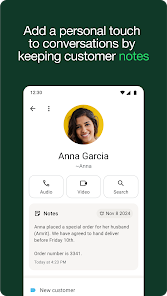
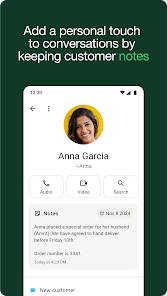
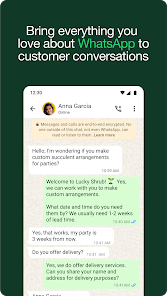
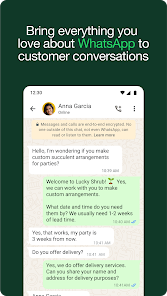
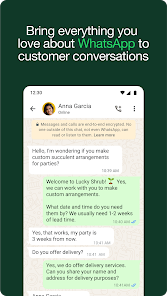
WhatsApp Business is a messaging app designed specifically for small businesses to connect with their customers. It is a free app that is available for download on the App Store and Google Play Store. WhatsApp Business builds on the features of the regular WhatsApp app and adds a number of features that are useful for businesses, such as the ability to create a business profile with contact information and business hours, and the ability to send and receive messages with customers, as well as make and receive calls. WhatsApp Business also integrates with other business tools, such as Facebook and Google, and allows businesses to manage multiple conversations and accounts from a single app. This can help businesses save time and improve their communication with customers.

Features & Highlights

WhatsApp Business is designed to streamline communication for small to medium-sized businesses, offering a robust set of features that cater specifically to their needs. Here are some of its core features:

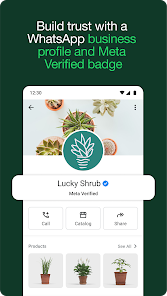
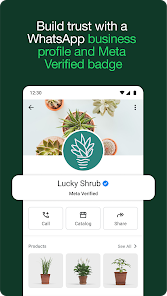
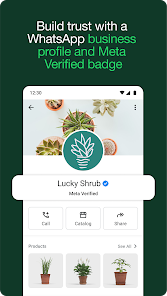
  • Business Profiles: Create a professional presence with a business profile that includes important information such as address, business description, email, and website. For instance, when potential customers search for your business, they can easily find all relevant information in one place.
  • Quick Replies: Save time with pre-written responses to frequently asked questions. Imagine being able to respond instantly to common inquiries about your store hours or return policies without typing out each message. This is a game-changer during busy times!
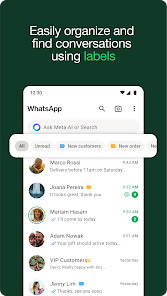
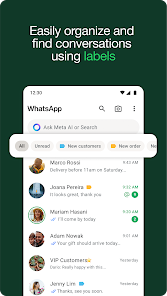
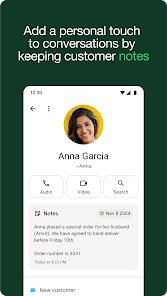
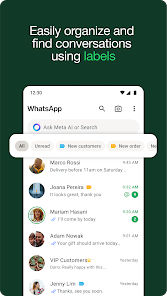
  • Labels: Organize your chats and contacts using customizable labels. For example, you can categorize clients as “New Leads,” “Pending Payment,” or “VIP Clients,” making it easy to track and manage your communications effectively.
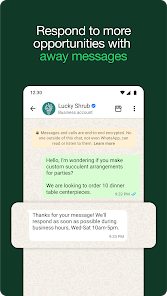
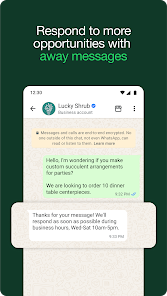
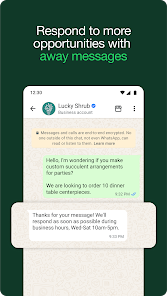
  • Automated Messages: Set up automated greetings and away messages to engage customers even when you’re not available. This ensures that potential clients receive timely communication, fostering better customer relationships and improving service satisfaction.
  • Statistics & Insights: Analyze message metrics such as how many messages were sent, delivered, read, and received. This feature allows you to understand customer engagement better and refine your communication strategies accordingly.

Real Experience Using WhatsApp Business

Application Scenarios

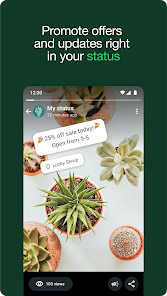
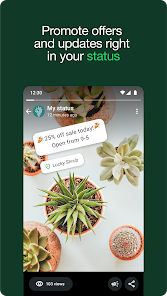
As a small business owner, I rely heavily on WhatsApp Business to connect with my customers. One of my favorite scenarios is during our seasonal sale events. I use the broadcasting feature to send out tailored messages to different customer segments, informing them about exclusive deals. Another situation is when a customer messages me late at night with a query about a product. Thanks to the automated messages I set up, they receive an instant reply, assuring them that I’ll get back to them promptly during business hours. This not only enhances customer satisfaction but also helps me maintain a professional image.

User Experience

The user interface of WhatsApp Business is intuitive and user-friendly, making it easy to navigate through different features. The workflow for sending messages or managing profiles is seamless. I found the process of setting up my business profile straightforward, and the ability to customize my automated messages was a breeze. Performance-wise, the app is reliable, with minimal lag, even when handling multiple chats. Overall, using WhatsApp Business has made my communication more efficient, allowing me to focus on other crucial aspects of my business.

Pricing

WhatsApp Business is free to download and use, which is perfect for small business owners like me. There are no hidden fees or subscription charges, making it an accessible tool for anyone looking to enhance their business communication. I appreciate that this allows me to invest more resources into my business without worrying about software costs.

Updates & Support

The app is regularly updated, ensuring that I benefit from new features and improvements over time. I’ve noticed enhancements in performance and new functionalities that help to improve customer engagement. The support from WhatsApp is also commendable; I’ve reached out with questions through their help center and received prompt, helpful responses that solved my issues efficiently.

Security & Privacy Review

When it comes to security and privacy, WhatsApp Business takes its responsibilities seriously. The app is available on both the App Store and Google Play, ensuring that downloads come from official sources. During registration, users must provide a valid phone number, which helps verify their identity. This requirement minimizes the risk of spam accounts and enhances the authenticity of communications.

As an American user, I am particularly cautious about ads and tracking behavior. Fortunately, WhatsApp Business does not display ads, which is a significant relief. Additionally, the platform employs end-to-end encryption, ensuring that my messages and customer interactions remain private and secure. However, it’s important to note that WhatsApp collects some user data to enhance service functionality. This includes usage statistics, which can feel intrusive, but they are generally used to improve the app experience rather than for advertising purposes.

In summary, WhatsApp Business is an indispensable tool for any small business owner looking to enhance communication and customer relations. With its impressive features, user-friendly interface, and strong commitment to security, it has transformed the way I engage with my customers for the better.

Pros
  • Connect with customers easily
  • Automate responses with bots
  • Organize chats with labels
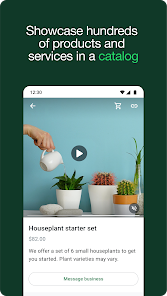
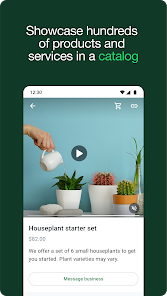
  • Showcase products in catalogs
  • Access detailed analytics reports
Cons
  • Limited automation options
  • No multi-device support
  • Strict message limits apply
  • Difficult to integrate tools

FAQ

What type of app is WhatsApp Business?

WhatsApp Business is a messaging app designed for small and medium businesses to communicate with customers and manage interactions efficiently.

How to use WhatsApp Business

How can I contact customer service for WhatsApp Business?

You can reach WhatsApp Business customer service through the app's help section or via their official website. Look for the "Contact Us" option for assistance.

How do I activate my WhatsApp Business account?

To activate, download the app, enter your business phone number, verify it, and set up your profile with business details. Follow the on-screen instructions.

How do I log in to my WhatsApp Business account?

Download the WhatsApp Business app, enter your phone number, and verify it with the code sent via SMS. Follow the setup prompts to complete the process.

What is the customer number for WhatsApp Business?

WhatsApp does not provide a specific customer number. Instead, use the in-app support feature or visit their help center for inquiries.