This site uses cookies to enhance your user experience. By clicking any link on this site you are giving your consent to our cookie policy. Read more
Reject
Accept All

Advertiser and Editorial Disclosures

Call Blocker - Block Numbers

Call Blocker - Block Numbers

verified Verified App

Developer: Appsbuyout Dev

  • category

    Category: Communication

  • price

    Price: 0

  • age rating

    Age Rating: Everyone

  • rating

    Rating: 4.4

  • download

    Downloads: /

  • version

    Version: 1.3.1281

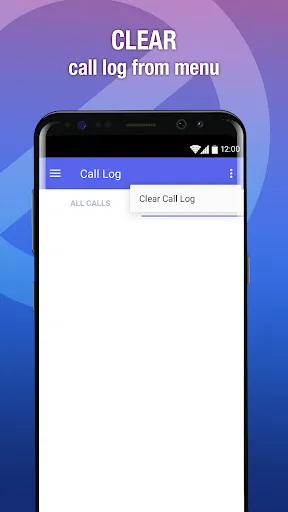
Screenshot 1
Screenshot 2
Screenshot 3
Screenshot 4
Screenshot 5
Screenshot 6

Features & Highlights

Automatic Spam Detection

The app automatically detects and blocks known spam numbers, saving you from the hassle of manually filtering through unwanted calls. By leveraging a constantly updated database of spam numbers, it ensures your phone remains free from intrusive solicitations and annoying telemarketer calls.

Custom Block List

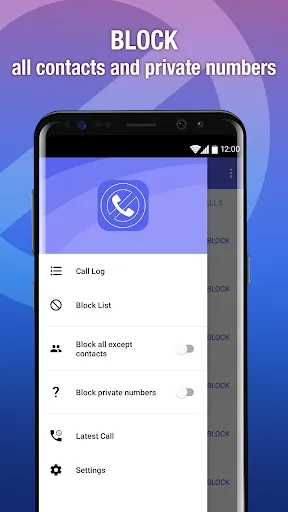
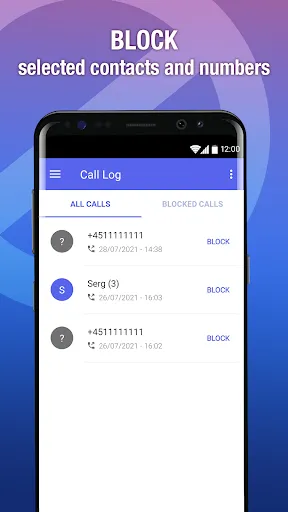
Easily create and manage your own custom block list to ensure that specific numbers never disturb you again. This personalized approach gives you complete control over who can reach you, making it simpler to protect your privacy and reduce unwanted interruptions.

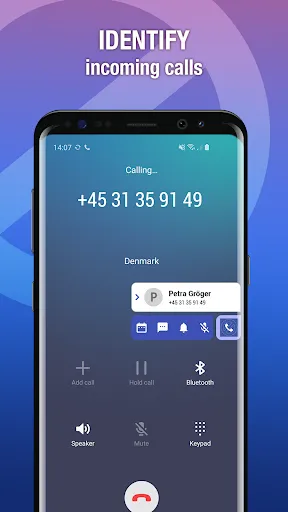
Smart Caller Identification

With advanced caller identification technology, Call Blocker - Block Numbers can effectively recognize unwanted calls before they even reach your phone. This feature helps you maintain peace of mind by filtering out spam, telemarketers, and potential scams, allowing you to focus on important calls only.

User-Friendly Interface

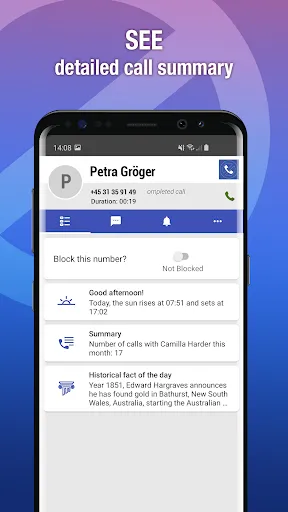
Call Blocker - Block Numbers features an intuitive and user-friendly interface that makes navigation a breeze. Whether you’re blocking a number or reviewing your call history, the seamless design ensures that even the least tech-savvy users can easily manage their call preferences.

Pros & Cons

Pros
  • Effortlessly block unwanted calls and messages
  • Customize your block list easily for convenience
  • Silence spam and telemarketer interruptions quickly
  • Enjoy peace of mind with fewer distractions
  • User-friendly interface for seamless navigation
Cons
  • Limited features for advanced call management
  • May not block all unwanted calls
  • User interface can be confusing for some
  • Regular updates required for optimal performance

Real Experience Using Call Blocker - Block Numbers

Application Scenarios

The Call Blocker - Block Numbers app is designed for users who frequently receive unsolicited calls from telemarketers, robocalls, or individuals they prefer not to engage with. This app is particularly useful for professionals who may want to maintain their privacy or for anyone overwhelmed by persistent nuisance calls. It allows users to create a personalized block list, ensuring that unwanted calls do not interrupt their daily routines. Additionally, the app can be beneficial for parents who wish to restrict their children's access to certain numbers, enhancing family safety. With its user-friendly interface, the app can quickly become an essential tool for anyone looking to regain control over their phone communications.

User Experience

User experience with Call Blocker - Block Numbers is generally positive, as the app is designed with simplicity and efficiency in mind. Upon installation, users are greeted with a clean and intuitive interface that makes navigation straightforward. The setup process is seamless, allowing users to add numbers to their block list quickly. Notifications alert users whenever a blocked number attempts to reach them, providing peace of mind without the annoyance of constant interruptions. The app also offers customizable settings, including options for automatic blocking of known spam numbers, which enhances its effectiveness. Most users report a significant reduction in unwanted calls, leading to a more pleasant and focused phone experience. However, some users may encounter occasional issues with the app not blocking certain numbers, which could be addressed in future updates.

Pricing

Call Blocker - Block Numbers offers a flexible pricing model that caters to various user needs. The app is free to download and provides a robust set of features at no cost, making it accessible to a broad audience. For users seeking enhanced functionality, such as advanced blocking features or an ad-free experience, a premium subscription is available at a reasonable monthly or annual rate. This tier not only removes advertisements but also unlocks additional tools for managing contacts and improving call-blocking efficiency. Overall, the pricing structure is considered fair given the app’s capabilities, and many users find that the premium features are worth the investment to enhance their calling experience.

Updates & Support

The development team behind Call Blocker - Block Numbers is proactive in providing regular updates to improve the app's functionality and address user feedback. Users can expect enhancements that refine the blocking algorithms and expand the database of known spam numbers, which further increases the app's efficacy. The support system is also commendable, with a dedicated help center that offers FAQs, troubleshooting guides, and a contact option for personalized assistance. Many users have reported quick response times from the support team, which adds to the overall satisfaction with the app. Continuous updates and reliable support ensure that users can trust the app to adapt to the ever-changing landscape of unwanted calls.

verified Security & Privacy Review

The Call Blocker - Block Numbers app prioritizes user security and privacy through its robust data handling practices. The app requires minimal permissions, primarily focused on phone call management, which ensures that users retain control over their personal information. By requesting access only to necessary features, the app minimizes the risk of unauthorized data exposure. Additionally, Call Blocker employs encryption protocols to protect sensitive information, such as blocked numbers and user preferences. This means that any data stored within the app is safeguarded against potential breaches. The app does not collect unnecessary user data, adhering to a strict privacy policy that emphasizes transparency in data usage. Moreover, users have the option to customize their privacy settings, enabling them to manage how their information is used and shared. Regular updates and security patches further enhance the app's defenses against vulnerabilities. Overall, Call Blocker - Block Numbers demonstrates a strong commitment to security and privacy, making it a reliable choice for users concerned about their personal information.

Reviews

4.4

“Effective at blocking unwanted calls, highly recommend!”

“User-friendly interface, easy to navigate.”

“Blocks spam calls effortlessly, very satisfied.”

“Notifications for blocked calls are super helpful.”

“Great app, saved me from constant interruptions!”

FAQ

1

Does Call Blocker - Block Numbers collect my personal data?

Call Blocker - Block Numbers prioritizes user privacy and does not collect personal data without consent. For detailed information, users can refer to the app's privacy policy.

2

Does Call Blocker - Block Numbers offer a free trial or free version?

Yes, Call Blocker - Block Numbers offers a free version with basic features, as well as a trial period for premium features, allowing users to evaluate the app before committing to a subscription.

3

Does Call Blocker - Block Numbers require an internet connection?

No, Call Blocker - Block Numbers does not require an internet connection to block calls, as its core functionality operates directly through your device's call settings. However, some features may benefit from internet access.

4

How can I contact support or send feedback for Call Blocker - Block Numbers?

You can contact support or send feedback for Call Blocker - Block Numbers through the app's settings menu or by visiting the official website, where you can find contact information and support resources.

5

How do I manage or cancel my Call Blocker - Block Numbers subscription?

To manage or cancel your subscription for Call Blocker - Block Numbers, you can go to your device’s settings, navigate to the subscriptions section, and follow the prompts to make changes to your subscription plan.

How to use Call Blocker - Block Numbers

1

How can I contact customer service for the Call Blocker app?

You can reach customer service through the app's settings or visit their official website for support options.

2

How can I find the customer number for assistance?

The customer number is usually listed in the app's help section or on the official website.

3

How do I log in to my Call Blocker account?

Open the app and enter your registered email and password on the login screen.

4

What steps do I follow to activate the Call Blocker app?

Download the app, open it, and follow the on-screen instructions to set it up and grant necessary permissions.

Editor's Choice