This site uses cookies to enhance your user experience. By clicking any link on this site you are giving your consent to our cookie policy. Read more
Reject
Accept All

Advertiser and Editorial Disclosures

Truecaller: Spam Call Blocker

Truecaller: Spam Call Blocker

verified Verified App

Developer: Truecaller

  • category

    Category: Communication

  • price

    Price: free

  • age rating

    Age Rating: Everyone

  • rating

    Rating: 4.4

  • download

    Downloads: 1,000,000,000+

  • version

    Version: /

Screenshot 1
Screenshot 2
Screenshot 3
Screenshot 4
Screenshot 5
Screenshot 6
Screenshot 7
Screenshot 8
Screenshot 9
Screenshot 10
Screenshot 11
Screenshot 12
Screenshot 13

Features & Highlights

Caller Identification

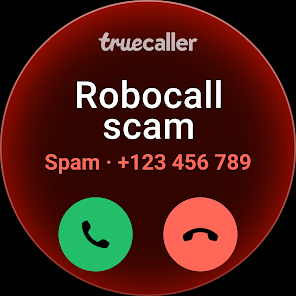
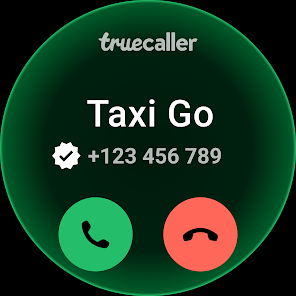
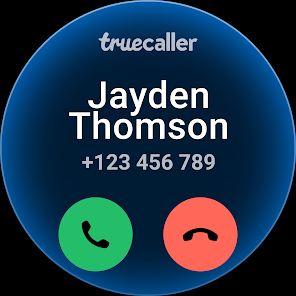
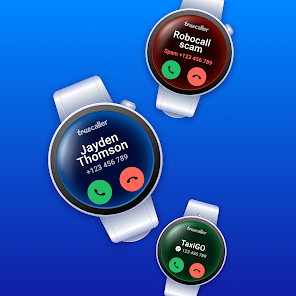
Truecaller instantly identifies incoming calls, displaying the caller's name and profile picture, even if they're not in your contacts. This feature helps you recognize unknown numbers, allowing for informed decisions about answering calls, enhancing your overall call experience and security.

Community Reporting

Truecaller relies on its vast user community to report spam calls and messages, continuously updating its database. This collaborative feature empowers users to contribute to a safer calling environment, as each report helps improve the app's accuracy in identifying and blocking unwanted communications.

Smart Messaging

Truecaller isn't just about calls; it also enhances your messaging experience. The app offers smart messaging features such as identifying unknown senders, filtering out spam messages, and allowing users to send messages without revealing their number, making communication safer and more efficient.

Spam Call Blocking

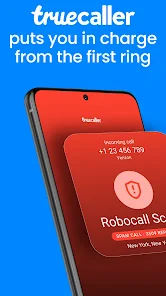
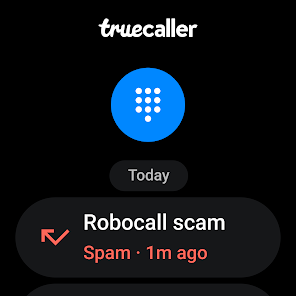
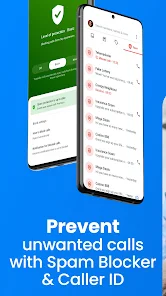
With its advanced spam detection technology, Truecaller actively blocks unwanted spam calls in real-time. Users can customize their blocking settings based on their preferences, ensuring a more peaceful and uninterrupted phone experience while reducing the chances of falling victim to scams.

Pros & Cons

Pros
  • Truecaller identifies unknown callers instantly, enhancing your call screening experience.
  • The AI-powered call blocker automatically filters out spam and unwanted calls.
  • Enjoy a user-friendly interface that makes managing calls effortless and intuitive.
  • Access a vast community database to stay updated on new spam numbers.
  • Truecaller provides real-time alerts for potential fraud and scams, keeping you safe.
Cons
  • Limited functionality without an internet connection
  • Privacy concerns due to data sharing
  • Potential for false positives in blocking calls

Real Experience Using Truecaller: Spam Call Blocker

Application Scenarios

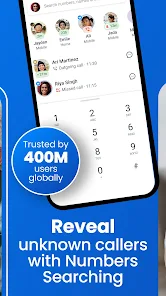
Truecaller: Spam Call Blocker is designed to enhance your calling experience by filtering out unwanted calls and messages. It is particularly beneficial in scenarios where users frequently receive spam calls from telemarketers or automated systems. The app is invaluable for individuals who often travel or conduct business in areas where they may encounter a high volume of unsolicited calls. With its robust database, Truecaller can quickly identify and block numbers reported by other users, allowing you to focus on important calls without interruptions. Additionally, the app offers a feature to search for unknown numbers, providing users with the ability to determine who is calling before answering.

User Experience

The user experience with Truecaller is generally positive. The app boasts a clean and intuitive interface, making it easy for users to navigate through its various features. Upon installation, users can quickly set up their profile and allow the app to access their contacts. The spam detection system is efficient, and many users report a significant decrease in unwanted calls after using the service. Features such as the caller ID and the ability to block specific numbers are well-received. However, some users have expressed concerns regarding privacy, as the app requires access to personal contacts to function optimally. Despite this, the benefits of blocking spam and identifying unknown callers often outweigh the privacy concerns for many users.

Pricing

Truecaller operates on a freemium model, offering a basic version of the app for free with essential features like spam blocking and caller identification. For users seeking enhanced functionality, such as an ad-free experience, additional customization options, and advanced spam detection, Truecaller offers a premium subscription. The pricing for the premium version is competitive, and users can choose between monthly, yearly, or lifetime subscription plans, making it accessible for various budgets. Many users find that investing in the premium version is worthwhile, as it significantly enhances the app's capabilities.

Updates & Support

Truecaller is actively maintained, with regular updates aimed at improving performance, introducing new features, and addressing user feedback. The development team is responsive to user suggestions, and many updates reflect the community's needs. Support is readily available through the app, with a dedicated help section and FAQs to assist users with common issues. For more personalized assistance, users can reach out via email or social media, and the support team typically responds promptly. This commitment to ongoing improvement and user support contributes positively to the overall experience with Truecaller.

verified Security & Privacy Review

Truecaller: Spam Call Blocker prioritizes user security and privacy, implementing various measures to protect personal data. The app requires permissions to access contacts, calls, and SMS, which can raise concerns regarding user privacy. However, Truecaller assures users that their data is handled with care and is not sold to third parties. The app operates on a freemium model, offering additional features through a subscription service while maintaining a commitment to protecting user information. Truecaller employs advanced encryption techniques to safeguard data during transmission, ensuring that sensitive information remains secure. Users are encouraged to review and customize their privacy settings, allowing them to control what information is shared with the Truecaller community. The app also offers options to block unwanted calls and messages, enhancing overall user protection. While Truecaller’s database relies on user-contributed contact information, the company maintains strict policies to prevent misuse and unauthorized access. Overall, Truecaller demonstrates a strong focus on security and privacy, although users should remain vigilant about the permissions granted and the information shared within the app.

Reviews

4.4

“Effective spam blocking, highly recommended!”

“User-friendly interface, easy to navigate.”

“Accurate caller identification saves time.”

“Frequent updates improve performance.”

“Occasional ads, but worth the service.”

FAQ

1

Can I submit suggestions or feedback to Truecaller: AI Call Blocker?

Yes, Truecaller encourages users to submit suggestions and feedback through the app or their official website to help improve the service.

2

Does Truecaller: AI Call Blocker collect my personal data?

Yes, Truecaller collects user data to enhance its services, but it allows users to manage their privacy settings and control what information is shared.

3

Does Truecaller: AI Call Blocker support offline use?

Truecaller: AI Call Blocker requires an internet connection for full functionality, especially for features like caller identification and spam detection.

4

How do I cancel my Truecaller: AI Call Blocker subscription?

You can cancel your subscription through your device's app store settings, following the subscription management section.

5

How much does a subscription to Truecaller: AI Call Blocker cost?

The subscription cost for Truecaller: AI Call Blocker varies by region and plan, typically ranging from a few dollars to a monthly fee for premium features.

How to use Truecaller: Spam Call Blocker

1

Can I change my customer number in Truecaller?

Currently, you cannot change your customer number directly in the app. For assistance, please contact our customer service for alternative solutions.

2

How can I contact customer service for issues with my Truecaller account?

You can reach our customer service through the app by navigating to Settings > Help & feedback > Contact us. Your inquiries will be addressed promptly.

3

How can I log in to Truecaller using my Google account?

To log in with your Google account, select the 'Log in with Google' option on the login screen. Follow the prompts to complete the process.

4

How can I report a spam call to Truecaller?

To report a spam call, simply tap on the number in your call log and select 'Report Spam.' For more information, contact our customer service team.

5

How do I activate my Truecaller account?

To activate your account, download the app, enter your phone number, and follow the verification process via SMS. If you encounter problems, reach out to customer service for support.

Editor's Choice