This site uses cookies to enhance your user experience. By clicking any link on this site you are giving your consent to our cookie policy. Read more
Reject
Accept All

Advertiser and Editorial Disclosures

YouMail: Block Spam on Android

YouMail: Block Spam on Android

verified

YouMail, Inc

4.2
Rating
5,000,000+ Downloads
7.2.1 Version
  • category

    Category: Communication

  • price

    Price: free

  • age rating

    Age Rating: Everyone

  • rating

    Rating: 4.2

  • available on

    Available on: /

  • updated on

    Updated on: Jul 6, 2026

Screenshot 1
Screenshot 2
Screenshot 3
Screenshot 4
Screenshot 5
Screenshot 6
Screenshot 7
Screenshot 8
Screenshot 9
Screenshot 10
Screenshot 11
Screenshot 12
Screenshot 13
Screenshot 14
Screenshot 15
Screenshot 16
Screenshot 17
Screenshot 18
Screenshot 19
Screenshot 20
Screenshot 21
Screenshot 22
Screenshot 23
Screenshot 24

Features & Highlights

Call Management Tools

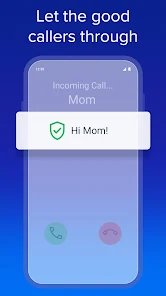
The app provides powerful call management tools that include call blocking and forwarding options, giving you full control over your incoming calls. You can easily customize your settings to suit your preferences, ensuring that you never miss an important call while keeping the spam at bay.

Personalized Greetings

YouMail offers the ability to create personalized greetings for different contacts, adding a unique touch to your voicemail experience. This feature not only makes your calls more engaging but also helps in managing your communications in a more personal manner.

Smart Spam Blocking

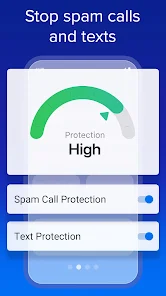
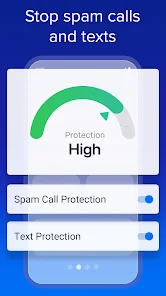
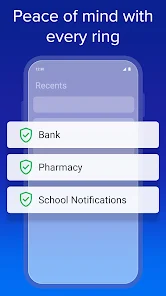
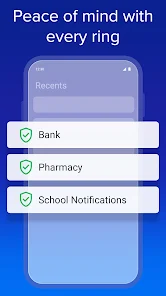
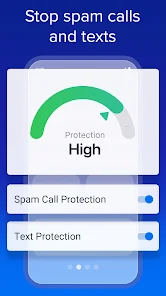
YouMail uses advanced algorithms to identify and block spam calls, ensuring that your phone stays free from unwanted interruptions. With its constantly updated database, it learns from user reports to enhance its accuracy, making it a reliable choice for anyone tired of pesky robocalls.

Visual Voicemail

Experience the convenience of visual voicemail that allows you to see your messages at a glance. You can easily prioritize which messages to listen to first and skip the ones that don’t matter, making your voicemail experience seamless and efficient.

Pros & Cons

Pros
  • YouMail effectively blocks unwanted spam calls and messages.
  • Enjoy a clean, distraction-free voicemail experience.
  • Customize greetings for known contacts and unknown callers.
  • Access detailed call logs to identify spam trends.
  • Easily manage your voicemail through an intuitive app interface.
Cons
  • Limited customization options for voicemail greetings can frustrate users.
  • The app may experience occasional performance issues, leading to missed calls.
  • Some users report difficulties in setting up and managing the app effectively.

Real Experience Using YouMail: Block Spam on Android

Application Scenarios

YouMail: Block Spam on Android is designed for users who are overwhelmed by unsolicited calls and messages. In today's digital age, spam calls have become a significant nuisance, affecting both personal and professional lives. YouMail caters to various scenarios where users can benefit from its features. For instance, if you are a business owner receiving frequent spam calls that disrupt your workday, YouMail can effectively filter these calls, allowing you to focus on your clients. Similarly, if you are a busy parent or individual who prefers peace and quiet, the app can help you gain control over your incoming calls, ensuring that only important contacts can reach you. Additionally, travelers can leverage YouMail to avoid unwanted interruptions while away from home, making it a versatile solution for different lifestyles.

User Experience

The user experience of YouMail is generally well-received, with its intuitive interface making navigation seamless for users of all ages. Upon installation, the app prompts users to set up their preferences quickly, ensuring a hassle-free onboarding process. Users appreciate the ability to customize their voicemail greetings, adding a personal touch that resonates with callers. The call-blocking feature is particularly praised, as it automatically identifies and blocks spam numbers, providing instant relief from unwanted disturbances. Furthermore, YouMail's visual voicemail service allows users to read transcriptions of their messages, making it easy to prioritize important calls without listening to every voicemail. Overall, the app’s clean design, coupled with its robust features, creates a satisfying experience that meets users' needs effectively.

Pricing

YouMail offers a freemium model, allowing users to start with a basic version that includes essential spam-blocking features at no cost. However, for those seeking enhanced functionality, such as advanced call blocking, custom greetings, and voicemail management, a premium subscription is available. The pricing is competitive compared to similar apps on the market, with various subscription tiers that cater to different needs and budgets. Users can choose between monthly, quarterly, or annual plans, which makes it convenient for individuals looking to test the app's premium features without a long-term commitment. The value provided by the premium subscription often outweighs the costs, especially for users who face persistent spam issues.

Updates & Support

YouMail is committed to providing regular updates that enhance the app's performance and introduce new features. Users have noted that the developers are responsive to feedback, often implementing requested improvements promptly. The app's support system is user-friendly, with a comprehensive FAQ section and a dedicated customer service team available via email and in-app chat. This ensures that users can resolve any issues they encounter quickly. Additionally, the app keeps users informed about new updates and features through notifications, allowing them to make the most of the app as it evolves. Overall, YouMail’s focus on continuous improvement and user support fosters a positive relationship with its community.

verified Security & Privacy Review

YouMail: Block Spam on Android places a strong emphasis on security and privacy, ensuring users feel safe while managing their calls. The app requires certain permissions to function effectively, including access to contacts and phone calls, which is standard for call management applications. However, YouMail is transparent about its data handling practices, providing users with clear information on how their data is utilized. The app employs robust encryption methods to protect user data during transmission, significantly reducing the risk of unauthorized access. Additionally, YouMail commits to not selling user data to third parties, a critical factor for privacy-conscious individuals. Users can customize their privacy settings, allowing for greater control over who can reach them and how their information is shared. Moreover, YouMail features options to block spam calls and manage voicemails securely, further enhancing user privacy. Overall, YouMail demonstrates a solid approach to security and privacy, making it a reliable choice for those looking to safeguard their communication data while effectively managing spam calls.

User Reviews

  • Justine M
    2025/09/15

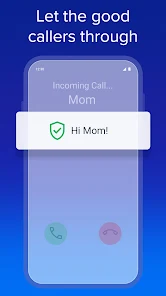
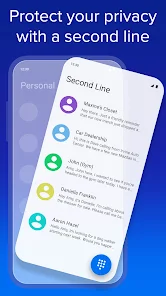
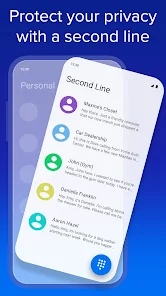
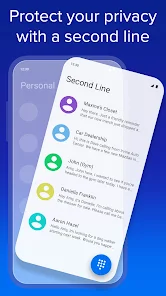
    I love that my calls are screened for potential spam calls. I was also allowed an additional phone number for personal or business calls. As a side note: If the caller isn't in your phone's contacts, the caller is screened and your phone won't ring, they can leave a voicemail. All spam or blocked calls do not ring. There are additional options depending on your subscription. I find the fees reasonably priced.

  • Quinlan 'Quinn' Malloy
    2026/06/01

    Downloaded YouMail because my carrier doesn't offer transcribed voicemails, and that's something I need for accessibility. The app is easy to use, not a ton of clutter or mess, and the free version meets my needs perfectly. Transcriptions are mostly accurate, and where they're not, it's close enough to where I can figure out what was said. Very satisfied with this app!

  • Debra Farthing
    2026/05/20

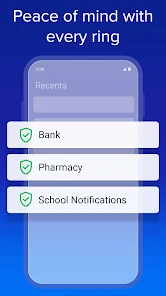
    If I could leave more stars, I would! I was getting 30 Robo calls per day. With my phone and plan, I could block the calls but they could still leave voicemail. They would call all day, sometimes leaving 10 voicemail per hour. It was stressful and annoying. I got the subscription to get call screening. Day 1: All Spam Calls failed screening so I didn't have any annoying voicemail. Felt much calmer knowing that I was being protected from the relentless calls. Highly, highly recommend!

  • Stacy Rapoport
    2026/06/04

    love this app and I love how easy it is to make special outgoing messages to individual people or groups. My big gripe with Android is not having a good native voicemail app that transcribes voicemails without you having to listen to them. although honestly, how often do people even leave voicemail anymore? it's fun though and works really well.

  • Derrek Younger
    2026/02/24

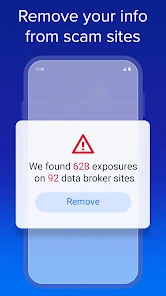
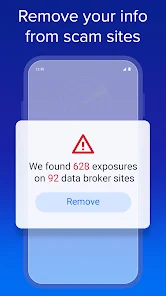
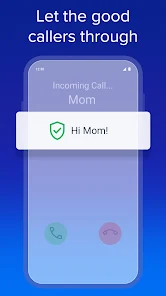
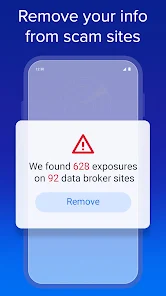
    Works very well! Robo calls went from 70 a day to zero! Privacy scanner works well also. If additional steps are needed to remove info from data brokers, instructions are provided as well as a checklist. (Customer support is excellent here). If calls get screened (ie a legitimate business is calling) the call will be screened until you add them as a contact. These calls are answered in the app. Because if this there is a slight but noticeable delay. However, its a small price to pay.

Review Source: Google Play store public user reviews.

FAQ

1

Can I submit suggestions or feedback to YouMail: Block Spam on Android?

Yes, users can submit suggestions or feedback through the app's support feature or directly via their website.

2

Does YouMail: Block Spam on Android collect my personal data?

Yes, YouMail: Block Spam may collect personal data such as your phone number and call logs to enhance its spam detection and management capabilities.

3

Does YouMail: Block Spam on Android support offline use?

YouMail: Block Spam requires an internet connection for most features, but some functionalities like voicemail playback may be accessible offline.

4

How do I cancel my YouMail: Block Spam on Android subscription?

You can cancel your YouMail: Block Spam subscription by going to the app settings, selecting the subscription option, and following the cancellation instructions.

5

How much does a subscription to YouMail: Block Spam on Android cost?

The subscription cost for YouMail: Block Spam varies based on the plan selected, typically starting from a monthly fee with discounted rates for annual subscriptions.

How to use YouMail: Block Spam on Android

1

Can I block spam calls without logging in?

No, you need to log in to your YouMail account to manage spam blocking features.

2

Can I change my spam blocking settings after logging in?

Yes, you can change your spam blocking settings anytime after logging into your YouMail account.

3

How can I activate my YouMail account for spam blocking?

To activate your YouMail account, follow the instructions in the activation email you received after signing up.

4

How do I contact customer service for help with spam blocking?

You can reach YouMail customer service via the app or their website for help with spam blocking issues.

5

How do I find my customer number in the YouMail app?

You can find your customer number in the app under the account settings section.

What's New

Get protection for your phone number. This version improves access to our Privacy Scan feature. See where your personal information is exposed online and then get it removed quickly. We auto-block millions of spam numbers, but you can help by using "screenshot-and-share" to report suspicious numbers. If you want to stop spammers as they cycle through new numbers, go Premium with Call Screening. From data broker removal to private second numbers, YouMail puts you in control and keeps you safe.

Editor's Choice