This site uses cookies to enhance your user experience. By clicking any link on this site you are giving your consent to our cookie policy. Read more
Reject
Accept All
Torque Pro (OBD 2 & Car)

Torque Pro (OBD 2 & Car)

verified Verified App

Developer: Ian Hawkins

  • category

    Category: Communication

  • price

    Price: $4.95

  • age rating

    Age Rating: Everyone

  • rating

    Rating: 4.0

  • download

    Downloads: 1,000,000+

  • version

    Version: 1.12.108

Screenshot 1
Screenshot 2
Screenshot 3
Screenshot 4
Screenshot 5
Screenshot 6
Screenshot 7
Screenshot 8
Screenshot 9
Screenshot 10
Screenshot 11
Screenshot 12
Screenshot 13
Screenshot 14
Screenshot 15
Screenshot 16
Screenshot 17

Features & Highlights

Customizable Dashboard

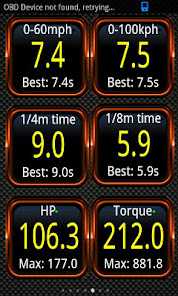
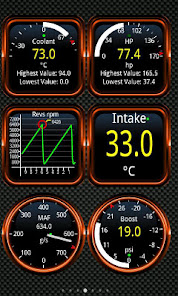
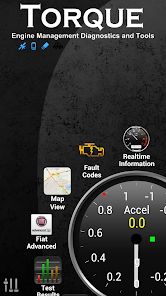
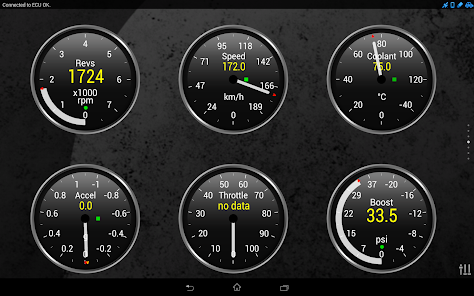
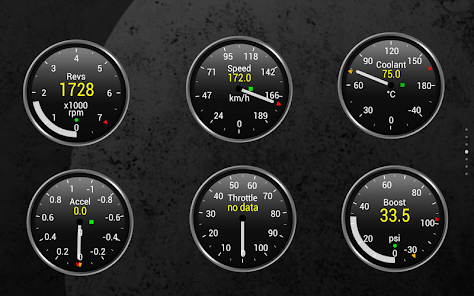
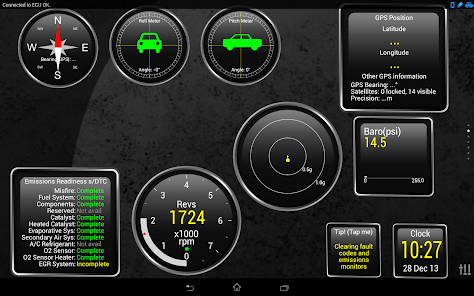
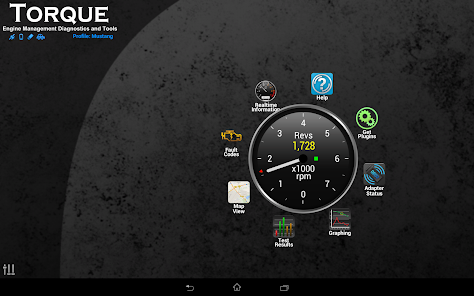
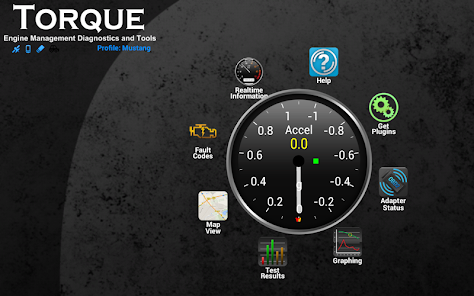
The app provides a highly customizable dashboard that lets you select which gauges and readings you want to display. You can tailor your experience to focus on the metrics that matter most to you, making it easy to keep an eye on your vehicle’s performance at a glance.

Fault Code Reading

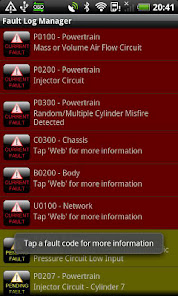
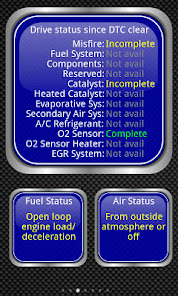
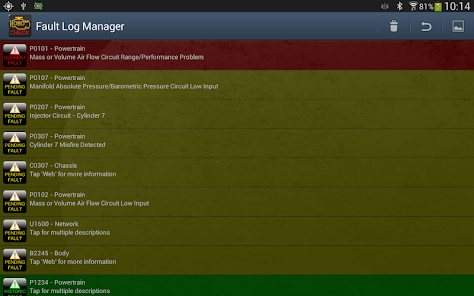
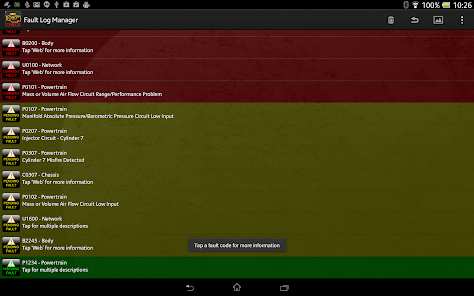
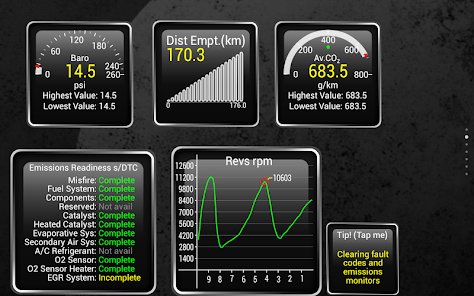
With Torque Pro, you can read and clear fault codes from your vehicle's computer, empowering you to diagnose problems without costly trips to the mechanic. This capability not only saves you time but also helps you understand your car's health better and make informed decisions about necessary repairs.

GPS Tracking & Logging

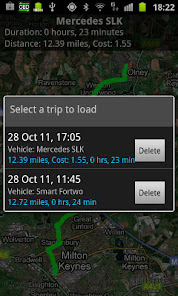
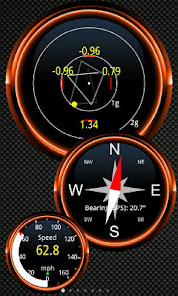
The GPS tracking feature allows you to log your vehicle's speed, location, and route, providing valuable insights into your driving habits. This information can help you improve fuel efficiency and driving performance while also offering a fun way to track your journeys over time.

Real-Time Diagnostics

Torque Pro offers real-time diagnostics for your vehicle, allowing you to monitor various engine parameters and performance metrics directly from your smartphone. This feature helps you quickly identify issues, ensuring your car runs smoothly and efficiently without the need for complicated tools or extensive technical knowledge.

Pros & Cons

Pros
  • Real-time vehicle diagnostics at your fingertips
  • User-friendly interface for easy navigation
  • Customizable dashboards for personalized data views
  • Supports a wide range of OBD2 protocols
  • Affordable solution for car enthusiasts and professionals
Cons
  • Limited compatibility with some vehicle models
  • User interface can be confusing for beginners
  • Requires external hardware for full functionality
  • In-app purchases can add to overall cost

Real Experience Using Torque Pro (OBD 2 & Car)

Application Scenarios

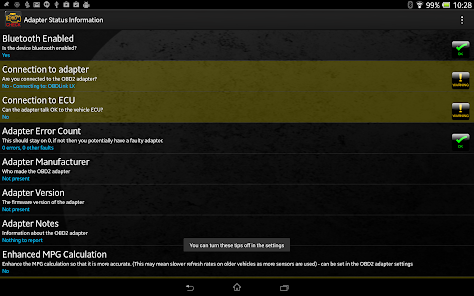
Torque Pro is designed for car enthusiasts and everyday drivers alike who want to delve deeper into their vehicle's performance and diagnostics. Whether you're troubleshooting a check engine light or monitoring real-time engine data while on a road trip, Torque Pro provides the tools needed to enhance your driving experience. Users can connect the app to their OBD-II (On-Board Diagnostics) adapter, turning their smartphone or tablet into a powerful diagnostic tool. It’s ideal for mechanics who need a reliable solution for vehicle diagnostics, as well as for DIYers who appreciate the ability to analyze their car's data. The app can also be used for performance tuning, allowing users to track metrics such as horsepower and torque. Additionally, it supports various vehicle types, making it versatile for anyone with a compatible OBD-II vehicle.

User Experience

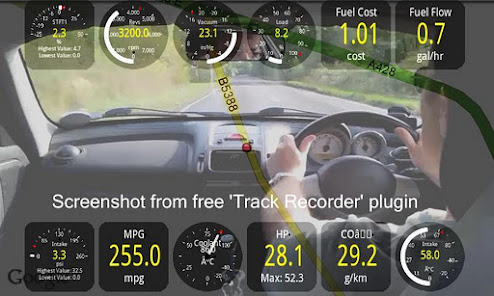
The user interface of Torque Pro is sleek and intuitive, which makes it accessible for users of all technical levels. Upon launching the app, users are greeted with a customizable dashboard that can display a multitude of gauges and data points, from RPMs to vehicle speed. The ability to personalize the dashboard to show the most relevant information at a glance is a significant advantage. The app's data logging feature allows users to record sessions for later analysis, which is helpful for tracking performance over time. Furthermore, Torque Pro offers a variety of plugins that enhance functionality, such as GPS tracking and enhanced diagnostic capabilities, making it a robust tool for comprehensive vehicle monitoring. The app runs smoothly without significant lag, ensuring that users can focus on driving without distraction.

Pricing

Torque Pro is available for a one-time purchase, making it a cost-effective solution compared to many subscription-based diagnostic tools. The initial investment is reasonable given the range of features and capabilities the app offers. While the app itself is affordable, users should also consider the cost of an OBD-II adapter, which varies in price depending on brand and functionality. However, once equipped, users can enjoy a wealth of information about their vehicles without ongoing fees, making it a smart choice for those looking to save on diagnostic services.

Updates & Support

The developers behind Torque Pro are committed to enhancing user experience through regular updates, which often include new features and improvements. User feedback is taken into account, ensuring that the app evolves with the needs of its community. Support options are readily available, with a comprehensive FAQ section and active user forums where users can share tips and troubleshoot issues. For those needing more personalized assistance, direct support is also offered, ensuring that even the most complex concerns can be addressed promptly. Overall, the combination of regular updates and responsive support solidifies Torque Pro as a reliable tool for car diagnostics and performance monitoring.

verified Security & Privacy Review

Torque Pro (OBD 2 & Car) prioritizes user security and privacy, adopting industry-standard practices to safeguard sensitive information. The app requires access to specific permissions, including Bluetooth connectivity and location services, essential for interfacing with OBD-II devices and providing accurate vehicle diagnostics. Users should be aware that while Torque Pro does not inherently collect personal data, it may access vehicle-specific information transmitted by OBD-II adapters. This data is typically anonymized and used solely for diagnostic purposes. Additionally, the app does not share user data with third parties without explicit consent, reinforcing its commitment to user privacy. Furthermore, Torque Pro offers customizable settings that allow users to manage data sharing preferences effectively. Users can opt to store data locally on their devices, minimizing exposure to potential breaches. Overall, Torque Pro demonstrates a strong emphasis on data security and user privacy, making it a reliable choice for car enthusiasts who prioritize safeguarding their information.

Reviews

4.0

“Great for real-time vehicle diagnostics and monitoring!”

“User-friendly interface makes it easy to navigate.”

“Accurate data readings and extensive vehicle compatibility.”

“Fantastic app for DIY car enthusiasts and mechanics.”

“Regular updates keep features fresh and useful.”

Editor's Choice