This site uses cookies to enhance your user experience. By clicking any link on this site you are giving your consent to our cookie policy. Read more
Reject
Accept All

Advertiser and Editorial Disclosures

Talk: Text to Voice

Talk: Text to Voice

verified Verified App

Developer: Abast Multimèdia

  • category

    Category: Communication

  • price

    Price: free

  • age rating

    Age Rating: Everyone

  • rating

    Rating: 4.4

  • download

    Downloads: 5,000,000+

  • version

    Version: /

Screenshot 1
Screenshot 2
Screenshot 3
Screenshot 4
Screenshot 5
Screenshot 6
Screenshot 7
Screenshot 8
Screenshot 9
Screenshot 10
Screenshot 11
Screenshot 12
Screenshot 13
Screenshot 14
Screenshot 15
Screenshot 16

Features & Highlights

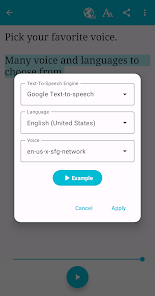
Multiple Voice Options

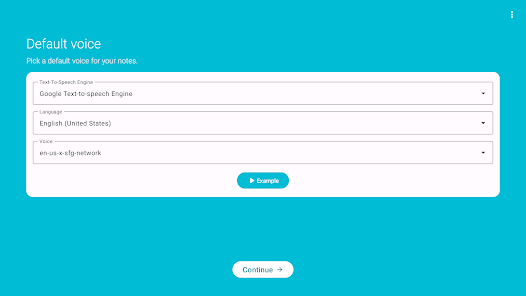
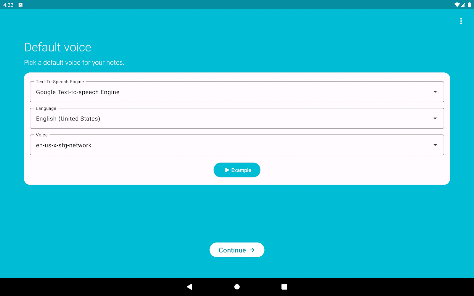
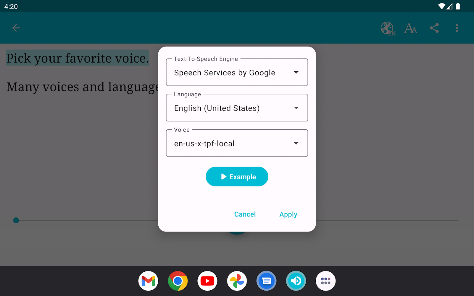
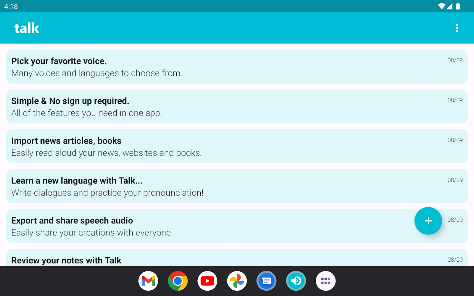
With a variety of voice options to choose from, Talk: Text to Voice allows users to personalize their listening experience. You can select different accents, genders, and tones, so the voice matches your preference, enhancing engagement and comprehension.

Natural Language Processing

Talk: Text to Voice utilizes advanced natural language processing technology to ensure that the text is converted into speech that sounds natural and fluid. This feature makes listening to text a comfortable experience, whether you're consuming articles, books, or any written content on the go.

Offline Accessibility

Talk: Text to Voice provides offline accessibility, enabling users to download content and listen to it without an internet connection. This feature is perfect for commuting, traveling, or anytime you want to enjoy your text without being tied to Wi-Fi.

Speed Control

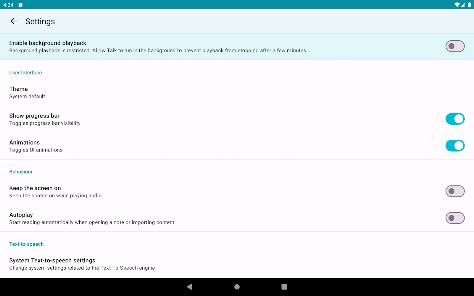
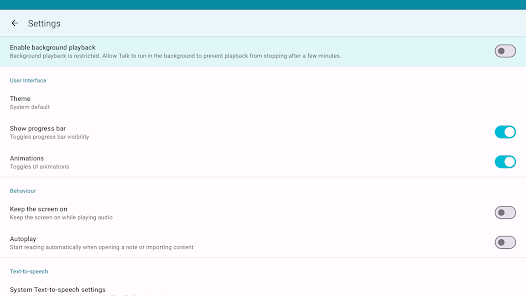
The app offers customizable speed control, allowing users to adjust the playback speed to their liking. Whether you prefer a slower pace for detailed understanding or a faster speed for quick consumption, this feature caters to all listening styles.

Pros & Cons

Pros
  • Enhances accessibility for visually impaired users
  • Converts text to speech quickly and accurately
  • Supports multiple languages for global reach
  • Boosts productivity by multitasking while listening
  • Customizable voice options for personalized experience
Cons
  • Limited emotional expression in voice output
  • Difficulties with complex pronunciations
  • May misinterpret context or tone
  • Not suitable for nuanced conversations

Real Experience Using Talk: Text to Voice

Application Scenarios

Talk: Text to Voice is a versatile application that caters to a variety of users and scenarios. Whether you are a student looking to convert study materials into audio format for easier comprehension, a professional needing to prepare audio notes for presentations, or someone with vision impairments seeking accessible content, this app has you covered. The application excels in transforming written text from various sources—such as articles, books, and web pages—into clear, articulate speech. Furthermore, it can be particularly beneficial for content creators who want to produce voiceovers for videos or podcasts without the need for expensive recording equipment. With its user-friendly interface, one can easily copy and paste text or import documents, making it an excellent tool for multitaskers who want to absorb information while on the go.

User Experience

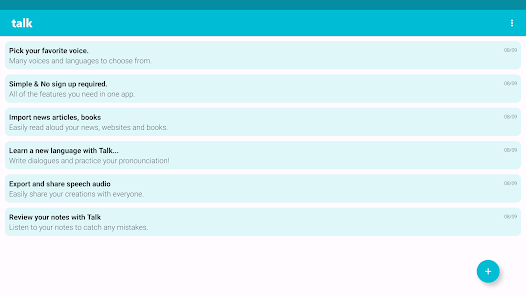
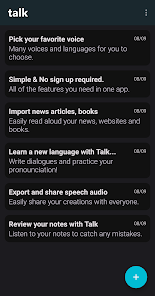
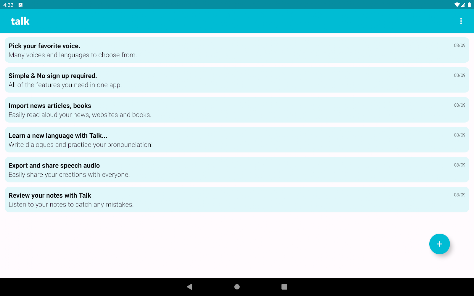
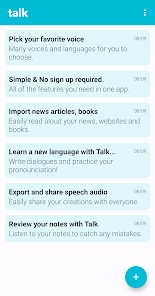
The user experience offered by Talk: Text to Voice is remarkably intuitive. Upon launching the app, users are greeted with a clean and straightforward layout that simplifies navigation. The app features adjustable speech rates and a selection of different voice options, allowing users to personalize their listening experience. The clarity of the synthesized speech is notably impressive, making it easy to follow along even with dense or technical content. Users can also save their favorite texts and create playlists, enhancing convenience for repeated listening. However, some users have noted occasional glitches, such as minor lag when processing larger documents. Overall, the app’s performance is commendable, providing a seamless experience for most users.

Pricing

Talk: Text to Voice operates on a freemium model, offering a basic version at no cost with limitations on the number of characters that can be processed daily. For users who require more extensive functionality, a premium subscription is available, which unlocks unlimited character processing, advanced voice options, and additional customization features. The pricing structure is competitive compared to similar apps, making it accessible for both casual users and serious content consumers. Additionally, regular discounts and promotional offers are often available, providing excellent value for money.

Updates & Support

The developers of Talk: Text to Voice are committed to continuous improvement, frequently releasing updates that enhance functionality and fix bugs. Users can expect regular feature additions based on feedback, ensuring the app evolves to meet user needs. Customer support is readily available via email and a dedicated help section within the app, offering prompt responses to inquiries and troubleshooting assistance. Additionally, the app’s community forum serves as a valuable resource for users to share tips, tricks, and suggestions, fostering a supportive user environment. Overall, Talk: Text to Voice provides a robust support system that enhances user satisfaction.

verified Security & Privacy Review

The Talk: Text to Voice app prioritizes user security and privacy through a range of thoughtful practices. It implements encryption protocols to safeguard data transmitted between the app and its servers, ensuring that users' text inputs remain confidential. The app has a clear privacy policy that outlines how user data is collected, used, and stored, allowing users to make informed decisions about their privacy. Permissions requested by the app are limited and directly related to its core functionality. Users are informed about any access required, such as microphone or storage permissions, and can choose to grant or deny these requests. This transparency is a significant step in fostering trust with users. Additionally, the app does not store user-generated content on its servers unless explicitly required for functionality. This approach minimizes the risk of data breaches and enhances user control over personal information. Regular updates and security patches further demonstrate the developers' commitment to maintaining a secure environment for all users, making Talk: Text to Voice a reliable choice for those concerned about data privacy.

Reviews

4.4

“Easy to use and very accurate voice synthesis.”

“Love the variety of voice options available!”

“Great for accessibility and hands-free tasks.”

“Quiet background noise makes it perfect for reading.”

“Voice customization features are fantastic and user-friendly.”

FAQ

1

Does Talk: Text to Voice collect my personal data?

Talk: Text to Voice may collect minimal personal data necessary for providing the service, such as usage statistics and preferences, but it is committed to protecting user privacy and data security.

2

Does Talk: Text to Voice offer a free trial or free version?

Talk: Text to Voice typically offers a free version with limited features, along with a free trial period for users to explore the premium features before committing to a subscription.

3

Does Talk: Text to Voice require an internet connection?

Talk: Text to Voice can operate offline for basic text-to-speech functions, but some features, such as accessing online content or updating voice libraries, may require an internet connection.

4

How can I contact support or send feedback for Talk: Text to Voice?

You can contact support or send feedback for Talk: Text to Voice through the app's help section, via email, or through the official website, where you can find additional resources and support options.

5

How do I manage or cancel my Talk: Text to Voice subscription?

You can manage or cancel your Talk: Text to Voice subscription through the app settings or the app store where you downloaded the app, following the provided instructions for subscription management.

How to use Talk: Text to Voice

1

Can I change my customer support preferences in the Talk: Text to Voice app?

Yes, go to the settings menu in the app to update your customer support preferences.

2

How can I contact customer service for the Talk: Text to Voice app?

You can reach customer service by visiting our website and using the contact form or calling our support number listed in the app.

3

How do I log in to the Talk: Text to Voice app?

To log in, open the app and enter your registered email and password on the login screen.

4

How do I update my payment information for the Talk: Text to Voice app?

You can update your payment information in the app's account settings under 'Billing'.

5

Is there a way to activate the Talk: Text to Voice app?

Yes, after downloading, simply open the app and follow the on-screen instructions to activate your account.

Editor's Choice