This site uses cookies to enhance your user experience. By clicking any link on this site you are giving your consent to our cookie policy. Read more
Reject
Accept All

Advertiser and Editorial Disclosures

Session - Private Messenger

Session - Private Messenger

verified Verified App

Developer: Session Foundation

  • category

    Category: Communication

  • price

    Price: free

  • age rating

    Age Rating: Everyone

  • rating

    Rating: 4.6

  • download

    Downloads: 1,000,000+

  • version

    Version: 1.30.3

Screenshot 1
Screenshot 2
Screenshot 3
Screenshot 4
Screenshot 5
Screenshot 6

Features & Highlights

Anonymous Messaging

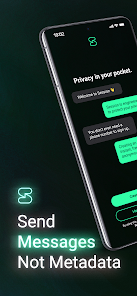
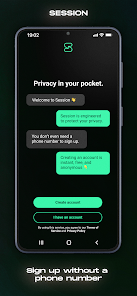
Session allows you to send messages without needing to share your phone number or email address. This anonymity protects your identity and helps you connect with others without the fear of being tracked or targeted, making it easier to engage in open conversations.

Decentralized Network

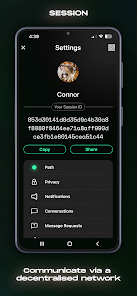
Unlike traditional messaging apps, Session operates on a decentralized network, meaning there's no central server storing your data. This enhances privacy and security, as your messages are not susceptible to server breaches or data harvesting, giving you peace of mind while you communicate.

End-To-End Encryption

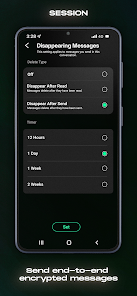
Session - Private Messenger ensures your conversations are private and secure with end-to-end encryption. This means that only you and the person you're chatting with can read the messages, keeping your personal information safe from prying eyes and potential hackers.

User-Friendly Interface

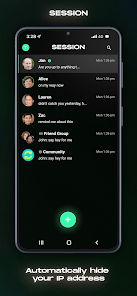
With its intuitive design, Session - Private Messenger makes it easy for anyone to start chatting securely. The straightforward layout and seamless navigation mean you can quickly access features, ensuring that your focus remains on meaningful conversations rather than complicated settings.

Pros & Cons

Pros
  • Protects your privacy with end-to-end encryption for all messages.
  • No phone number or email required for account creation.
  • Offers a truly anonymous chat experience with no traceable data.
  • User-friendly interface makes messaging simple and intuitive.
  • Supports group chats while maintaining user anonymity and security.
Cons
  • Limited user base restricts communication opportunities with friends and family.
  • Lack of end-to-end encryption raises privacy concerns for sensitive conversations.
  • Features are basic compared to more established messaging platforms, limiting functionality.

Real Experience Using Session - Private Messenger

Application Scenarios

Session - Private Messenger is designed for users who prioritize privacy and security in their communication. It excels in scenarios where sensitive information needs to be shared, such as discussing confidential business matters, personal conversations that require discretion, or even coordinating plans with friends without the risk of data breaches. The app is particularly useful for those living in regions with stringent surveillance or in environments where privacy is compromised. Users can engage in secure messaging without worrying about third-party tracking or data mining, making it ideal for journalists, activists, and anyone who values their digital privacy. Additionally, the app's ability to function without a phone number allows users to create anonymous accounts, enhancing its appeal for those seeking a more discreet way to communicate.

User Experience

The user experience of Session is generally smooth and intuitive. The interface is user-friendly, making it easy for both tech-savvy individuals and those less familiar with technology to navigate. Users can send text messages, voice notes, and images seamlessly. The app employs end-to-end encryption, ensuring that only the intended recipients can access the messages, which significantly boosts users' confidence in its security. Furthermore, Session's decentralized architecture reduces the risk of server-side data leaks. The app also includes features such as group chats and media sharing, enhancing its functionality for varied communication needs. However, some users may find the initial setup process slightly cumbersome, as it requires generating a unique Session ID instead of the traditional phone number verification.

Pricing

One of the most appealing aspects of Session is that it is completely free to use. There are no subscription fees or in-app purchases, making it accessible to a wide range of users. This pricing model allows individuals and organizations to utilize a secure messaging platform without the barrier of cost, which is particularly advantageous for those in lower-income regions or for those who are cautious about spending on communication tools. The absence of ads within the application also contributes to a clean user interface and uninterrupted communication, further enhancing the overall experience.

Updates & Support

Session is regularly updated to improve its features and security measures, demonstrating the developers' commitment to maintaining a reliable communication platform. Users can expect periodic enhancements that address bugs and introduce new functionalities, keeping the app competitive in the evolving landscape of messaging services. Support is available through a dedicated help section within the app, offering users access to FAQs and troubleshooting guides. Additionally, the developers maintain an active presence on social media and community forums, where they engage with users to gather feedback and address concerns. This responsiveness not only builds trust but also fosters a community of users who are invested in the app's ongoing development and improvement.

verified Security & Privacy Review

Session - Private Messenger prioritizes user security and privacy through its robust end-to-end encryption, ensuring that messages can only be read by the intended recipients. This encryption is designed to protect your conversations from unauthorized access, including potential eavesdroppers. The app takes a unique approach by not requiring any personal information during the registration process, allowing users to maintain anonymity. There are no phone numbers or email addresses tied to user accounts, significantly reducing the risk of data leaks and unwanted tracking. Session minimizes the permissions it requires, focusing on essential functionalities only. Users can feel secure knowing that the app does not collect metadata from conversations, further enhancing privacy. Additionally, Session employs a decentralized network architecture, which prevents data storage in a single location and helps to eliminate the risks associated with central servers. Overall, Session - Private Messenger stands out for its commitment to protecting user data and providing a private messaging experience free from surveillance and data exploitation.

Reviews

4.6

“Great privacy features, love the end-to-end encryption!”

“User-friendly interface, easy to navigate.”

“Fast messaging, no lag at all.”

“Impressive security, feels safe to communicate.”

“Customization options are a nice touch!”

FAQ

1

Can I submit suggestions or feedback to Session - Anonymous Messenger?

Yes, users can submit suggestions or feedback through the app or on their official website, where they welcome user input for improvements.

2

Does Session - Anonymous Messenger collect my personal data?

No, Session - Anonymous Messenger does not collect personal data, as it is designed to prioritize user privacy and anonymity.

3

Does Session - Anonymous Messenger support offline use?

Yes, Session - Anonymous Messenger allows users to draft messages offline, which will be sent automatically once the user is back online.

4

How do I cancel my Session - Anonymous Messenger subscription?

Since Session - Anonymous Messenger is free and does not have a subscription model, there is no need to cancel a subscription.

5

How much does a subscription to Session - Anonymous Messenger cost?

Session - Anonymous Messenger does not require a subscription for its core functionalities, as it is completely free.

How to use Session - Private Messenger

1

How can I contact customer service for the Session - Private Messenger app?

You can reach customer service through the app’s support section or visit the official website for contact information.

2

How do I log in to my Session - Private Messenger account?

Open the app, enter your username or phone number, and follow the prompts to log in. Ensure you have an active internet connection.

3

Is there a need to activate my Session - Private Messenger account?

No activation is necessary. Simply download the app, create your account, and start using it right away.

4

What is the customer support number for Session - Private Messenger?

Currently, Session - Private Messenger does not provide a direct customer support number. Please use their support email or in-app support.

Editor's Choice