This site uses cookies to enhance your user experience. By clicking any link on this site you are giving your consent to our cookie policy. Read more
Reject
Accept All
Samsung Internet Browser

Samsung Internet Browser

verified Verified App

Developer: Samsung Electronics Co., Ltd.

  • category

    Category: Communication

  • price

    Price: free

  • age rating

    Age Rating: Everyone

  • rating

    Rating: 3.6

  • download

    Downloads: 1,000,000,000+

  • version

    Version: /

Screenshot 1
Screenshot 2
Screenshot 3
Screenshot 4
Screenshot 5
Screenshot 6
Screenshot 7
Screenshot 8
Screenshot 9
Screenshot 10
Screenshot 11
Screenshot 12
Screenshot 13
Screenshot 14
Screenshot 15
Screenshot 16
Screenshot 17
Screenshot 18
Screenshot 19
Screenshot 20

Features & Highlights

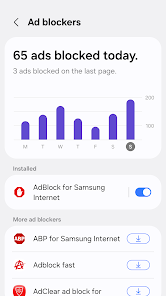
Built-In Ad Blocker

Enjoy an uninterrupted browsing experience thanks to the built-in ad blocker, which effectively reduces unwanted ads and pop-ups. This feature not only enhances your viewing pleasure but also improves page load times, enabling you to access content faster and with fewer distractions.

Customizable Interface

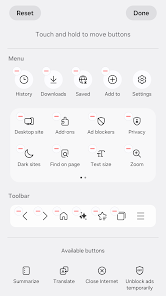
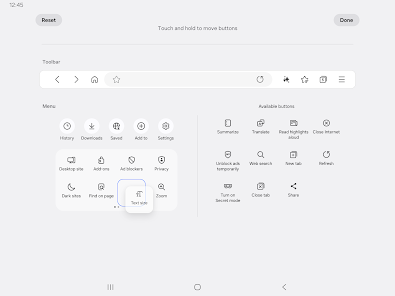
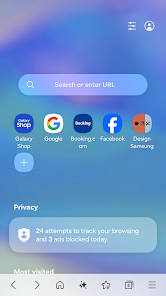
Tailor your browsing experience with Samsung Internet's customizable interface, allowing you to choose from various themes and layout options. You can also rearrange and add quick access buttons, making it easier to navigate your favorite sites in a way that suits your personal style.

Privacy Protection

Samsung Internet Browser prioritizes your privacy with features like Intelligent Anti-Tracking, which helps block unwanted tracking cookies. This ensures a more secure browsing experience, giving you control over your personal data while you surf the web freely and safely.

Samsung Pass Integration

With Samsung Pass integration, you can securely manage your passwords and log into websites with ease. This feature eliminates the hassle of remembering multiple passwords, allowing for quick access to your accounts while ensuring that your sensitive information remains protected.

Pros & Cons

Pros
  • Fast and smooth browsing experience for users.
  • Strong privacy features protect your online activities.
  • Customizable interface for a personalized experience.
  • Built-in ad blocker enhances page loading speed.
  • Seamless integration with Samsung devices and services.
Cons
  • Limited extension support compared to other browsers
  • Syncing issues across devices can be problematic
  • User interface may feel cluttered for some
  • Performance can lag on older devices

Real Experience Using Samsung Internet Browser

Application Scenarios

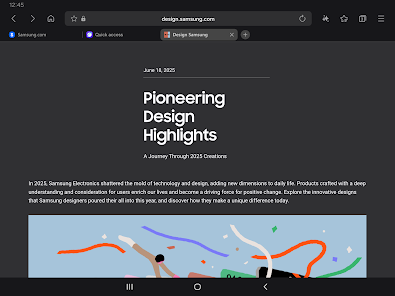
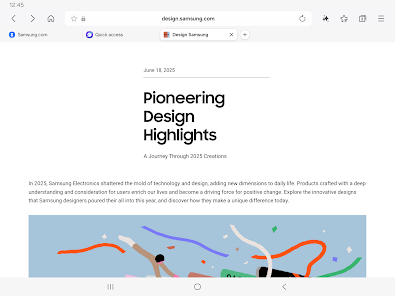
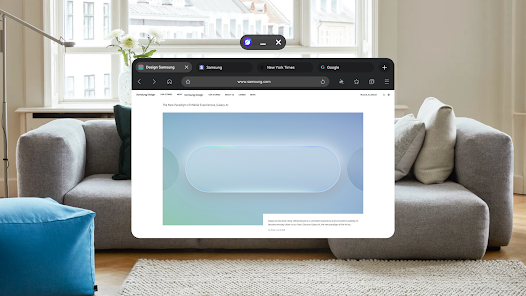
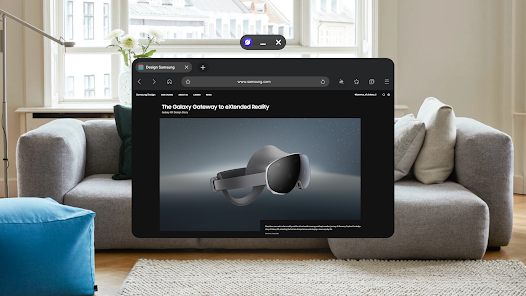
The Samsung Internet Browser is designed to cater to a wide range of browsing needs, making it an ideal choice for users on the go. Whether you're using a Galaxy smartphone, tablet, or even a smart TV, this browser adapts seamlessly to different screen sizes and resolutions. One of its standout features is the ability to sync bookmarks and browsing data across devices, which is particularly useful for users who switch between their phone and tablet frequently. Additionally, the browser excels in scenarios where users require enhanced privacy and security, thanks to its built-in ad blocker and tracking protection features. This makes it a suitable choice for users concerned about their online privacy, whether they are shopping, researching, or simply browsing social media.

User Experience

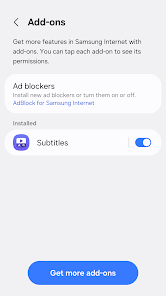
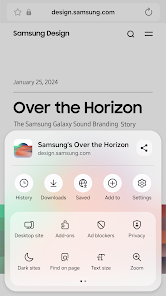
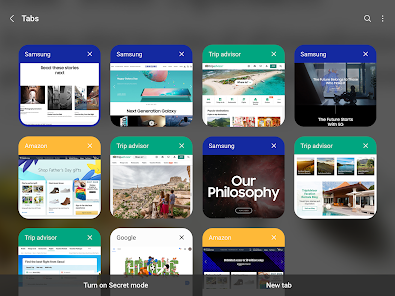
The user experience of the Samsung Internet Browser is notably smooth and intuitive. The interface is clean and user-friendly, making navigation easy for both tech-savvy users and novices alike. The browser supports various extensions that enhance functionality, such as a video assistant for downloading content or a QR code scanner for quick access to websites. Users appreciate the customizable options, allowing them to adjust the layout, theme, and even the presence of a dedicated night mode for comfortable browsing in low-light conditions. The speed of the browser is commendable, with quick loading times and minimal lag, even when multiple tabs are open. Overall, users find that the Samsung Internet Browser not only meets their everyday browsing needs but also provides a pleasurable experience with its thoughtful design and features.

Pricing

Updates & Support The development team behind the Samsung Internet Browser is proactive in releasing regular updates, which not only introduce new features but also enhance security and performance. Users can expect consistent improvements, ensuring that the browser remains competitive in the fast-paced digital landscape. Support options are also commendable, with a dedicated help center that provides troubleshooting resources, FAQs, and community forums for user discussions. Users can easily report issues or seek assistance, ensuring they receive timely help when needed. This commitment to ongoing support and improvement solidifies the Samsung Internet Browser as a reliable choice for all browsing needs.

verified Security & Privacy Review

The Samsung Internet Browser prioritizes user security and privacy, incorporating several robust features to protect sensitive information. The app employs strong encryption protocols to safeguard data transmitted over the internet, ensuring that users can browse securely. Samsung Internet offers a comprehensive set of privacy controls, allowing users to manage their browsing data effectively. Users can easily delete their browsing history, cookies, and cache, providing transparency and control over their personal information. Additionally, the browser includes a built-in ad blocker, which enhances privacy by preventing tracking from advertisers. Regarding permissions, the app requests access to essential features only, such as location services for enhanced browsing experiences. Users have the option to deny permissions, ensuring they maintain control over their data. Furthermore, Samsung's commitment to user privacy is evident in its strict adherence to data protection regulations. Overall, the Samsung Internet Browser excels in prioritizing user security and privacy, making it a reliable choice for those concerned about data protection during their online activities.

Reviews

3.6

“Fast and smooth browsing experience every time”

“Great privacy features and ad blocker”

“User-friendly interface with customizable options”

“Syncing across devices is seamless and reliable”

“Frequent updates keep improving performance and stability”

Editor's Choice