This site uses cookies to enhance your user experience. By clicking any link on this site you are giving your consent to our cookie policy. Read more
Reject
Accept All

Advertiser and Editorial Disclosures

Proton Mail: Encrypted Email

Proton Mail: Encrypted Email

verified

Proton AG

4.2
Rating
10,000,000+ Downloads
7.6.2 Version
  • category

    Category: Communication

  • price

    Price: free

  • age rating

    Age Rating: Everyone

  • rating

    Rating: 4.2

  • available on

    Available on: /

  • updated on

    Updated on: Jul 1, 2026

Screenshot 1
Screenshot 2
Screenshot 3
Screenshot 4
Screenshot 5
Screenshot 6
Screenshot 7
Screenshot 8
Screenshot 9
Screenshot 10
Screenshot 11
Screenshot 12
Screenshot 13
Screenshot 14
Screenshot 15
Screenshot 16
Screenshot 17
Screenshot 18
Screenshot 19
Screenshot 20
Screenshot 21
Screenshot 22
Screenshot 23
Screenshot 24
Screenshot 25
Screenshot 26
Screenshot 27
Screenshot 28
Screenshot 29
Screenshot 30
Screenshot 31
Screenshot 32

Features & Highlights

End-To-End Encryption

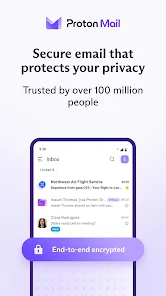
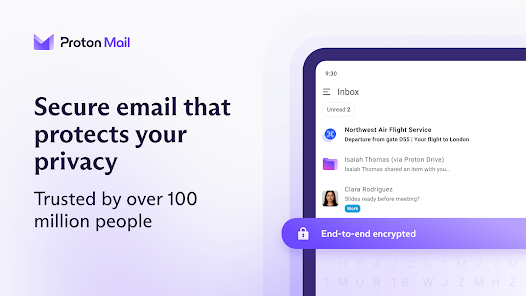
Proton Mail ensures that your emails are fully encrypted from sender to recipient, making it nearly impossible for anyone to intercept and read your messages. This level of security is perfect for users who value privacy and want to communicate without the fear of being monitored or hacked.

Self-Destructing Messages

Proton Mail allows you to send self-destructing messages, which automatically delete themselves after a set period. This feature adds an extra layer of privacy, ensuring that sensitive information doesn't linger in your inbox or leave a digital footprint.

User-Friendly Interface

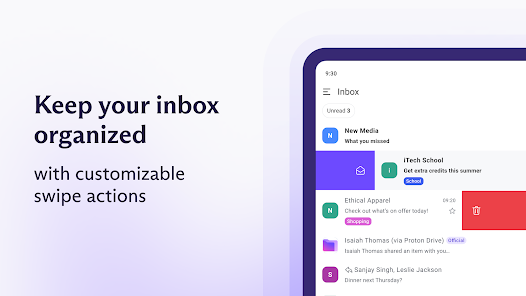
Despite its advanced security features, Proton Mail offers a clean and intuitive user interface that makes it easy for anyone to navigate. Whether you're new to encrypted email or a seasoned pro, you'll find composing, reading, and organizing your emails a breeze.

Zero-Access Architecture

With Proton Mail's unique zero-access architecture, even the company itself cannot access your emails. This means that your data remains completely private, giving you peace of mind knowing that your sensitive information is securely stored and protected from unauthorized access.

Pros & Cons

Pros
  • Strong end-to-end encryption protects your privacy.
  • User-friendly interface makes secure emailing easy.
  • No personal information required for sign-up.
  • Open-source technology ensures transparency and trust.
  • Based in privacy-friendly Switzerland for legal protection.
Cons
  • Limited storage space for free accounts
  • No integration with third-party apps
  • Higher subscription costs for premium features
  • Potentially slower performance due to encryption

Real Experience Using Proton Mail: Encrypted Email

Application Scenarios

Proton Mail is particularly well-suited for users who prioritize privacy and security in their communications. This includes journalists, activists, and anyone dealing with sensitive information. The application is an excellent choice for professionals in fields such as law and finance, where confidentiality is paramount. Additionally, individuals concerned about surveillance and data breaches will find Proton Mail's end-to-end encryption reassuring. The app is also ideal for users who frequently communicate with clients or colleagues overseas, as it provides a secure platform for international correspondence. Overall, Proton Mail serves as a versatile tool for anyone looking to safeguard their email communications while enjoying a user-friendly interface.

User Experience

The user experience on Proton Mail is intuitive and streamlined, making it accessible for both tech-savvy users and those less familiar with encrypted email services. Upon signing up, users are greeted with a clean, modern interface that mimics traditional email platforms, easing the transition for new users. Features such as customizable themes, folders, and labels enhance organization, allowing for efficient email management. The app's performance is commendable, with quick loading times and minimal lag when sending or receiving emails. Additionally, the mobile app is well-designed, providing a seamless experience on smartphones and tablets. However, some users may find the lack of advanced features—common in conventional email services—slightly limiting, but this is a trade-off for enhanced security.

Pricing

Proton Mail offers a free tier that includes essential features, making it accessible for casual users. However, for those who require more storage and advanced functionalities, various paid plans are available. The Plus plan, for instance, offers additional storage space, custom domains, and support for more aliases at a reasonable monthly fee. The Visionary plan provides even more advanced features, suitable for businesses and power users. Proton Mail's pricing structure is transparent, and users can choose to pay monthly or annually, with discounts available for long-term commitments. Overall, the pricing is competitive compared to other secure email services, striking a balance between affordability and robust privacy features.

Updates & Support

Proton Mail is committed to continuous improvement and regularly rolls out updates to enhance functionality and security. The team actively listens to user feedback, incorporating suggestions to refine the app. Users can expect timely patches and feature enhancements that align with the latest security standards. For support, Proton Mail provides a comprehensive FAQ section and a user forum for community-driven assistance. Additionally, premium users can access direct support through email, ensuring that any issues are addressed promptly. Overall, the commitment to regular updates and user support reflects Proton Mail's dedication to maintaining a secure and user-friendly email experience.

verified Security & Privacy Review

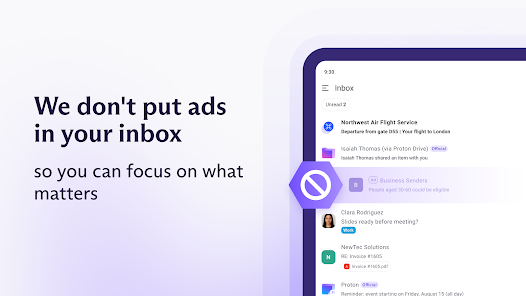
Proton Mail sets a high standard for security and privacy in the realm of email communication. The app employs end-to-end encryption, ensuring that only the sender and recipient can access the contents of their messages. This means that even Proton Mail itself cannot read users' emails, providing a level of confidentiality that is rare in the industry. In addition to encryption, Proton Mail is built on a zero-access architecture, which further bolsters its commitment to user privacy. The app does not store any personal information, and users can sign up without providing any identifying details. Proton Mail also operates under Swiss privacy laws, which offer robust protections against data surveillance. Permissions required by the app are minimal, focusing on essential functionalities without compromising user data. Proton Mail does not track user activity, and it avoids targeted advertising, ensuring that users' information remains private and secure. Overall, Proton Mail prioritizes the protection of user data, making it an excellent choice for those seeking a secure email solution.

User Reviews

  • Patrick Hesselmann
    2026/06/04

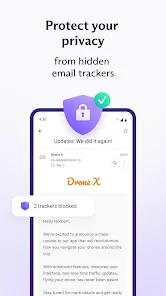
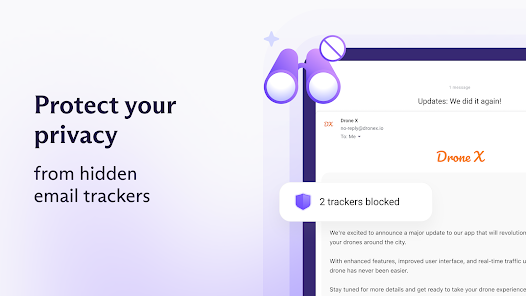
    Proton Mail is great for it's security and ease of use. I use it on both my Windows computer and my Android phone. It protects against malware and data collection for the benefit of others. It also tells you how much time and data you have saved through its blocking processes. You are stuck, though if you forget your master password. It allows you to enter a 2- character reminder. To make sure I don't lose my PSW, I store it (and all other PSWs) on LastPass. Love this software!

  • Lucas
    2026/05/08

    Not a huge fan of the paywalling, but I understand they need to make money somehow. You can use the app perfectly fine without paying for it. My only real complaint is that I occasionally won't get notifications for emails all day until I open the app to check, which the notifications then all send at once. This isn't an issue on my end, as I've checked and rechecked my notification settings on both my phone and within the app. Aside from that, it's a good run of the mill email app!

  • Aster F
    2026/02/12

    EDIT: by version 7.7.2, these are all fixed/implemented! Great! PREVIOUS REVIEW: The search doesn't work at all for me on 4.13.0. You also can't select all emails, or edit folders/labels on the app while you can on the mobile website. I also wish you could edit filters like on the desktop site, and swipe left and right between emails like you can with most mobile email clients.

  • Benjamin Sims
    2026/03/19

    I've been using Proton Mail for a few years, but I'm considering dropping it. This app fails to show me all of my emails. After I open them in the browser, they become visible in the app. That's very annoying. Reliably receiving emails is the main job of an email app. Update 3/19/25: After about five months, the app continues to fail to display all inbox emails.

  • Josh Robinson
    2026/02/11

    I really like this service but the mobile app is just bad. It frequently doesn't sync push notifications with the actual inbox, doesn't delete/archive messages, and fails to update regularly. Now my push notifications for it are failing altogether, which is pretty frustrating. I've tried all the remediations on their help page and it's not helping. The browser version of the service is great, but this app is borderline unusable. I'm likely going to uninstall it for the time being.

Review Source: Google Play store public user reviews.

FAQ

1

Does Proton Mail: Encrypted Email collect my personal data?

Proton Mail: Encrypted Email is designed with privacy in mind and does not collect personal data that can be used to identify users, as it emphasizes user anonymity and data protection.

2

Does Proton Mail: Encrypted Email offer a free trial or free version?

Yes, Proton Mail: Encrypted Email offers a free version with basic features, allowing users to send and receive encrypted emails. There are also paid plans available for additional features and storage.

3

Does Proton Mail: Encrypted Email require an internet connection?

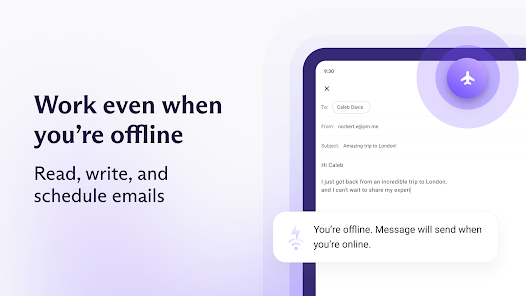
Yes, Proton Mail: Encrypted Email requires an internet connection to send, receive, and synchronize your emails, as it operates through cloud-based servers for security and accessibility.

4

How can I contact support or send feedback for Proton Mail: Encrypted Email?

You can contact Proton Mail: Encrypted Email support by visiting their official website and accessing the support section, where you can find help articles, submit a support ticket, or send feedback directly to their team.

5

How do I manage or cancel my Proton Mail: Encrypted Email subscription?

You can manage or cancel your Proton Mail: Encrypted Email subscription through your account settings on the website or app, where you can find options to change your plan or cancel your service.

How to use Proton Mail: Encrypted Email

1

How can I activate my Proton Mail account?

To activate your Proton Mail account, follow the link sent to your registered email after signing up. Click on it to confirm your account.

2

How can I contact Proton Mail customer service for assistance?

You can reach Proton Mail customer service through their support page at protonmail.com/support. They also have a contact form for inquiries.

3

How do I log in to my Proton Mail account?

Visit protonmail.com, click on "Log in," and enter your email address and password. Then, click "Log in" to access your account.

4

What is the customer number for Proton Mail?

Proton Mail does not have a public customer number; support is primarily handled online through their help center.

What's New

- Minor fixes and performance improvements

Editor's Choice