This site uses cookies to enhance your user experience. By clicking any link on this site you are giving your consent to our cookie policy. Read more
Reject
Accept All
mail.com: Email app & Cloud

mail.com: Email app & Cloud

verified Verified App

Developer: 1&1 Mail & Media Inc

  • category

    Category: Communication

  • price

    Price: free

  • age rating

    Age Rating: Everyone

  • rating

    Rating: 4.4

  • download

    Downloads: 1,000,000+

  • version

    Version: 8.20.2

Screenshot 1
Screenshot 2
Screenshot 3
Screenshot 4
Screenshot 5
Screenshot 6
Screenshot 7
Screenshot 8

Features & Highlights

Advanced Spam Protection

The app includes robust spam protection mechanisms that intelligently filter junk mail and phishing attempts, keeping your inbox clean and secure. This feature allows you to focus on what matters most without the distraction of unwanted emails, enhancing your overall email experience.

Customizable Email Domains

With mail.com, you can choose from a variety of unique email domains to create a personalized email address that reflects your identity. This feature not only adds a personal touch but also helps you stand out in a crowded inbox, making your emails memorable.

Integrated Cloud Storage

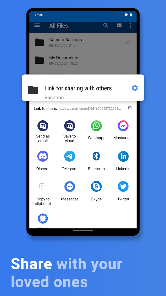
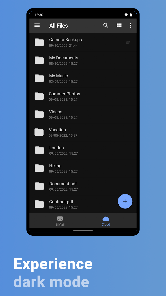
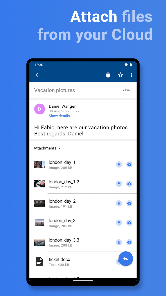
mail.com offers seamless cloud storage integration, allowing users to store and access their files directly within the email app. This feature ensures that your important documents are only a click away, making file sharing and collaboration with others incredibly easy and efficient.

User-Friendly Interface

The mail.com app boasts a user-friendly interface designed for smooth navigation, whether you're checking emails or managing files. Its intuitive layout and responsive design ensure that users of all ages can easily access features and stay organized, making email management a breeze.

Pros & Cons

Pros
  • Free email accounts with unique domain options
  • User-friendly interface for easy navigation
  • Generous cloud storage for all your files
  • Robust security features to protect your data
  • Access your email anywhere on any device
Cons
  • Limited storage space for free accounts
  • Ads can be intrusive and distracting
  • User interface may feel outdated and clunky
  • Customer support is often slow to respond

Real Experience Using mail.com: Email app & Cloud

Application Scenarios

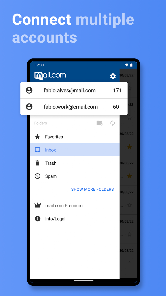
The mail.com app serves a variety of scenarios, making it a versatile tool for both personal and professional communication. Users can send and receive emails seamlessly while on the go, ensuring they stay connected regardless of their location. The app is especially useful for individuals who manage multiple email accounts, as it allows users to integrate various email services into one platform. This centralization simplifies the process of tracking messages and managing communications. Additionally, the built-in cloud storage feature enables users to store and share files easily, making it an ideal solution for those who frequently exchange documents or collaborate on projects. Whether you're a busy professional, a student juggling assignments, or a casual user wanting to stay updated with friends and family, mail.com provides a reliable solution for all your emailing needs.

User Experience

User experience is a significant aspect of the mail.com app. The interface is user-friendly and intuitive, allowing users to navigate effortlessly through their inbox and settings. The app features customizable options, enabling users to tailor their experience according to their preferences. With features such as swipe actions for quick email management and a focused inbox that prioritizes essential messages, users can efficiently handle their communications. Additionally, the app's search functionality is robust, making it easy to locate specific emails or attachments. Notifications are timely, alerting users to new messages without being intrusive. Overall, the mail.com app offers a smooth and enjoyable experience, making email management a breeze.

Pricing

Updates & Support Regular updates are crucial for any app, and mail.com does not disappoint in this regard. The developers frequently roll out updates to enhance functionality, improve security, and introduce new features based on user feedback. This commitment to constant improvement ensures that the app remains relevant and user-friendly. In terms of support, mail.com offers various resources for users, including a comprehensive FAQ section and customer service options. Users can contact support via email or through the app itself, ensuring that assistance is readily available when needed. Overall, the combination of regular updates and responsive support contributes to a positive user experience, enhancing the overall appeal of the mail.com app.

verified Security & Privacy Review

The mail.com app prioritizes user security and privacy, implementing robust measures to safeguard personal information. It utilizes end-to-end encryption for emails, ensuring that only intended recipients can access message content. This feature significantly enhances data security during transmission. In terms of privacy practices, the app adheres to strict data protection regulations, including GDPR compliance for users within the EU. mail.com does not sell user data to third parties, reinforcing its commitment to user privacy. The app provides clear privacy policies outlining how user data is collected, used, and stored. Regarding permissions, the app requests access to essential features, such as contacts and storage, to enhance functionality while ensuring user control over their data. Users have the option to manage permissions, allowing them to maintain a personalized experience without compromising their privacy. Overall, the mail.com app demonstrates a strong focus on data security and user privacy, making it a reliable choice for individuals seeking a secure email solution.

Reviews

4.4

“User-friendly interface, easy to navigate.”

“Great cloud storage integration.”

“Reliable email service with no major issues.”

“Fast performance, love the mobile access.”

“Impressive customization options for inbox management.”

Editor's Choice