This site uses cookies to enhance your user experience. By clicking any link on this site you are giving your consent to our cookie policy. Read more
Reject
Accept All
Mail: Email, Cloud, Calendar

Mail: Email, Cloud, Calendar

verified Verified App

Developer: VKL

  • category

    Category: Communication

  • price

    Price: free

  • age rating

    Age Rating: Everyone

  • rating

    Rating: 4.3

  • download

    Downloads: 100,000,000+

  • version

    Version: 15.70.0.130771

Screenshot 1
Screenshot 2
Screenshot 3
Screenshot 4
Screenshot 5
Screenshot 6
Screenshot 7
Screenshot 8
Screenshot 9
Screenshot 10
Screenshot 11
Screenshot 12

Features & Highlights

Cloud Storage Access

Easily access and share files with the Cloud Storage Access feature. By integrating popular cloud services, you can attach files from your storage directly within your emails, streamlining the process and ensuring you have everything you need at your fingertips, anytime and anywhere.

Customizable Notifications

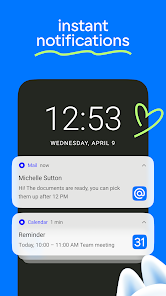
Stay in control with Customizable Notifications, allowing you to tailor alerts based on your preferences. Choose to be notified about important emails or events while silencing distractions, ensuring you only focus on what’s truly significant to you.

Smart Calendar Integration

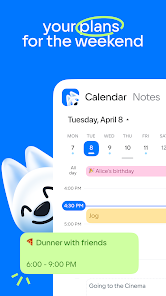
Never miss an important date again with the Smart Calendar Integration. This feature seamlessly syncs your emails with your calendar, enabling you to schedule events directly from your inbox and receive timely reminders, so you can stay organized and focused on what matters most.

Unified Inbox

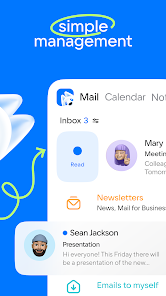
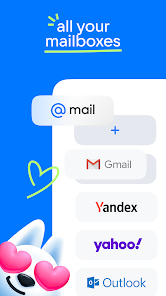
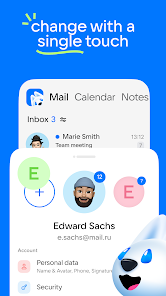
Experience effortless organization with the Unified Inbox feature, allowing you to manage multiple email accounts in one place. No more switching between apps; everything you need is conveniently accessible, making it easier to stay on top of your communications throughout the day.

Pros & Cons

Pros
  • Instant communication with anyone globally
  • Effortless storage and access to important files
  • Seamless scheduling for meetings and events
  • Integrated tools for enhanced productivity
  • Secure and private communication options available
Cons
  • Email can lead to information overload
  • Cloud storage may face security risks
  • Calendar syncing issues may cause missed appointments
  • Spam can clutter important communications

Real Experience Using Mail: Email, Cloud, Calendar

Application Scenarios

The Mail: Email, Cloud, Calendar app is designed to cater to a variety of user needs, making it an indispensable tool for both personal and professional use. For busy professionals, the app seamlessly integrates email, cloud storage, and calendar functionalities, allowing users to manage their communications and schedules in one place. Whether you’re sending important documents via email, scheduling meetings, or accessing files stored in the cloud, this app serves as a centralized hub. Students can also benefit significantly from its features, utilizing the calendar for assignment deadlines and the email function for communication with peers and instructors. Additionally, the app is great for families looking to coordinate schedules and share important information, making it a versatile choice for diverse users.

User Experience

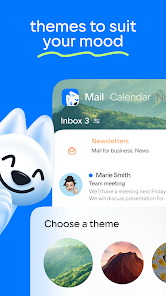
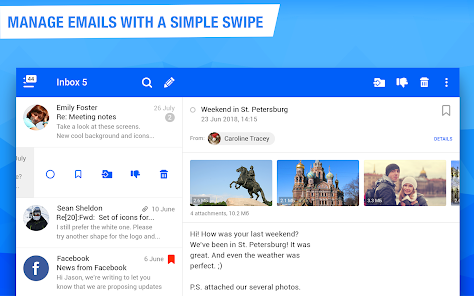
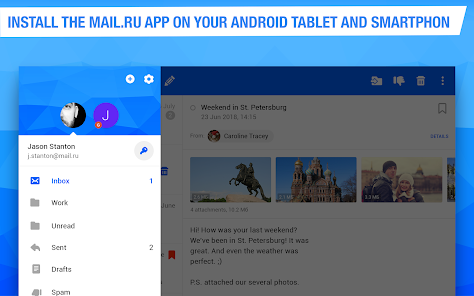
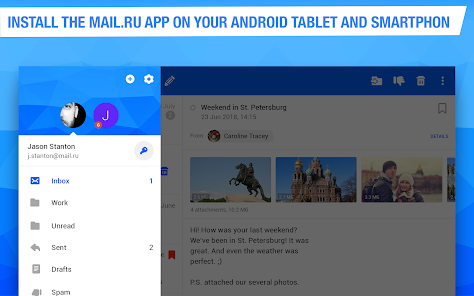
The user experience of Mail: Email, Cloud, Calendar is generally intuitive and user-friendly. Upon launching the app, users are greeted with a clean interface that simplifies navigation through its various features. The email section offers customizable sorting options, allowing users to prioritize important messages while filtering out spam. The cloud storage integration provides an effortless way to upload and access files, which enhances productivity on the go. The calendar feature is particularly noteworthy, with options to set reminders and sync with other calendars seamlessly. Users have reported an overall positive experience, praising the app's speed and reliability, though some have noted minor bugs that occasionally disrupt smooth functionality. Overall, the app is designed to minimize distractions and maximize efficiency, making it an ideal solution for anyone looking to streamline their digital life.

Pricing

The Mail: Email, Cloud, Calendar app operates on a freemium model, offering users the basic features at no cost while providing premium options for enhanced functionalities. The free version includes essential email and calendar features, which suffice for average users. However, for those who require additional cloud storage and advanced organizational tools, the premium subscription is available at a competitive price. The pricing structure is transparent, with no hidden fees, giving users the flexibility to choose a plan that best fits their needs. Many users find the premium features well worth the investment, especially if they rely heavily on cloud storage and advanced email management capabilities.

Updates & Support

The developers of Mail: Email, Cloud, Calendar are committed to providing regular updates to enhance user experience and introduce new features. Users can expect frequent updates that address bugs and improve functionality based on user feedback. The support system is robust, offering a comprehensive FAQ section and responsive customer service via email. Users have reported quick turnaround times for support inquiries, reinforcing the app's commitment to customer satisfaction. Additionally, the app’s community forums are a valuable resource for troubleshooting and sharing tips, fostering a user-centric environment that encourages continuous improvement and engagement.

verified Security & Privacy Review

The Mail: Email, Cloud, Calendar app prioritizes user security and privacy through a robust set of features and practices. It employs end-to-end encryption for all emails, ensuring that only the sender and recipient can access the content. This level of encryption protects sensitive information from potential breaches, providing users with peace of mind. In terms of permissions, the app requests access only to essential functions such as contacts and calendar events, minimizing unnecessary data exposure. Users are informed about the data being collected and how it will be used, aligning with best practices for transparency. Additionally, the app adheres to GDPR and other relevant privacy regulations, offering users control over their data and the ability to delete their accounts if desired. Regular security updates are implemented to address vulnerabilities, and the app incorporates advanced threat detection mechanisms to safeguard against phishing and malware attempts. Overall, Mail: Email, Cloud, Calendar demonstrates a commitment to protecting user data while providing a reliable and user-friendly experience.

Reviews

4.3

“User-friendly interface and seamless integration with calendars”

“Great for managing multiple email accounts efficiently”

“Push notifications keep me updated in real-time”

“Calendar feature is a game changer for scheduling”

“Syncing is fast and reliable, no issues so far”

Editor's Choice