This site uses cookies to enhance your user experience. By clicking any link on this site you are giving your consent to our cookie policy. Read more
Reject
Accept All

Advertiser and Editorial Disclosures

imo-International Calls & Chat

imo-International Calls & Chat

verified Verified App

Developer: imo.im

  • category

    Category: Communication

  • price

    Price: Share

  • age rating

    Age Rating: Everyone

  • rating

    Rating: 4.4

  • download

    Downloads: 1,000,000,000+

  • version

    Version: 2025.12.1021

Screenshot 1
Screenshot 2
Screenshot 3
Screenshot 4
Screenshot 5
Screenshot 6

Features & Highlights

Cross-Platform Compatibility

imo seamlessly works across various devices, including smartphones and tablets, ensuring you can connect with anyone, anytime. This cross-platform compatibility means you can continue your conversations without interruption, whether you’re at home or on the go.

Group Chats

Create vibrant group chats to connect with multiple friends or family members at once. imo enables you to engage in lively discussions, share updates, and plan events together, making it a perfect platform for keeping everyone in the loop and fostering strong relationships.

High-Quality Calls

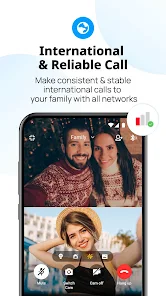
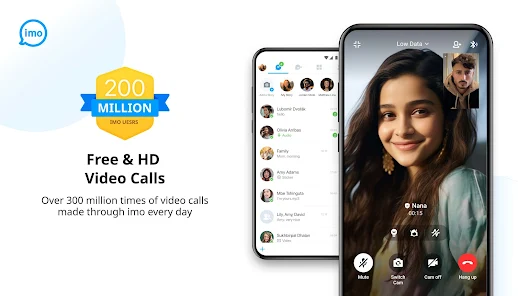
Enjoy crystal-clear voice calls with imo, designed to deliver high-quality audio even on slower connections. Whether you're chatting with family or friends abroad, you can rely on imo to keep conversations smooth and enjoyable, no matter where you are in the world.

Instant Messaging

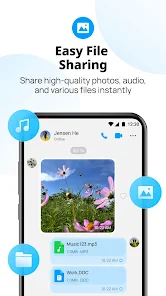
Stay connected effortlessly with imo's instant messaging feature, allowing you to send text messages, photos, and videos in real-time. The user-friendly interface makes it easy to share your thoughts and moments, ensuring that you never miss staying in touch with loved ones, no matter the distance.

Pros & Cons

Pros
  • High-quality voice and video calls available worldwide
  • Free messaging with friends and family globally
  • User-friendly interface for seamless navigation
  • No hidden fees for international connections
  • Supports group chats for easy communication
Cons
  • Limited call quality on weak connections
  • Frequent ads interrupt user experience
  • Privacy concerns with data security
  • Requires internet access for functionality

Real Experience Using imo-International Calls & Chat

Application Scenarios

imo-International Calls & Chat is designed to cater to a diverse range of communication needs, making it an ideal choice for users who frequently connect with friends and family across borders. Whether you are making video calls to your loved ones overseas or sending instant messages to colleagues in different time zones, imo offers a seamless experience. The app supports group chats, allowing you to stay in touch with multiple contacts simultaneously, which is particularly useful for families and friends who want to share updates collectively. Additionally, imo is great for businesses, as it facilitates voice and video calls for remote meetings, ensuring that professional communication remains unaffected by geographical barriers.

User Experience

The user interface of imo is straightforward and intuitive, making it accessible for users of all ages. The app's layout is clean, and navigation is smooth, allowing users to find their way around with ease. The call quality is impressive, with clear audio and video, even in low bandwidth conditions. Users have reported minimal lag during calls, which is crucial for maintaining engaging conversations. The messaging feature also includes various stickers and emojis, enhancing the interactive experience. Notifications are timely, ensuring that you never miss an important message or call. Overall, imo delivers a satisfying user experience, making it a reliable option for anyone looking to communicate effectively.

Pricing

imo distinguishes itself by being completely free to use, which is a significant advantage over many other communication apps that may require subscriptions or in-app purchases for premium features. Users can make unlimited voice and video calls, send messages, and share multimedia content without any costs attached. This free model allows users to communicate freely without the fear of unexpected charges, making it particularly appealing for international calls, where traditional services can be prohibitively expensive.

Updates & Support

The development team behind imo is committed to providing regular updates, which include bug fixes, performance enhancements, and new features based on user feedback. This continuous improvement approach helps maintain the app's functionality and security. Additionally, imo offers a comprehensive support system, including FAQs and user guides, to assist users in troubleshooting common issues. For more complex problems, users can reach out to customer support via email or through the app, ensuring that help is readily available when needed. With consistent updates and accessible support, imo ensures a reliable communication platform for its users.

verified Security & Privacy Review

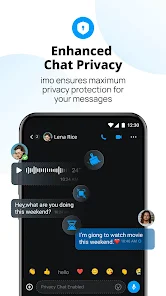
The imo-International Calls & Chat app prioritizes user security and privacy through several measures. It employs end-to-end encryption for messages and calls, ensuring that only the intended recipients can access the content. This encryption helps protect user data from potential interception during transmission. Users are required to grant specific permissions for accessing contacts and storage, which enhances functionality. However, it is crucial for users to be mindful of these permissions and understand their implications. The app has a clear privacy policy that outlines how user data is collected, stored, and utilized. It states that data may be used for improving services and user experience but emphasizes that personal information is not sold to third parties. While the app does collect some metadata for operational purposes, it is committed to safeguarding user data against unauthorized access. Overall, imo provides a robust framework for security and privacy, but users should remain vigilant about their personal data and permissions to ensure their privacy is maintained.

Reviews

4.4

“Easy to use with great call quality”

“Love the video chat feature”

“Consistent performance, reliable for international calls”

“User-friendly interface, highly recommended”

“Occasional connectivity issues, but still useful”

FAQ

1

Does imo-International Calls & Chat collect my personal data?

imo-International Calls & Chat may collect certain personal data to provide its services, such as your phone number and contact list, but it typically has privacy policies in place to protect your information.

2

Does imo-International Calls & Chat offer a free trial or free version?

Yes, imo-International Calls & Chat offers a free version that allows users to access its core features, including voice and video calls, without any trial period.

3

Does imo-International Calls & Chat require an internet connection?

Yes, imo-International Calls & Chat requires an internet connection, either through Wi-Fi or mobile data, to function properly.

4

How can I contact support or send feedback for imo-International Calls & Chat?

You can contact support or send feedback for imo-International Calls & Chat via the app's help section or by visiting their official website for additional contact options.

5

How do I manage or cancel my imo-International Calls & Chat subscription?

You can manage or cancel your imo-International Calls & Chat subscription through the settings menu within the app or by visiting your app store account settings.

How to use imo-International Calls & Chat

1

Can I change my customer number after account activation?

No, once your account is activated, your customer number cannot be changed. Please contact customer service for more details.

2

How can I activate my imo account using a new phone?

Download the imo app, enter your phone number, and follow the activation instructions sent via SMS.

3

How can I contact customer service for help with my imo account?

You can reach customer service by visiting the imo support page or using the in-app help feature.

4

How do I log in if I have two-factor authentication enabled?

When logging in, enter your phone number and then input the verification code sent to your device to complete the process.

5

How do I log in to my imo account?

Simply open the imo app, enter your registered phone number, and follow the prompts to log in.

Editor's Choice