This site uses cookies to enhance your user experience. By clicking any link on this site you are giving your consent to our cookie policy. Read more
Reject
Accept All

Advertiser and Editorial Disclosures

Discord - Talk, Play, Hang Out

Discord - Talk, Play, Hang Out

verified Verified App

Developer: Discord Inc.

  • category

    Category: Communication

  • price

    Price: 0

  • age rating

    Age Rating: Teen

  • rating

    Rating: 3.7

  • download

    Downloads: /

  • version

    Version: 254.27 - Stable

Screenshot 1
Screenshot 2
Screenshot 3
Screenshot 4
Screenshot 5
Screenshot 6
Screenshot 7
Screenshot 8

Features & Highlights

Bots & Integrations

Enhance your Discord experience with a variety of bots and integrations that automate tasks, provide entertainment, and enrich community interaction. From moderation tools to fun games, these features help keep discussions lively and organized, adding more value to your chats.

Customizable Servers

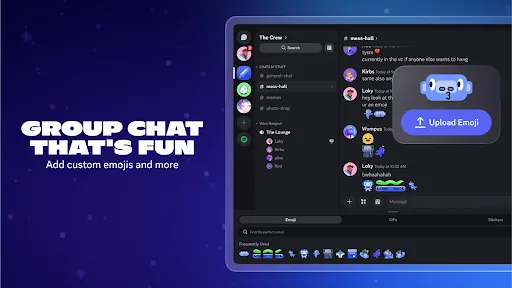
Create and customize your own servers to fit your community's needs, complete with channels, roles, and permissions. This level of personalization allows for unique experiences tailored to different groups, fostering a sense of belonging and collaboration among members.

Integrated Game Library

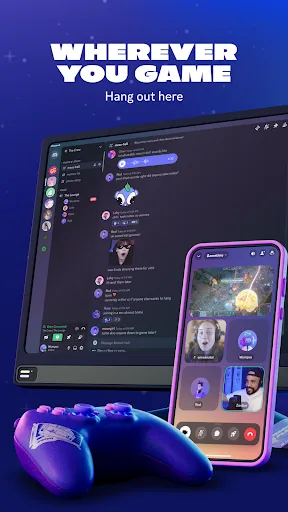
With Discord's integrated game library, users can easily connect and launch games directly from the app. This feature enhances the gaming experience by allowing friends to join sessions effortlessly, share their gameplay, and even stream live for others to enjoy.

Voice & Video Chat

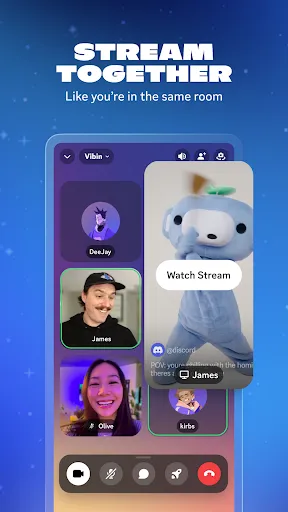
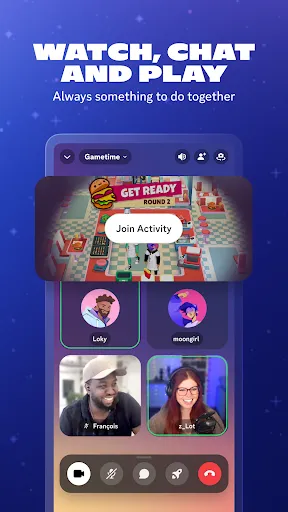
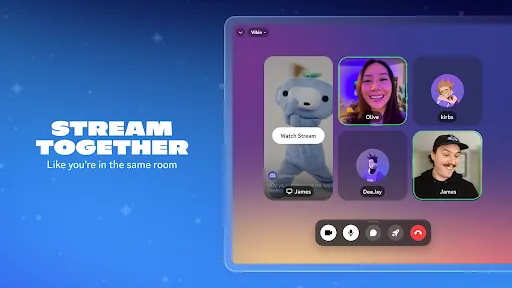
Discord offers high-quality voice and video chat options, allowing users to connect with friends and communities in real-time. Whether you're playing games or just hanging out, these features ensure seamless communication with minimal lag, making conversations feel natural and engaging.

Pros & Cons

Pros
  • Connect with friends easily through voice, video, or text chats.
  • Join communities that share your interests and passions.
  • Enjoy seamless gaming integration for a better multiplayer experience.
  • Customize servers and channels to suit your group's needs.
  • Access a wide range of bots for fun and productivity enhancements.
Cons
  • Limited customization options may hinder personalized user experiences
  • Frequent server outages can disrupt communication and gameplay
  • Overwhelming notifications can lead to distraction and burnout

Real Experience Using Discord - Talk, Play, Hang Out

Application Scenarios

Discord is a versatile platform designed to enhance communication and community building among users. It is predominantly used by gamers for voice and text chat during gameplay, allowing for seamless coordination and strategy discussions. However, its utility extends far beyond gaming. Many communities leverage Discord for educational purposes, hosting study groups or workshops where members can share resources and engage in discussions. Creative professionals use Discord to collaborate on projects or share their work with fellow artists. Furthermore, interest-based communities—ranging from book clubs to tech forums—flourish on Discord, facilitating a space for like-minded individuals to connect and share ideas.

User Experience

The user experience on Discord is generally commendable, characterized by an intuitive interface that caters to both novice and experienced users. The app allows users to create or join servers, each with its own unique channels for different topics, making navigation straightforward. Voice and video calls are high-quality, and the ability to share screens enhances interactive communication. Customization options, such as the ability to set roles and permissions, empower community leaders to manage their servers effectively. However, some users may find the initial setup a bit overwhelming due to the plethora of features available. Overall, the experience is enriched by a lively and engaged community, fostering a sense of belonging and collaboration.

Pricing

Discord is free to use, providing a robust set of features without any cost. This makes it accessible to a wide audience, from casual users to dedicated communities. For those seeking enhanced features, Discord offers a premium subscription known as Discord Nitro. Priced at a monthly or annual rate, Nitro users enjoy benefits such as increased file upload limits, higher quality video streams, and server boosts that enhance server performance. This tier is ideal for power users or communities that require additional functionality, but the free version remains fully functional for most users, ensuring that cost is not a barrier to entry.

Updates & Support

Discord is committed to continuous improvement, regularly rolling out updates that enhance functionality and user experience. These updates often include new features, bug fixes, and security enhancements, keeping the platform fresh and secure. The support system is robust, offering a comprehensive help center filled with articles and guides to assist users. Additionally, Discord’s community forums provide a space for users to share feedback and troubleshoot issues collectively. For urgent matters, users can reach out to Discord's support team via email or social media channels, ensuring that assistance is readily available when needed.

verified Security & Privacy Review

Discord places a strong emphasis on security and privacy, implementing various measures to protect user data. The app employs end-to-end encryption for voice calls and video chats, ensuring that conversations remain private between participants. However, text messages are not end-to-end encrypted, which may raise concerns for users prioritizing confidentiality. The app requires certain permissions, such as access to the microphone and camera, which are essential for voice and video communications. Users must provide these permissions, but Discord allows them to manage settings and revoke access at any time. The platform also includes features like two-factor authentication, enhancing account security against unauthorized access. Regarding user data handling, Discord adheres to its privacy policy, which outlines how personal information is collected, used, and shared. The company collects data like account information, messages, and interactions within servers, but users have the option to customize their privacy settings to limit data visibility. Overall, while Discord provides several security features, users should remain vigilant and regularly review their privacy settings to safeguard their information.

Reviews

3.7

“Great for connecting with friends and gaming communities!”

“User-friendly interface makes chatting enjoyable.”

“Voice chat quality is impressive for gaming.”

“Customizable servers enhance the community experience.”

“Frequent updates keep features fresh and relevant.”

FAQ

1

Does Discord - Talk, Play, Hang Out collect my personal data?

Discord may collect certain personal data, such as your username, email address, and usage data, as outlined in their privacy policy, to enhance user experience and maintain the platform.

2

Does Discord - Talk, Play, Hang Out offer a free trial or free version?

Discord offers a free version that provides access to most of its features, with optional paid subscription plans for additional perks.

3

Does Discord - Talk, Play, Hang Out require an internet connection?

Yes, Discord requires an internet connection to function, as it relies on online servers for communication and data exchange.

4

How can I contact support or send feedback for Discord - Talk, Play, Hang Out?

You can contact Discord support through their Help Center on the website, where you can submit a request or find answers to common questions and issues.

5

How do I manage or cancel my Discord - Talk, Play, Hang Out subscription?

You can manage or cancel your Discord subscription through the User Settings in the app, under the "Billing" section, where you can find options to update or cancel your plan.

How to use Discord - Talk, Play, Hang Out

1

Can I log in to Discord with my social media account?

Yes, you can log in using your social media accounts like Google or Facebook. Just select the appropriate option on the login screen.

2

How can I log in to my Discord account?

To log in, go to the Discord app or website, enter your email and password, then click "Log In."

3

How do I activate my Discord account?

To activate your account, find the activation email sent to you and click the link inside. If you didn’t receive it, check your spam folder.

4

How do I change my customer number?

Customer numbers can't be changed directly. Please contact customer service for assistance with any account-related issues.

5

How do I contact customer service for Discord?

You can reach our customer service via the support page on the Discord website. Just submit a request, and we’ll get back to you.

Editor's Choice