This site uses cookies to enhance your user experience. By clicking any link on this site you are giving your consent to our cookie policy. Read more
Reject
Accept All
Connect for Hotmail & Outlook

Connect for Hotmail & Outlook

verified Verified App

Developer: Connectivity Apps

  • category

    Category: Communication

  • price

    Price: free

  • age rating

    Age Rating: Everyone

  • rating

    Rating: 4.0

  • download

    Downloads: 5,000,000+

  • version

    Version: 6.1.7

Screenshot 1
Screenshot 2
Screenshot 3
Screenshot 4
Screenshot 5
Screenshot 6
Screenshot 7
Screenshot 8
Screenshot 9
Screenshot 10
Screenshot 11
Screenshot 12
Screenshot 13
Screenshot 14
Screenshot 15
Screenshot 16

Features & Highlights

Advanced Search Functionality

The advanced search functionality in Connect for Hotmail & Outlook enables you to quickly locate specific emails, attachments, or calendar entries. With powerful filters and search options, finding important information is a breeze, saving you valuable time and enhancing productivity.

Calendar Integration

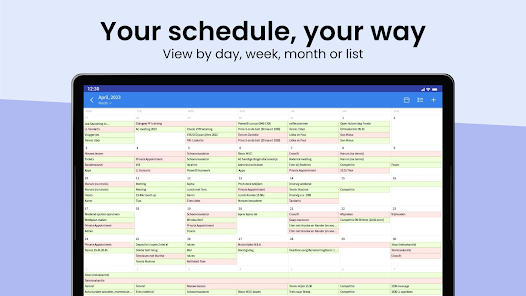
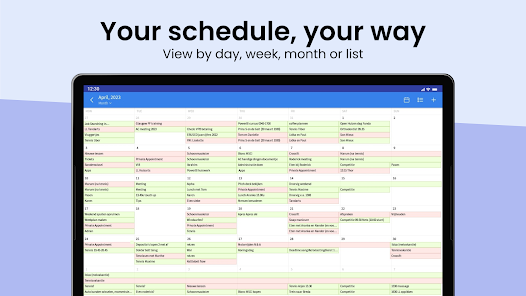
Stay organized with seamless calendar integration that syncs your Hotmail and Outlook schedules. You can easily view, create, and manage events across both platforms, helping you keep track of important appointments and deadlines without the hassle of switching between apps.

Customizable Notifications

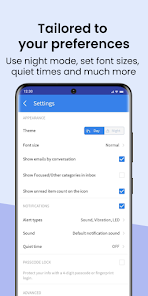
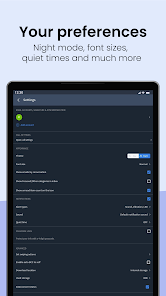
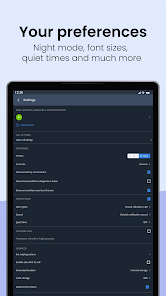
Tailor your notification settings to suit your preferences with customizable alerts for new emails and calendar events. This feature ensures you receive timely updates without feeling overwhelmed, allowing you to focus on what truly matters while staying connected.

Unified Inbox

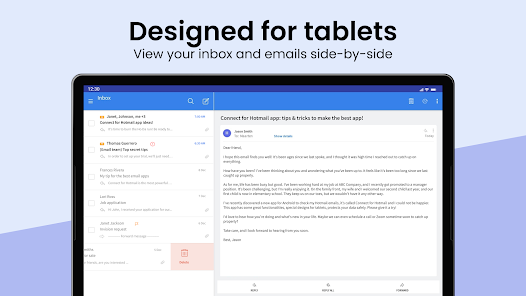
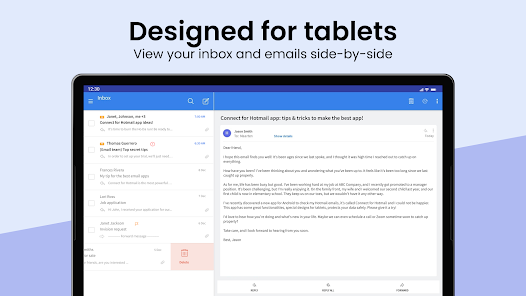
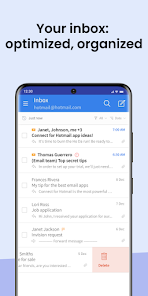
Connect for Hotmail & Outlook offers a streamlined unified inbox that consolidates all your emails from both Hotmail and Outlook. This feature allows you to manage messages effortlessly, ensuring you never miss an important email regardless of which account it was sent to, simplifying your daily communication workflow.

Pros & Cons

Pros
  • Seamless integration with Microsoft services enhances productivity
  • User-friendly interface simplifies email management tasks
  • Robust security features protect sensitive information effectively
  • Efficient organization tools streamline inbox clutter
  • Mobile access ensures communication on-the-go anytime
Cons
  • Limited integration with third-party apps
  • User interface can be confusing
  • Frequent connectivity issues reported
  • Lack of advanced customization options

Real Experience Using Connect for Hotmail & Outlook

Application Scenarios

Connect for Hotmail & Outlook is a versatile email management application designed to streamline your communication needs. It is particularly beneficial for users who juggle multiple email accounts, especially those from Hotmail and Outlook. Whether you are a busy professional managing work emails, a student coordinating group projects, or a family member keeping in touch with loved ones, this app caters to all. You can easily switch between different accounts without the hassle of logging in and out, making it ideal for anyone looking to enhance their productivity. Additionally, the app supports calendar integration, allowing you to manage your schedule and plan events effortlessly. This makes it a great tool for those who rely heavily on their email for both personal and professional engagements.

User Experience

The user interface of Connect for Hotmail & Outlook is intuitive and user-friendly, making it easy for anyone to navigate through the app. Upon launching the app, users are greeted with a clean layout that displays their inboxes in a consolidated view, which significantly reduces clutter and saves time. The app features customizable notifications, allowing users to tailor alerts based on priority, ensuring that important emails are never missed. Furthermore, the search function is robust, enabling users to find specific emails or attachments quickly. Overall, the user experience is enhanced by the app's speed and responsiveness, making email management a seamless and enjoyable task.

Pricing

Connect for Hotmail & Outlook offers a free version with essential features, making it accessible for casual users. However, for those who require advanced functionalities, such as enhanced security features and premium support, there is a subscription model available. The pricing is competitive compared to similar applications in the market, and users can choose between monthly and annual subscription plans. The value provided by the premium features justifies the cost, especially for power users who rely on email for daily operations.

Updates & Support

The development team behind Connect for Hotmail & Outlook is committed to providing regular updates that improve functionality and security. Users can expect new features, bug fixes, and performance enhancements rolled out frequently, ensuring the app remains up-to-date with the latest technological advancements. Additionally, customer support is readily available through various channels, including email and in-app messaging. The support team is responsive and knowledgeable, often resolving issues quickly, which adds to the overall positive experience of using the app. Users can also access a comprehensive FAQ section and community forums for additional help and tips.

verified Security & Privacy Review

The "Connect for Hotmail & Outlook" app prioritizes user security and privacy with a range of protective measures. It employs end-to-end encryption for data transmission, ensuring that sensitive information remains secure during communication. The app adheres to strict privacy policies, clearly outlining how user data is collected, stored, and utilized. Users should be aware of the permissions requested by the app. It may require access to contacts, calendars, and notifications to enhance functionality, which could raise concerns for privacy-conscious individuals. However, the app provides transparency regarding these permissions, allowing users to make informed choices about what data they share. Additionally, the app implements regular security updates to address potential vulnerabilities, demonstrating a commitment to maintaining a secure environment for users. Overall, while "Connect for Hotmail & Outlook" offers convenience and functionality, users should carefully review the permissions and privacy policies to ensure their data is handled according to their preferences.

Reviews

4.0

“Easy to use and reliable for email management”

“Great integration with Outlook and Hotmail accounts”

“User-friendly interface makes navigation simple”

“Syncs emails quickly without glitches”

“Notifications keep me updated on important messages”

Editor's Choice