This site uses cookies to enhance your user experience. By clicking any link on this site you are giving your consent to our cookie policy. Read more
Reject
Accept All
Call Recorder

Call Recorder

verified Verified App

Developer: C Mobile

  • category

    Category: Communication

  • price

    Price: free

  • age rating

    Age Rating: Everyone

  • rating

    Rating: 3.2

  • download

    Downloads: 10,000,000+

  • version

    Version: 19.0.3

Screenshot 1
Screenshot 2
Screenshot 3
Screenshot 4
Screenshot 5
Screenshot 6
Screenshot 7
Screenshot 8

Features & Highlights

Automatic Recording

With the automatic recording feature, you can ensure that every important conversation is captured without any manual intervention. This is especially useful for professionals who need to keep track of client calls or personal users wanting to save memorable discussions for later reference.

Cloud Backup

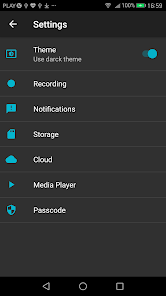
Call Recorder offers seamless cloud backup options, so you never have to worry about losing your recorded calls. By syncing your recordings with popular cloud services, you can access them from any device, ensuring your important conversations are always secure and retrievable.

Selective Recording

The selective recording feature allows you to choose which calls to record, giving you complete control over your storage. You can easily mark specific numbers or contacts, ensuring that only significant conversations are saved, while keeping your device clutter-free.

User-Friendly Interface

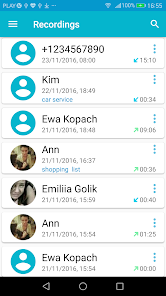
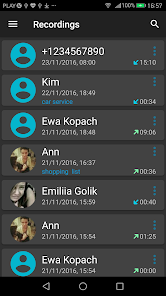
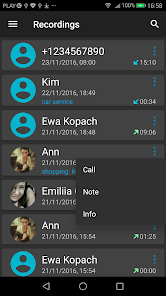
The app boasts a user-friendly interface designed for easy navigation, making it accessible for everyone. With intuitive controls and a straightforward layout, you can start recording your calls with just a few taps, leaving you more time to focus on the conversation itself.

Pros & Cons

Pros
  • Effortlessly capture important conversations for future reference
  • Enhance productivity by reviewing discussions at your convenience
  • Ensure accurate record-keeping for legal and compliance needs
  • Easily share recordings with team members for collaboration
  • Improve customer service through quality assurance and training
Cons
  • Legal issues may arise from unauthorized recordings.
  • Battery life can drain quickly during use.
  • Quality of recordings may vary significantly.
  • Privacy concerns can lead to trust issues.

Real Experience Using Call Recorder

Application Scenarios

The Call Recorder app proves to be an invaluable tool in a variety of scenarios. Whether you're a business professional needing to document important client conversations or a journalist capturing interviews, this app offers a seamless solution for recording calls. Students can also benefit by recording lectures or discussions for later review. Additionally, it is useful for personal use, such as preserving cherished conversations with family and friends. The app supports both incoming and outgoing calls, making it versatile for all types of users. With an intuitive interface, users can easily start recording at the touch of a button, ensuring that no important detail goes unnoticed.

User Experience

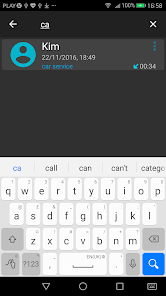
The user experience of the Call Recorder app is generally favorable, characterized by its straightforward design and functional layout. Upon launching the app, users are greeted with a clean interface that makes navigation effortless. The recording feature is prominent, allowing users to initiate recordings quickly. Playback options are robust, with features enabling users to sort and search through recorded files. The sound quality is commendable, ensuring that conversations are clear and easily understandable. Users have reported minimal issues with the app crashing or lagging, making it a reliable choice. However, some users have mentioned occasional complications with recording on certain networks, which can vary depending on the device used.

Pricing

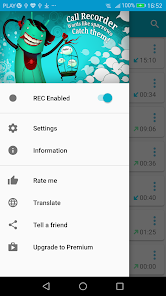
The Call Recorder app offers a tiered pricing structure to accommodate different user needs. A free version is available, which allows for basic recording functionalities but may come with limitations such as recording time and features. For those seeking enhanced capabilities, the premium version unlocks unlimited recording duration, cloud storage options, and advanced editing tools. This premium model is reasonably priced, making it accessible to a broad audience. Frequent promotions and discounts are often available, allowing users to explore the premium features without a significant financial commitment.

Updates & Support

The developers of the Call Recorder app are committed to providing regular updates, ensuring that the app remains compatible with the latest operating systems and devices. Users can expect enhancements in functionality and user interface improvements with each update. The support team is responsive and offers assistance via email and in-app chat, addressing user concerns promptly. Additionally, the app includes a comprehensive FAQ section, providing users with self-help options for common issues. Overall, the consistent updates and solid customer support contribute to a positive user experience, making the app a reliable choice for recording calls.

verified Security & Privacy Review

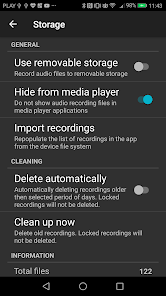
The Call Recorder app prioritizes user security and privacy by implementing robust data protection measures. It employs end-to-end encryption for recorded calls, ensuring that conversations remain confidential and are only accessible to the user. The app clearly outlines its privacy policy, detailing how user data is collected, stored, and utilized, which fosters transparency and trust. Users are required to grant specific permissions for the app to function effectively, including access to the microphone and storage. It is important for users to review these permissions carefully to understand the scope of access the app requires. The app does not share user data with third parties without explicit consent, further safeguarding personal information. Additionally, Call Recorder offers features such as password protection and the ability to delete recordings permanently, giving users control over their data. The app regularly updates its security protocols to address any vulnerabilities, ensuring a continuously secure environment for users. Overall, Call Recorder demonstrates a commitment to maintaining high standards of security and privacy, making it a reliable choice for users concerned about their data safety.

Reviews

3.2

“Easy to use and reliable for important calls”

“Clear recordings with minimal background noise”

“User-friendly interface makes it simple to navigate”

“Great for keeping track of business conversations”

“Occasional issues with compatibility on certain devices”

Editor's Choice