This site uses cookies to enhance your user experience. By clicking any link on this site you are giving your consent to our cookie policy. Read more
Reject
Accept All

Advertiser and Editorial Disclosures

Passport Photo: ID Photo Print

Passport Photo: ID Photo Print

verified Verified App

Developer: TAPUNIVERSE

  • category

    Category: Art & Design

  • price

    Price: $4.99

  • age rating

    Age Rating: Everyone

  • rating

    Rating: 4.6

  • download

    Downloads: 100,000+

  • version

    Version: 1.2.15

Screenshot 1
Screenshot 2
Screenshot 3
Screenshot 4
Screenshot 5
Screenshot 6
Screenshot 7
Screenshot 8
Screenshot 9
Screenshot 10
Screenshot 11
Screenshot 12
Screenshot 13
Screenshot 14
Screenshot 15

Features & Highlights

Custom Size Options

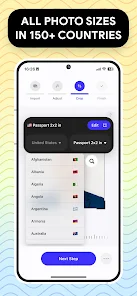
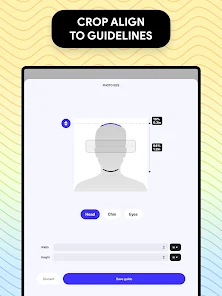
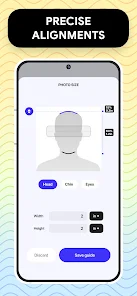
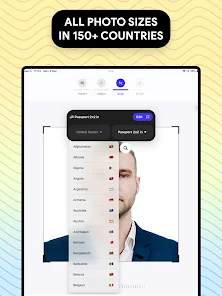
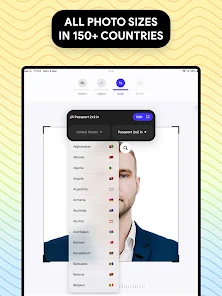
Choose from a variety of standard sizes tailored for different identification needs, including passports, visas, and ID cards. This flexibility allows you to create the exact dimensions required for your specific application, making it convenient and hassle-free.

Easy Photo Capture

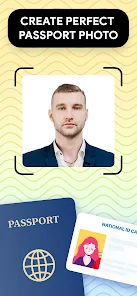
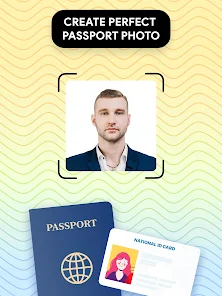
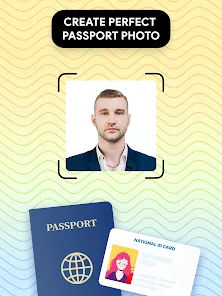
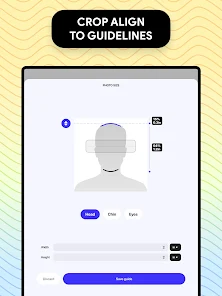
Capture high-quality passport photos effortlessly with your smartphone camera. The app guides you through each step, ensuring proper framing and lighting for a professional look, so you can get the perfect shot without needing a special setup or photographer.

Instant Photo Editing

Enhance your photos with built-in editing tools that allow you to adjust brightness, contrast, and cropping. With these intuitive features, you can make quick corrections and ensure your photo meets official requirements without any fuss.

Print & Export Solutions

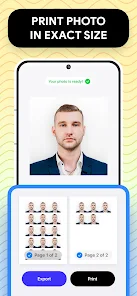
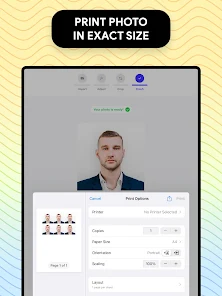
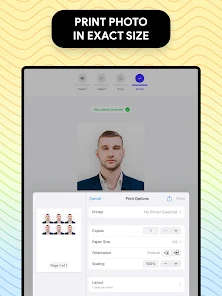
Easily print your photos directly from the app or export them to your preferred format for digital use. Whether you need physical copies or electronic files, the app provides seamless solutions to ensure your ID photos are always ready when you need them.

Pros & Cons

Pros
  • High-quality images ensure professional results
  • Quick turnaround saves you time
  • Convenient online ordering from home
  • Affordable prices fit any budget
  • Compliant with all ID photo regulations
Cons
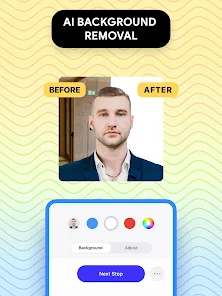
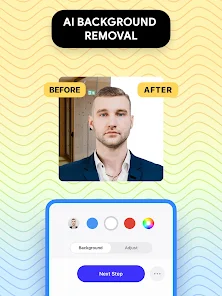
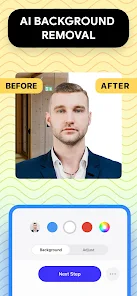
  • Limited background options for photos
  • Strict size requirements can be challenging
  • Quality may vary with different print services
  • Difficulty in editing or retaking images

Real Experience Using Passport Photo: ID Photo Print

Application Scenarios

The Passport Photo: ID Photo Print app serves a wide range of scenarios, making it an essential tool for anyone needing official identification photos. Whether you’re preparing for a passport application, visa submission, or a driver’s license renewal, this app simplifies the process by offering tailored templates that adhere to specific guidelines set by various countries. For students applying for school IDs or professionals needing updated photos for corporate documents, the app provides a convenient solution. Users can take photos anywhere, eliminating the need for expensive studio sessions or long waits at photo booths. The app is particularly useful for travelers who may need to quickly prepare ID photos while on the go.

User Experience

The user experience with the Passport Photo app is designed to be intuitive and straightforward. Upon opening the application, users are greeted with an easy-to-navigate interface that guides them through the photo-taking process. The in-app instructions help users frame their faces correctly, ensuring compliance with the required dimensions and background colors. Once the photo is taken, users can edit it using various tools, including cropping, adjusting brightness, and applying filters to meet specific requirements. The quality of the final output is impressive, with high-resolution images that can be instantly printed or saved. Additionally, users appreciate the ability to share their photos digitally, making it easy to send them via email or upload them to official websites.

Pricing

The app offers a freemium model, where users can access basic features at no cost, making it appealing for those who only need occasional ID photos. However, for users seeking advanced features like unlimited downloads, additional editing tools, or high-quality prints, there are various paid options available. The pricing is competitive compared to traditional photo services, with flexible plans that cater to both casual users and frequent travelers. Many users find the cost justified by the convenience and quality of the service provided by the app.

Updates & Support

The developers of the Passport Photo app are committed to regularly updating the app to enhance user experience and maintain compliance with changing ID photo regulations. Users can expect frequent updates that improve functionality and introduce new features based on user feedback. The support system is responsive, with a dedicated help section that includes FAQs and troubleshooting tips. Users can also reach out to the support team via email or through the app for personalized assistance. Overall, the updates and customer support contribute to a reliable and user-friendly experience, ensuring that users can count on the app for their ID photo needs.

verified Security & Privacy Review

The Passport Photo: ID Photo Print app prioritizes user security and privacy through its comprehensive data handling practices. The app requires minimal permissions, primarily accessing the device's camera and storage to facilitate photo capture and editing. This limited access ensures that user data is kept secure and reduces the risk of unauthorized information exposure. All photos taken and edited within the app are stored locally on the user's device, meaning that sensitive images are not uploaded to external servers unless explicitly shared by the user. This practice enhances data confidentiality and gives users greater control over their personal information. The app also adheres to strict privacy policies and guidelines, ensuring that any data collected is used solely for the intended purpose of providing photo printing services. Users are informed about their rights regarding data usage, and the app does not engage in selling or sharing user data with third parties. Overall, Passport Photo: ID Photo Print demonstrates a strong commitment to user privacy and data security.

Reviews

4.6

“Easy to use and very convenient for ID photos”

“Quality prints and great customer support”

“Fast processing, perfect for urgent photo needs”

“User-friendly interface, simple step-by-step guidance”

“Affordable prices with excellent results every time”

FAQ

1

Can I edit my photo after taking it?

Yes, the app includes editing features that allow you to crop, adjust brightness, contrast, and other elements of your photo after taking it. This ensures that your final image meets the necessary requirements for a passport or ID photo.

2

Can I print my passport photo directly from the app?

Yes, the Passport Photo: ID Photo Print app typically includes a feature that allows you to print your passport photo directly from the app. You can select a printing service or connect to a compatible printer to get a physical copy of your photo in the correct format.

3

Can I save my photos within the app?

Yes, most versions of the Passport Photo: ID Photo Print app allow you to save your photos within the app for future access. This feature lets you revisit your images or make additional edits as needed before printing or sharing them.

4

Can I use the app for other types of ID photos?

Yes, the Passport Photo: ID Photo Print app can often be used to create various types of ID photos, such as those for driver's licenses, visas, or other identification documents. The app typically has different templates and guidelines for various ID types.

5

Does the app provide guidelines for different countries?

Yes, the app often provides guidelines tailored to the requirements of different countries. Users can select their country within the app to ensure that their passport photo adheres to local regulations and specifications.

How to use Passport Photo: ID Photo Print

1

How can I contact customer service for the Passport Photo: ID Photo Print app?

You can reach customer service via the app's support section or email them directly at support

2

How do I log in to the Passport Photo: ID Photo Print app?

Open the app, tap "Log In," and enter your registered email and password.

3

Is there a way to activate the Passport Photo: ID Photo Print app after installation?

Yes, simply open the app and follow the on-screen instructions to create or log in to your account to activate it.

4

What is the customer number for the Passport Photo: ID Photo Print app?

The customer number is typically found in the app settings or your account profile.

Editor's Choice