This site uses cookies to enhance your user experience. By clicking any link on this site you are giving your consent to our cookie policy. Read more
Reject
Accept All
Sketchbook

Sketchbook

verified Verified App

Developer: Sketchbook

  • category

    Category: Art & Design

  • price

    Price: free

  • age rating

    Age Rating: Everyone

  • rating

    Rating: 4.0

  • download

    Downloads: 100,000,000+

  • version

    Version: /

Screenshot 1
Screenshot 2
Screenshot 3
Screenshot 4
Screenshot 5
Screenshot 6
Screenshot 7
Screenshot 8
Screenshot 9
Screenshot 10
Screenshot 11
Screenshot 12

Features & Highlights

Custom Brushes

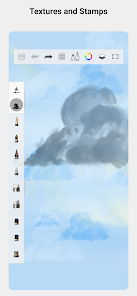
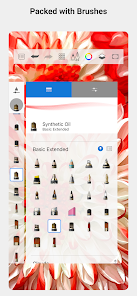
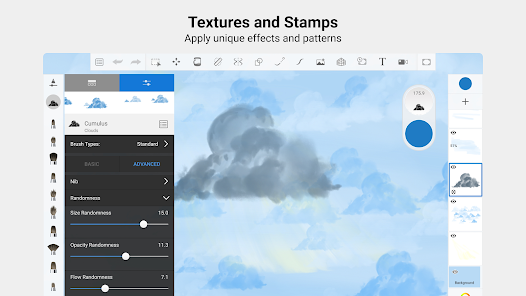
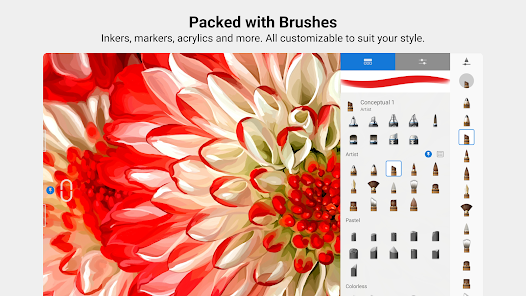
Sketchbook offers an extensive library of customizable brushes that allow artists to create unique textures and styles. You can easily adjust settings like size, opacity, and flow to match your artistic vision, making it an essential tool for both beginners and professionals alike.

Intuitive Interface

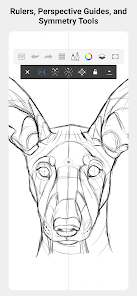
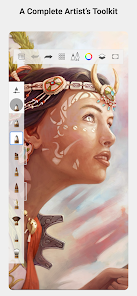
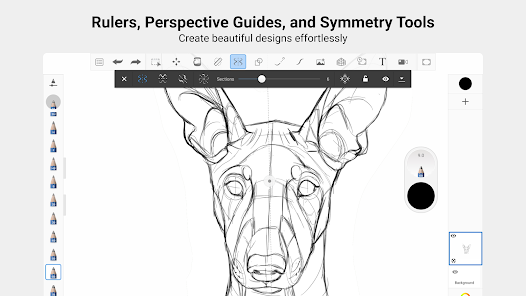
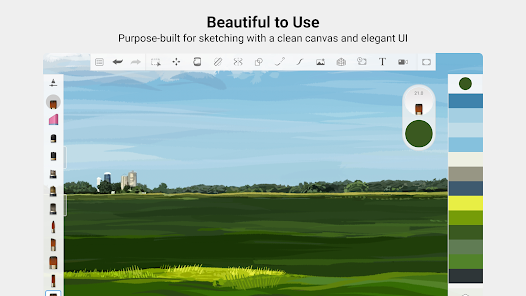
The user-friendly interface of Sketchbook makes it easy to navigate through tools and features without overwhelming new users. Designed with artists in mind, it streamlines the creative process, allowing you to focus more on your art and less on figuring out the app.

Layer Management

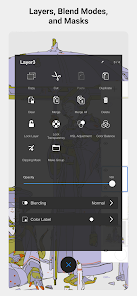
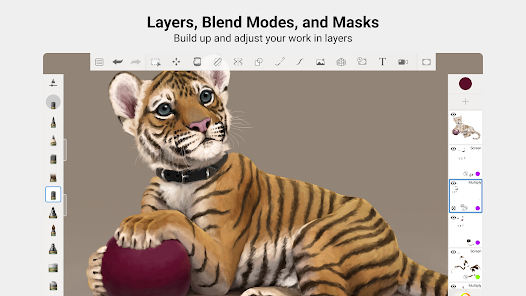
With a robust layer management system, Sketchbook enables users to work with multiple layers effortlessly. This feature allows for non-destructive editing, giving you the freedom to manipulate your artwork without losing any original details, perfect for complex projects.

Real-Time Rendering

Sketchbook provides real-time rendering, ensuring that your strokes appear instantly on the canvas as you draw. This feature enhances the overall experience, allowing for a smooth and responsive creative process that mimics traditional drawing techniques.

Pros & Cons

Pros
  • Intuitive interface for effortless drawing and sketching
  • Wide range of brushes for creative expression
  • Customizable tools enhance personal artistic style
  • Supports multiple file formats for easy sharing
  • Cloud integration ensures access across devices
Cons
  • Limited layer functionality in free version
  • Performance issues with large files
  • Lacks advanced editing tools compared to competitors
  • No built-in export options for animation

Real Experience Using Sketchbook

Application Scenarios

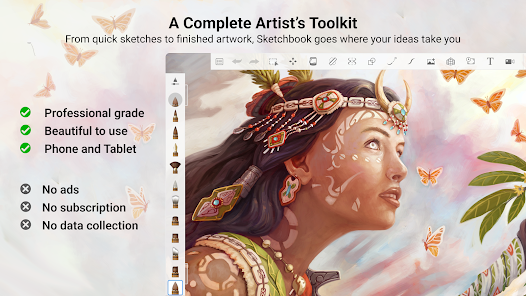
Sketchbook is a versatile digital drawing and painting application that caters to a wide range of creative needs. Artists, designers, and hobbyists alike can use it for various purposes, from casual doodling to serious illustration projects. The app is particularly beneficial for those who wish to create concept art, character designs, or intricate sketches. With its intuitive interface and powerful tools, users can easily transition between brainstorming ideas and executing detailed artwork. Additionally, Sketchbook is an excellent tool for educators who want to incorporate digital art into their curriculum, as it offers a fun and engaging way for students to explore their creativity.

User Experience

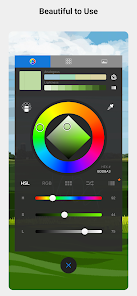
The user experience in Sketchbook is largely positive, thanks to its clean and user-friendly interface. The app is designed to minimize distractions, allowing artists to focus on their creativity. Users have access to a plethora of brushes, colors, and tools that can be customized to suit individual preferences. The layering system is intuitive, enabling artists to work on different elements of their artwork without affecting the overall composition. Many users appreciate the responsiveness of the app, which provides a smooth drawing experience, even on mid-range devices. Furthermore, the ability to easily export and share artwork directly from the app enhances its usability, making it a favorite among social media-savvy creators.

Pricing

Sketchbook offers a freemium model that allows users to access basic features at no cost, making it appealing for newcomers who wish to try their hand at digital art without any financial commitment. For those looking for a more comprehensive experience, a premium subscription is available, which unlocks advanced features such as additional brushes, advanced tools, and extra layers. The pricing structure is competitive within the market, offering good value for the features provided. This flexibility allows users to choose a plan that fits their needs—whether they are casual users or professional artists seeking a robust digital canvas.

Updates & Support

The development team behind Sketchbook is committed to continuous improvement, regularly releasing updates that enhance functionality and introduce new features. Users can expect periodic improvements based on feedback, ensuring the app stays relevant in an ever-evolving digital art landscape. Support resources, including tutorials and a dedicated help center, are readily available, allowing users to troubleshoot issues and learn about new features effectively. The active community surrounding Sketchbook also contributes to a vibrant ecosystem, where users can share tips, techniques, and artwork, further enriching the overall experience.

verified Security & Privacy Review

Security and privacy are paramount concerns for users of the Sketchbook app. The app implements industry-standard encryption protocols to safeguard user data both in transit and at rest. This ensures that sensitive information, such as artwork and personal details, is protected from unauthorized access. Sketchbook requires minimal permissions to function effectively, primarily requesting access to storage for saving and retrieving files. Users are encouraged to review these permissions during installation and can modify them in the app settings as needed. The app's privacy policy clearly outlines how user data is collected, used, and shared. Sketchbook does not sell personal information to third parties, and any data collected is utilized solely to enhance user experience and app functionality. Users can opt out of data collection features, providing them with greater control over their information. Overall, Sketchbook demonstrates a strong commitment to security and privacy, making it a reliable choice for artists who value confidentiality and data protection in their creative endeavors.

Reviews

4.0

“Intuitive interface for digital artists.”

“Powerful tools for detailed sketches.”

“Frequent updates enhance user experience.”

“Great for both beginners and professionals.”

“Smooth performance on various devices.”

Editor's Choice