This site uses cookies to enhance your user experience. By clicking any link on this site you are giving your consent to our cookie policy. Read more
Reject
Accept All

Advertiser and Editorial Disclosures

Photoleap: AI Photo Generator

Photoleap: AI Photo Generator

verified Verified App

Developer: Lightricks Ltd.

  • category

    Category: Art & Design

  • price

    Price: free

  • age rating

    Age Rating: /

  • rating

    Rating: 3.9

  • download

    Downloads: /

  • version

    Version: 1.69.1

Screenshot 1
Screenshot 2
Screenshot 3
Screenshot 4
Screenshot 5
Screenshot 6
Screenshot 7

Features & Highlights

AI-Powered Generation

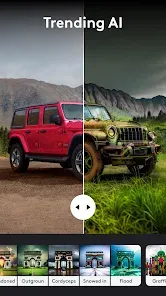
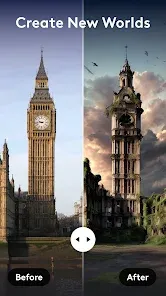
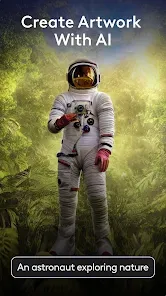
Photoleap utilizes advanced AI algorithms to transform your ideas into stunning images with ease. Simply input your vision, and watch as the app generates unique visuals that capture your imagination, making creativity accessible to everyone, regardless of skill level.

Community Inspiration

Join a vibrant community of creators within Photoleap, where you can share your work and draw inspiration from others. Explore galleries, participate in challenges, and connect with fellow artists to elevate your creative journey and discover new techniques.

Customizable Templates

With a wide variety of customizable templates, Photoleap allows you to easily tailor images to fit your style. Whether you're creating social media posts or marketing materials, you can adjust colors, fonts, and layouts, ensuring your visuals stand out and resonate with your audience.

Seamless Editing Tools

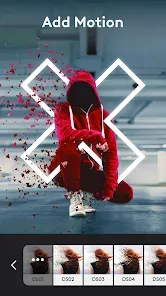
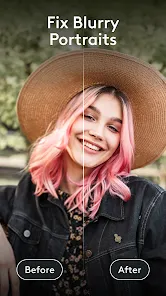
Photoleap offers an intuitive set of editing tools that empower users to refine their images effortlessly. From basic adjustments like cropping and filters to advanced features like layer manipulation, the app provides everything you need to perfect your photos in one place.

Pros & Cons

Pros
  • Transform ordinary photos into stunning artworks with advanced AI tools
  • Easily create professional-looking edits with user-friendly features and intuitive interface
  • Access a vast library of filters and effects for endless creative possibilities
  • Quickly remove backgrounds and enhance images with precise editing options
  • Share your creations seamlessly across social media platforms for instant visibility
Cons
  • Limited functionality compared to more comprehensive photo editing software
  • High reliance on internet connectivity for AI features
  • Occasional inaccuracies in AI-generated art can lead to user frustration

Real Experience Using Photoleap: AI Photo Generator

Application Scenarios

Photoleap: AI Photo Generator is a versatile tool tailored for various users, from casual photographers to professional creatives. It excels in multiple scenarios, such as transforming everyday images into stunning artworks, creating promotional content for businesses, and enhancing social media posts with eye-catching visuals. Users can effortlessly generate unique images based on specific themes or concepts, making it ideal for marketing campaigns, blog illustrations, or even personal projects. Moreover, the app’s intuitive interface allows users to quickly adapt to its features, making it suitable for both novices and seasoned editors. Whether you need to produce high-quality images for a portfolio or want to experiment with artistic filters, Photoleap provides the flexibility to fulfill these creative demands.

User Experience

The user experience in Photoleap is remarkably smooth, with an interface designed for ease of navigation. Upon opening the app, users are greeted with a clean layout that simplifies the process of photo generation. The app boasts a plethora of templates and customizable options, allowing users to tweak every aspect of their images to perfection. The AI technology integrated into the application ensures that the generated images are not only unique but also maintain a high standard of quality. Users have reported a sense of satisfaction as they watch their creative visions come to life with just a few taps. Additionally, the app provides quick tutorials and tips, which further enhances the learning curve for new users, making it accessible to everyone regardless of their technical background.

Pricing

Photoleap offers a competitive pricing structure, catering to various user needs. The app is available for free with limited features, allowing users to explore its capabilities before committing to a purchase. For those looking for an enhanced experience, a premium subscription unlocks a wealth of features, including advanced editing tools, an extensive library of templates, and priority customer support. The subscription model is reasonably priced, making it an attractive option for users who require robust functionality without breaking the bank. Furthermore, the app frequently offers promotional discounts, enabling users to access premium features at a more affordable rate.

Updates & Support

Regular updates are a hallmark of Photoleap, with the development team consistently rolling out new features and improvements based on user feedback. This commitment to enhancement ensures that the app remains at the forefront of photo generation technology. Users can expect periodic updates that introduce innovative tools and expand the library of templates, allowing for fresh creative possibilities. Additionally, the support team is responsive and helpful, providing assistance through various channels, including FAQ sections, email support, and community forums. This level of support ensures that users can make the most of the app and resolve any issues they might encounter swiftly, contributing to an overall positive experience.

verified Security & Privacy Review

The security and privacy practices of Photoleap: AI Photo Generator are paramount for users who prioritize the protection of their personal information. The app employs robust encryption protocols to safeguard user data both in transit and at rest, ensuring that sensitive information remains secure from unauthorized access. Photoleap is transparent about its data collection practices, clearly outlining the types of information it gathers, such as images and usage statistics, in its privacy policy. The app requests permissions necessary for optimal functionality, including access to the camera and photo library, which users can manage according to their preferences. Moreover, Photoleap emphasizes user control over personal data, allowing users to delete their accounts and associated data whenever desired. Regular updates to the app also include security patches that address potential vulnerabilities, reflecting the developers' commitment to maintaining a secure environment. Overall, Photoleap demonstrates a conscientious approach to user privacy and data security, making it a trustworthy option for those looking to explore AI-generated photography.

Reviews

3.9

“Intuitive interface and powerful features for photo editing.”

“Incredible AI-generated images, very realistic results.”

“Fast processing and easy to use for beginners.”

“Creative tools that inspire unique photo transformations.”

“Frequent updates keep improving the app experience.”

Get Installation Details
google play Google Play app store App Store

FAQ

1

Can I submit suggestions or feedback to Photoleap: Photo Editor/AI Art?

Yes, users can submit suggestions or feedback through the app's support section or through the official website to help improve future versions of the app.

2

Does Photoleap: Photo Editor/AI Art collect my personal data?

Photoleap: Photo Editor/AI Art may collect personal data as outlined in its privacy policy, typically for account management and service improvement purposes.

3

Does Photoleap: Photo Editor/AI Art support offline use?

Yes, many features of Photoleap: Photo Editor/AI Art can be used offline, although some functionalities may require an internet connection for AI features.

4

How do I cancel my Photoleap: Photo Editor/AI Art subscription?

To cancel your subscription, you can go to your device’s settings, find the subscription management section, and follow the prompts to unsubscribe.

5

How much does a subscription to Photoleap: Photo Editor/AI Art cost?

Subscription pricing for Photoleap: Photo Editor/AI Art varies based on the plan selected, typically offering monthly and yearly options at competitive rates.

How to use Photoleap: AI Photo Generator

1

Can I activate my account using my customer number?

Yes, you can activate your account by entering your customer number during the registration process.

2

How can I change my account login details?

You can change your login details by logging into your account and going to the settings section.

3

How do I activate my account after signing up?

To activate your account, check your email for a confirmation link and follow the instructions provided.

4

How do I contact customer service for Photoleap?

You can reach our customer service team via the support section in the app or by emailing support

5

How do I log in to my Photoleap account?

To log in, open the app and enter your registered email and password. If you're having trouble, use the "Forgot Password" link.

Editor's Choice