This site uses cookies to enhance your user experience. By clicking any link on this site you are giving your consent to our cookie policy. Read more
Reject
Accept All
GIMP

GIMP

verified Verified App

Developer: UserLAnd Technologies

  • category

    Category: Art & Design

  • price

    Price: $1.99

  • age rating

    Age Rating: Everyone

  • rating

    Rating: 2.8

  • download

    Downloads: 50,000+

  • version

    Version: 25.09.05

Screenshot 1
Screenshot 2
Screenshot 3
Screenshot 4
Screenshot 5
Screenshot 6

Features & Highlights

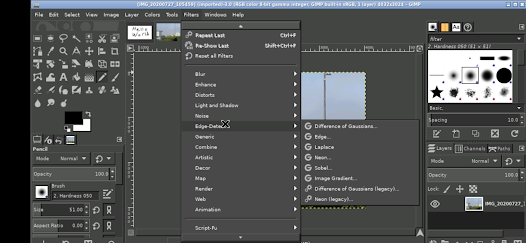
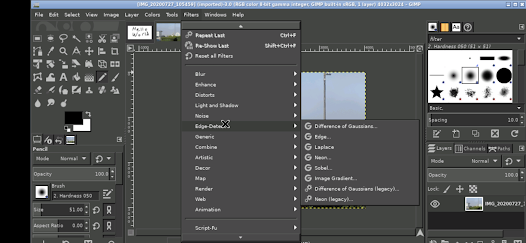
Advanced Image Editing

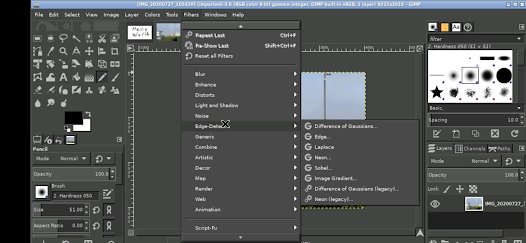
GIMP offers a robust suite of advanced editing tools that empower users to manipulate images with precision. From layering to masking, its capabilities cater to both novices and seasoned professionals, ensuring that every detail can be fine-tuned for the perfect result.

Customizable Interface

One of GIMP's standout features is its highly customizable interface, allowing users to tailor their workspace according to personal preferences. Whether you prefer a minimalist setup or a feature-rich environment, GIMP adapts to meet your workflow needs, enhancing your productivity and creativity.

Extensive Plugin Support

GIMP boasts a vast library of plugins, enabling users to enhance their editing experience with additional features and functionalities. These plugins can help automate tasks, add new effects, and expand GIMP's capabilities, making it a versatile tool for any creative project.

Wide Format Compatibility

With support for numerous file formats, GIMP ensures that you can work with virtually any type of image. Whether you’re editing a standard JPEG or a complex PSD, GIMP’s flexibility means you can seamlessly integrate it into your existing workflow without worrying about compatibility issues.

Pros & Cons

Pros
  • Powerful image editing tools for professionals
  • Completely free and open-source software
  • Supports a wide range of file formats
  • Highly customizable with plugins and scripts
  • Active community for support and resources
Cons
  • Steeper learning curve for beginners
  • Limited support for certain file formats
  • Some features lack polish compared to competitors
  • Performance issues with large files or projects

Real Experience Using GIMP

Application Scenarios

GIMP, or GNU Image Manipulation Program, is a versatile graphic design tool that caters to a wide range of users, from amateur photographers to professional graphic designers. It is particularly well-suited for tasks such as photo retouching, image composition, and image authoring. Users can create complex digital art, manipulate existing images, or even transform photographs into unique visual pieces. GIMP's integration with various plugins allows users to extend its functionality, making it useful in scenarios such as web design, marketing materials creation, and even game development. The program’s extensive capabilities enable it to serve as a reliable alternative to other expensive graphic editing software, proving its worth in both professional and casual settings.

User Experience

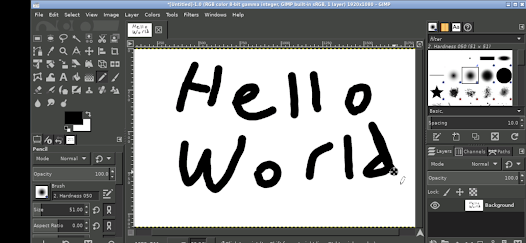
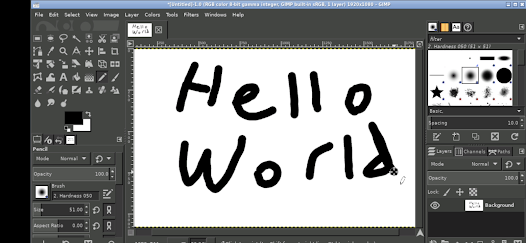
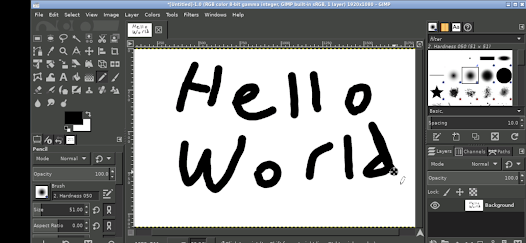
The user experience of GIMP is generally positive, although it may present a learning curve for newcomers to graphic design. The interface is customizable, allowing users to arrange tools and menus according to their preferences, which can enhance workflow efficiency. GIMP provides a plethora of editing tools, including brushes, gradients, and filters, enabling users to create their desired effects with precision. Despite its rich feature set, some users may find the interface cluttered or unintuitive initially. However, numerous tutorials and a robust community forum help users navigate and master the platform. Overall, once familiar with the layout and capabilities, users often appreciate the depth and flexibility GIMP offers for their creative projects.

Pricing

One of the standout features of GIMP is that it is completely free to download and use, making it highly accessible to a wide audience. Unlike many professional graphic design tools that require a hefty subscription fee, GIMP's open-source nature allows users to benefit from regular updates and community-driven support without financial constraints. This makes it an appealing choice for students, hobbyists, and professionals who may be budget-conscious but still seek high-quality graphic editing tools. The absence of a price tag does not compromise the software's capabilities, which are on par with many paid alternatives.

Updates & Support

GIMP is continuously updated, with regular releases that enhance functionality, fix bugs, and improve user experience. The active development community behind GIMP ensures that users receive timely updates that incorporate new features and performance improvements. Additionally, the software's comprehensive documentation, along with community forums and online tutorials, provides ample support for users at all experience levels. Whether seeking help with specific tools or looking to learn advanced techniques, users can easily find resources to assist them. Overall, GIMP's commitment to ongoing improvement and robust user support contributes significantly to its reputation as a leading free graphic design software.

verified Security & Privacy Review

GIMP takes user privacy and data security seriously, ensuring that personal information remains protected throughout its usage. The application is open-source, which allows the community to review its code for potential vulnerabilities, enhancing transparency and trust among users. GIMP does not require any registration or personal information to utilize its features, allowing users to work without the need to share sensitive data. Regarding permissions, GIMP operates primarily as a standalone desktop application, which minimizes the risk associated with online data breaches. Users can confidently install GIMP on their devices without concerns about background data collection or excessive permissions. The application does not track user behavior or collect usage statistics, further reinforcing its commitment to user privacy. However, it is essential for users to remain vigilant when downloading plugins or scripts from third-party sources, as these may introduce security risks. Overall, GIMP offers a secure environment for digital content creation, prioritizing user privacy and data protection throughout its functionality.

Reviews

2.8

“Powerful editing tools for free and open-source software!”

“Steep learning curve, but worth the effort.”

“Excellent for graphic design and photo manipulation.”

“Frequent updates improve functionality and performance.”

“Community support is helpful and responsive.”

Editor's Choice