This site uses cookies to enhance your user experience. By clicking any link on this site you are giving your consent to our cookie policy. Read more
Reject
Accept All

Advertiser and Editorial Disclosures

Tattoo Maker

Tattoo Maker

verified Verified App

Developer: Focus apps

  • category

    Category: Art & Design

  • price

    Price: free

  • age rating

    Age Rating: Teen

  • rating

    Rating: 3.8

  • download

    Downloads: 10,000,000+

  • version

    Version: 2.3.10

Screenshot 1
Screenshot 2
Screenshot 3
Screenshot 4
Screenshot 5
Screenshot 6
Screenshot 7
Screenshot 8
Screenshot 9
Screenshot 10
Screenshot 11
Screenshot 12
Screenshot 13
Screenshot 14
Screenshot 15
Screenshot 16
Screenshot 17

Features & Highlights

Custom Tattoo Designs

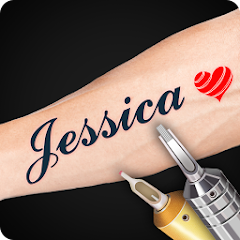
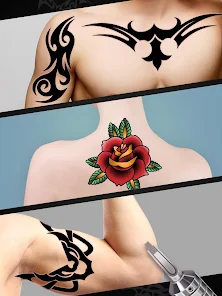
Tattoo Maker allows users to unleash their creativity by designing unique tattoos from scratch. With an intuitive interface and a variety of tools, you can easily create intricate designs that reflect your personal style and preferences, ensuring your tattoo is truly one-of-a-kind.

Extensive Design Library

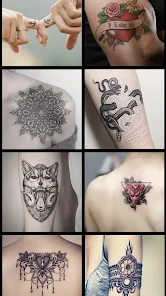
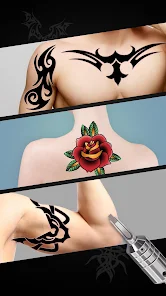
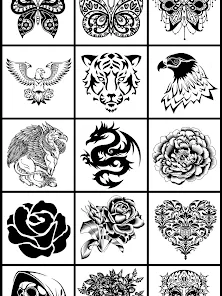
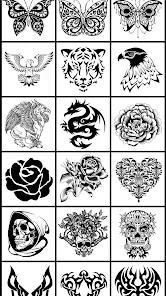
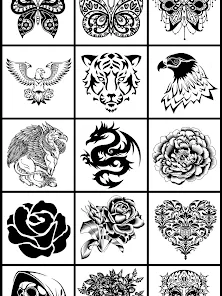
Explore a vast library of pre-made tattoo designs across various themes and styles. Whether you're looking for traditional, tribal, or modern art, Tattoo Maker offers endless inspiration, making it easier than ever to find the perfect design for your next ink.

Realistic Preview Feature

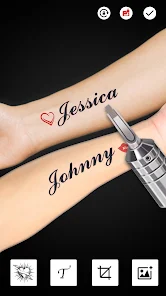
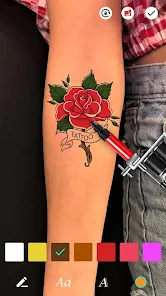
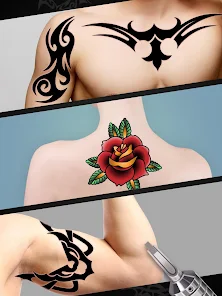
Get a sneak peek of how your tattoo will look on your skin with the realistic preview feature. This tool lets you visualize your designs on different body parts, helping you make the best choice and ensuring you're completely satisfied before making a final decision.

Sharing and Collaboration

Easily share your tattoo designs with friends or collaborate with other artists directly within the app. Whether you're seeking feedback or inspiration, Tattoo Maker encourages a community spirit, making the process of creating and finalizing your tattoo a more social and engaging experience.

Pros & Cons

Pros
  • Customizable designs for unique tattoo creations
  • User-friendly interface for easy navigation
  • High-quality graphics for realistic visuals
  • Library of templates for inspiration and ideas
  • Allows collaboration with artists for perfect results
Cons
  • Limited design options for customization
  • Can be difficult to use for beginners
  • May lack quality compared to professional artists
  • Prone to errors in placement and sizing

Real Experience Using Tattoo Maker

Application Scenarios

Tattoo Maker is designed for a diverse range of users, from tattoo enthusiasts looking to design their very own ink to artists seeking inspiration for their next masterpiece. Whether you are contemplating your first tattoo or are a seasoned collector wanting to explore new concepts, this app provides a platform to visualize your ideas. Users can create custom designs tailored to their personal style or cultural significance, making Tattoo Maker a valuable tool for anyone in the tattoo community. Additionally, the app serves as a great resource for tattoo artists who wish to showcase their portfolios or create mock-ups for clients, enhancing the creative process and facilitating communication between artists and clients.

User Experience

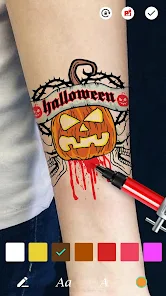
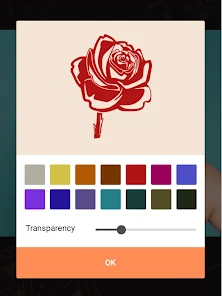
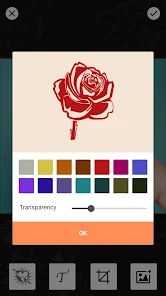
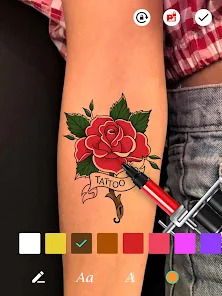
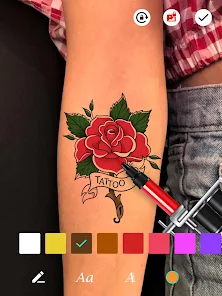
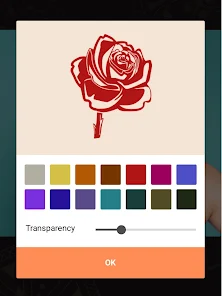
The user experience of Tattoo Maker is intuitive and engaging. The app's interface is sleek and organized, allowing users to navigate seamlessly through various features. From selecting design templates to customizing colors and sizes, every step is user-friendly. The app offers an extensive library of graphics, symbols, and fonts, enabling users to create unique designs that reflect their personality. Additionally, the layering feature allows for intricate designs, giving users the flexibility to experiment without limits. The ability to save and share designs on social media platforms further enhances the user experience, fostering a sense of community among users. However, some users may find the learning curve steep at first, but with practice, the app becomes increasingly manageable and enjoyable.

Pricing

Tattoo Maker adopts a freemium model, allowing users to download the app for free with limited features. For users seeking advanced functionalities and a wider selection of design elements, a subscription plan is available. The pricing options are competitive, and the subscription unlocks premium features such as high-resolution downloads, exclusive design packs, and ad-free usage. This pricing structure caters to a broad audience, ensuring that both casual users and serious tattoo aficionados can find value in the app without feeling financially burdened.

Updates & Support

The developers of Tattoo Maker are committed to providing regular updates, enhancing the app's functionality and user experience. Users can expect periodic updates that introduce new features, design elements, and performance improvements. The support team is responsive and helpful, offering assistance through a comprehensive FAQ section and through direct customer service channels. Users can submit feedback, which often leads to the implementation of requested features in future updates, showcasing the developers’ dedication to user satisfaction and community engagement.

verified Security & Privacy Review

The Tattoo Maker app takes user security and privacy seriously, implementing several measures to protect sensitive information. The app requires minimal permissions, primarily accessing the device's storage for saving and sharing designs. This limited access helps mitigate potential risks associated with unnecessary data exposure. Data encryption is employed to safeguard user-generated content and personal details, ensuring that information remains secure during transmission. The app adheres to industry-standard privacy practices, providing users with a clear privacy policy outlining data collection, usage, and sharing protocols. Users have control over their data, with options to delete their profiles and associated designs at any time. The app does not sell user data to third parties, fostering a trustful environment for creative expression. Regular updates are implemented to address potential vulnerabilities, enhancing overall security. Overall, Tattoo Maker prioritizes user privacy and data security, making it a reliable choice for individuals looking to create and personalize their tattoo designs without compromising their personal information.

Reviews

3.8

“Easy to use and fun for design ideas”

“Great variety of tattoo styles and options”

“User-friendly interface makes creating tattoos enjoyable”

“Perfect for planning my next tattoo design”

“Love the customization features and vibrant colors”

FAQ

1

Does Tattoo Maker collect my personal data?

Tattoo Maker adheres to privacy policies and may collect user data for functionality and improvement purposes, but it typically does not share personal data with third parties without consent.

2

Does Tattoo Maker offer a free trial or free version?

Yes, Tattoo Maker offers a free version with limited features, and users can also opt for a free trial of the premium version to explore additional functionalities.

3

Does Tattoo Maker require an internet connection?

Tattoo Maker can be used offline for most features, but some functionalities, like downloading additional content or sharing designs, may require an internet connection.

4

How can I contact support or send feedback for Tattoo Maker?

You can contact support or send feedback by accessing the help section within the app, where you’ll find options for customer support or a feedback form.

5

How do I manage or cancel my Tattoo Maker subscription?

Users can manage or cancel their Tattoo Maker subscription through the app's settings or the app store where they originally subscribed, following the provided instructions.

How to use Tattoo Maker

1

How can I contact Customer Service for the Tattoo Maker app?

You can reach our Customer Service via the app's support section or by emailing support

2

How can I reset my password for the Tattoo Maker app?

Tap on 'Forgot Password?' on the login screen, enter your email, and follow the instructions sent to your inbox.

3

How do I find the Customer Number for my account?

Your Customer Number is located in the app under 'Account Settings' or in your registration email.

4

How do I log in to the Tattoo Maker app?

Open the app, tap 'Login', enter your email and password, then tap 'Submit' to access your account.

5

Is activation necessary for the Tattoo Maker app?

Yes, you need to activate your account via the confirmation email sent after registration. Follow the link provided.

Editor's Choice