This site uses cookies to enhance your user experience. By clicking any link on this site you are giving your consent to our cookie policy. Read more
Reject
Accept All
Clip Studio Paint

Clip Studio Paint

verified Verified App

Developer: CELSYS,Inc.

  • category

    Category: Art & Design

  • price

    Price: free

  • age rating

    Age Rating: Everyone

  • rating

    Rating: 4.5

  • download

    Downloads: 10,000,000+

  • version

    Version: 4.2.6

Screenshot 1
Screenshot 2
Screenshot 3
Screenshot 4
Screenshot 5
Screenshot 6
Screenshot 7
Screenshot 8
Screenshot 9
Screenshot 10
Screenshot 11
Screenshot 12
Screenshot 13
Screenshot 14
Screenshot 15
Screenshot 16
Screenshot 17
Screenshot 18
Screenshot 19
Screenshot 20
Screenshot 21
Screenshot 22
Screenshot 23
Screenshot 24

Features & Highlights

3D Model Integration

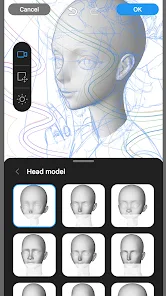
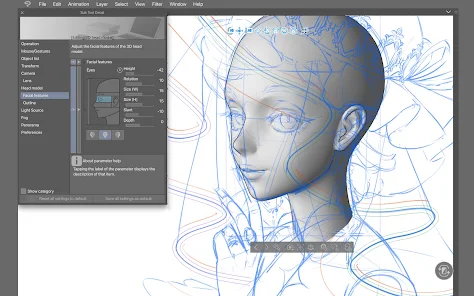
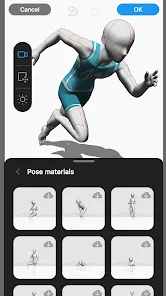
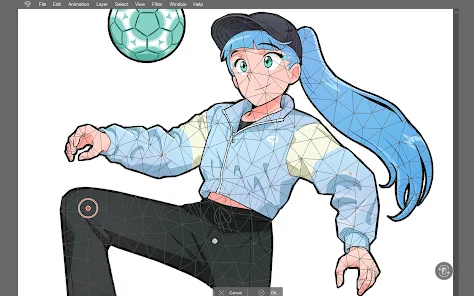
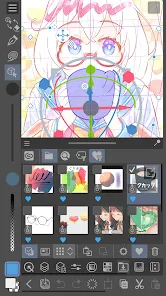
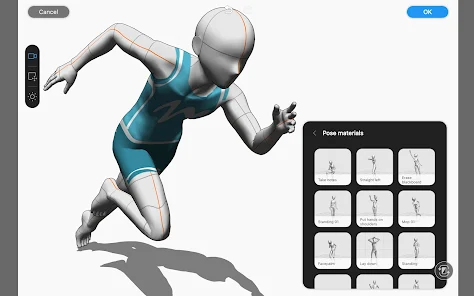
The integration of 3D models in Clip Studio Paint enhances the drawing experience by providing reference points for perspective and proportions. Artists can import, manipulate, and even customize models, making it easier to create complex scenes and accurately depict human figures.

Animation Tools

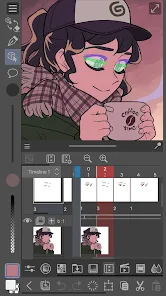
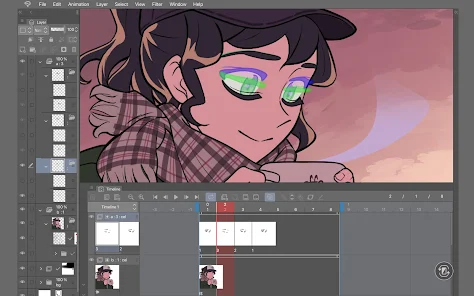
Clip Studio Paint includes robust animation features, allowing creators to bring their illustrations to life through frame-by-frame animation. With onion skinning and timeline management, artists can seamlessly transition between frames and refine their animations to achieve smooth motion.

Custom Brushes

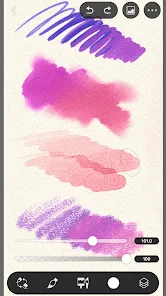
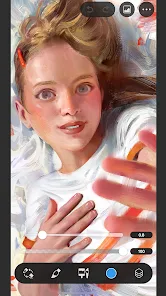
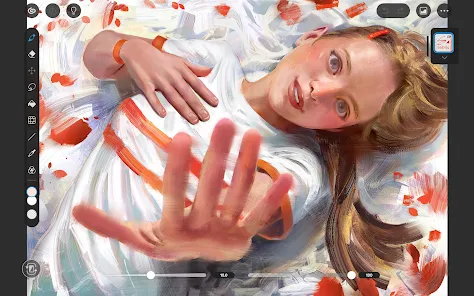
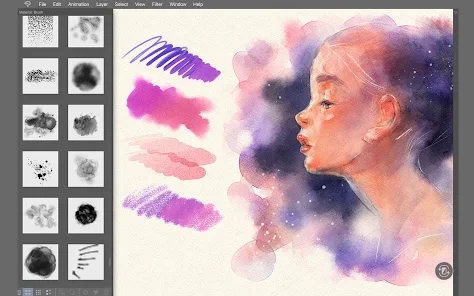
Clip Studio Paint offers an extensive library of customizable brushes, allowing artists to create unique textures and styles that suit their specific needs. From traditional ink to watercolor effects, the brush engine provides a versatile toolkit for both beginners and professionals to explore their creativity.

Vector Layers

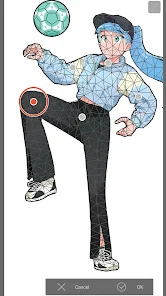
The software's vector layers enable precise editing and scaling without losing quality, making it ideal for creating clean line art and illustrations. Artists can easily manipulate shapes and lines, ensuring their artwork maintains a polished look no matter how many adjustments are made.

Pros & Cons

Pros
  • Intuitive interface for seamless creativity
  • Powerful brush customization options
  • Versatile tools for illustration and animation
  • Supports various file formats for flexibility
  • Strong community with extensive resources and tutorials
Cons
  • Steeper learning curve for beginners
  • Limited free resources available
  • Occasional performance issues on older hardware
  • Higher initial purchase cost than some alternatives

Real Experience Using Clip Studio Paint

Application Scenarios

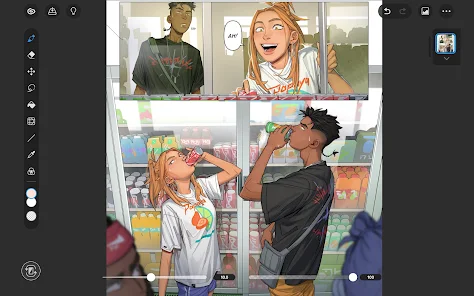
Clip Studio Paint is a versatile digital art application that caters to a wide range of creative professionals and hobbyists alike. Whether you're a comic artist looking to create stunning illustrations, a concept artist designing characters and environments, or an animator bringing stories to life, Clip Studio Paint provides the tools necessary to execute your vision. The application supports various styles, from traditional painting techniques to manga and anime aesthetics, making it a popular choice among illustrators. Additionally, its robust features for inking and coloring make it ideal for those who freelance or work in collaborative environments, allowing artists to seamlessly integrate their workflows with other software and platforms.

User Experience

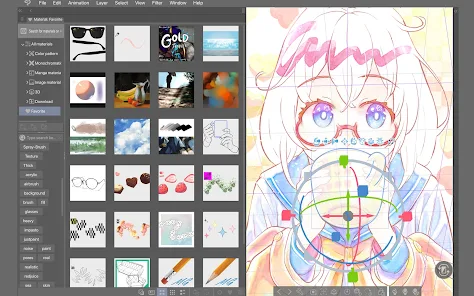
The user experience in Clip Studio Paint is intuitive, thanks in large part to its customizable interface. Artists can tailor their workspace to suit their preferences, easily accessing the tools and brushes they use most frequently. The pressure sensitivity and smooth brush strokes offer a natural drawing experience, which is a hallmark of this application. Users often praise the extensive library of brushes and textures, which can be further customized or even created from scratch. Additionally, the application supports a variety of file formats, ensuring compatibility with other software. However, some users may find the learning curve steep, especially those who are new to digital art. Fortunately, a wealth of tutorials and community resources are available to help newcomers get up to speed.

Pricing

Clip Studio Paint operates on a flexible pricing model, offering both a one-time purchase option and a subscription plan. The one-time purchase grants users access to the full version of the software, which includes all features and updates, making it a cost-effective choice for long-term users. On the other hand, the subscription option provides regular updates and additional features, appealing to those who prefer to stay at the forefront of digital art technology. While the initial investment may seem significant compared to other applications, many users find the value in the comprehensive set of tools and resources available, justifying the cost.

Updates & Support

The development team behind Clip Studio Paint is dedicated to continuous improvement, frequently releasing updates that enhance performance and introduce new features based on user feedback. This commitment to innovation keeps the application relevant in an ever-evolving digital art landscape. Additionally, the support resources are robust, featuring a comprehensive help center, user forums, and a vibrant online community. Users can easily find answers to their questions or share tips with fellow artists. Overall, Clip Studio Paint not only provides an exceptional drawing experience but also fosters a supportive environment for artists to grow and thrive.

verified Security & Privacy Review

Clip Studio Paint prioritizes user security and privacy, employing robust measures to protect personal information. The app collects minimal data necessary for functionality, primarily associated with user accounts, purchase history, and preferences. This data is encrypted during transmission, ensuring that sensitive information remains secure. Permissions required by Clip Studio Paint are standard for a creative application, including access to storage for saving and loading files. Users are informed about these permissions during the installation process, promoting transparency. The app does not request unnecessary access to personal data or device functionality beyond what is essential for its operation. Clip Studio Paint adheres to strict privacy policies, clearly outlining how user data is utilized. The company does not share personal information with third parties without explicit consent, reinforcing its commitment to user privacy. Regular updates further enhance security features, addressing potential vulnerabilities and ensuring compliance with data protection regulations. Overall, Clip Studio Paint demonstrates a solid commitment to safeguarding user data and maintaining privacy, making it a reliable choice for digital artists.

Reviews

4.5

“Intuitive interface makes drawing enjoyable and efficient.”

“Wide range of brushes and tools available.”

“Great for both beginners and professionals alike.”

“Regular updates improve functionality and features.”

“Affordable alternative to other digital art software.”

Editor's Choice