This site uses cookies to enhance your user experience. By clicking any link on this site you are giving your consent to our cookie policy. Read more
Reject
Accept All
Intro Maker -video intro outro

Intro Maker -video intro outro

verified Verified App

Developer: ryzenrise

Screenshot 1
Screenshot 2
Screenshot 3
Screenshot 4
Screenshot 5
Screenshot 6
Screenshot 7
Screenshot 8

Features & Highlights

Customizable Templates

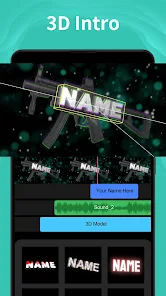
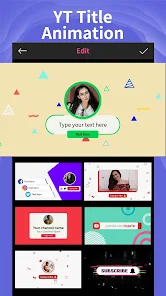
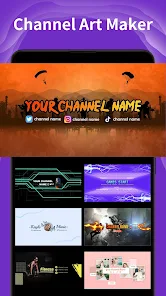
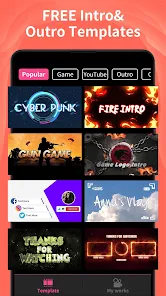
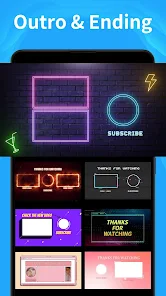
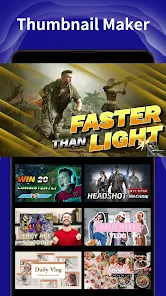
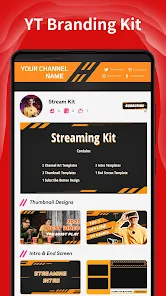
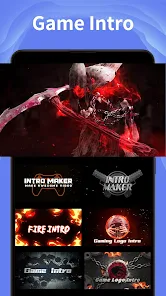
Intro Maker offers a diverse range of customizable templates that cater to various content styles. You can easily modify colors, fonts, and animations to align with your brand identity or personal flair, making your intros and outros truly unique and eye-catching.

Dynamic Music Library

Intro Maker features a dynamic library of royalty-free music tracks that perfectly complement your video content. Whether you're looking for upbeat tunes or more subtle background scores, you can find the right sound to enhance your intros and outros effortlessly.

High-Quality Exports

Enjoy the peace of mind that comes with high-quality video exports, ensuring your intros and outros look crisp and professional. You can select your desired resolution, making it easy to share your videos across different platforms without sacrificing quality.

User-Friendly Interface

With its intuitive user interface, Intro Maker ensures that even those without technical skills can create stunning video introductions and endings. The drag-and-drop functionality simplifies the editing process, allowing users to focus on creativity rather than getting bogged down by complicated tools.

Pros & Cons

Pros
  • Create professional intros effortlessly
  • Customize templates to match your brand
  • Access a wide range of animations
  • Save time with easy editing tools
  • Enhance viewer engagement instantly
Cons
  • Limited customization options for intros and outros
  • Watermarked videos in free version can deter users
  • Performance issues on older devices may occur
  • Lacks advanced editing tools for professional use

Real Experience Using Intro Maker -video intro outro

Application Scenarios

Intro Maker - video intro outro is an excellent tool for content creators, YouTubers, and social media influencers looking to enhance their video production quality. This app is particularly useful for those who want to create engaging intros and outros for their videos without needing extensive video editing skills. Whether you are a gaming enthusiast needing an exciting intro, a vlogger wanting to establish a personal brand, or a business professional aiming to create promotional content, Intro Maker provides a variety of templates that cater to diverse needs. Users can easily customize these templates to fit their branding, adding logos, text overlays, and music tracks to create a unique video identity.

User Experience

The user experience of Intro Maker is designed to be intuitive and user-friendly, making it accessible for both beginners and seasoned video editors. Upon opening the app, users are greeted with a clean interface that allows for easy navigation through various templates and editing tools. The drag-and-drop functionality makes it simple to customize elements, while the preview feature lets users see their changes in real-time. Users can choose from a wide array of themes and styles, ensuring that they find something that resonates with their personal or brand identity. The app also provides tips and tutorials, which are particularly helpful for users unfamiliar with video editing. Overall, the experience is smooth and enjoyable, with minimal learning curve involved.

Pricing

Intro Maker offers a freemium model, allowing users to access a basic set of features at no cost. However, for those seeking more advanced options, such as premium templates, additional music tracks, and higher resolution exports, a subscription is available. The pricing is competitive compared to similar apps in the market, providing good value for users who are serious about enhancing their video content. Monthly and annual plans are offered, giving users flexibility depending on their needs. The option for a one-time purchase for specific templates also exists, catering to those who may not want to commit to a subscription.

Updates & Support

The developers of Intro Maker are committed to providing regular updates, ensuring that users have access to the latest features and improvements. This includes a growing library of templates and music tracks, as well as enhancements based on user feedback. Customer support is readily available through in-app assistance and a dedicated support website, where users can find FAQs and contact information for personalized help. The active community surrounding the app also provides a platform for users to share tips and creative ideas, further enriching the overall experience. With continuous updates and robust support, users can feel confident that they are using a reliable and evolving tool for their video projects.

verified Security & Privacy Review

Security & Privacy Review The Intro Maker - video intro outro app places a strong emphasis on user data security and privacy practices. The app requires minimal permissions, ensuring that users retain control over their personal information. Users are typically only asked for permissions necessary to access media files, which is crucial for creating video content. Data encryption is implemented to protect user-generated content and personal information from unauthorized access. The app's privacy policy is transparent, outlining how user data is collected, used, and shared. It explicitly states that personal information is not sold to third parties, reinforcing the commitment to user privacy. Additionally, the app offers options for users to manage their data preferences, allowing them to delete their accounts and associated data whenever desired. Regular updates help to address potential security vulnerabilities, ensuring the app remains compliant with industry standards. Overall, Intro Maker demonstrates a solid approach to security and privacy, fostering user trust while enabling creative expression.

Reviews

4.6

“Easy to use with great templates!”

“Perfect for quick video intros.”

“Love the customization options available.”

“User-friendly interface, highly recommend!”

“Makes my videos look professional instantly!”

Editor's Choice