This site uses cookies to enhance your user experience. By clicking any link on this site you are giving your consent to our cookie policy. Read more
Reject
Accept All
Screen Recorder - XRecorder

Screen Recorder - XRecorder

verified Verified App

Developer: InShot Inc.

Screenshot 1
Screenshot 2
Screenshot 3
Screenshot 4
Screenshot 5
Screenshot 6
Screenshot 7

Features & Highlights

Easy Editing Tools

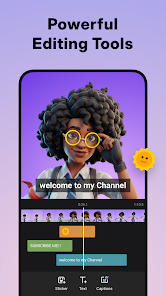
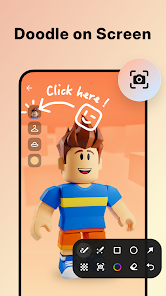
XRecorder includes a suite of user-friendly editing tools that let you trim, merge, and annotate your videos effortlessly. With these built-in features, you can polish your recordings on the spot, ensuring your final product is professional and engaging before sharing it with others.

Face Cam Overlay

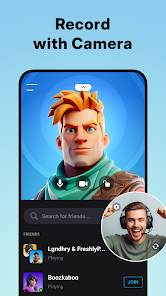
Add a personal touch to your recordings with the face cam overlay feature. You can record yourself while simultaneously capturing your screen, making it perfect for reaction videos, live streams, or instructional content, allowing viewers to connect with you on a more personal level.

High-Quality Recording

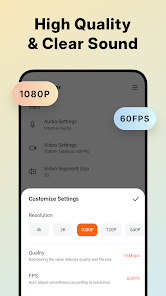
Capture your screen in stunning high definition with XRecorder's advanced recording capabilities. Whether you're creating tutorials, gameplay videos, or presentations, you can rely on crystal-clear visuals and smooth performance to impress your audience.

No Time Limits

Enjoy the freedom of unlimited recording time with XRecorder, which allows you to capture as much content as you need without worrying about hitting a time limit. Whether you're making a long tutorial or a comprehensive gameplay session, you can create without constraints.

Pros & Cons

Pros
  • High-quality recordings for crisp visuals and sound
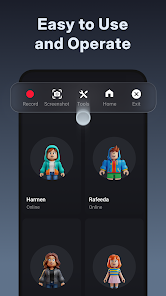
  • User-friendly interface for effortless navigation
  • No time limits for uninterrupted screen capture
  • Supports multiple resolutions for versatile needs
  • Built-in editing tools for quick customization
Cons
  • Limited editing features for recorded videos
  • Watermark appears on free version
  • Performance issues on older devices
  • Ads can disrupt user experience

Real Experience Using Screen Recorder - XRecorder

Application Scenarios

XRecorder is designed to cater to a variety of recording needs, making it an essential tool for both personal and professional use. Whether you’re a content creator looking to record gameplay, tutorials, or live streams, XRecorder offers a seamless experience. It is also perfect for educators who want to create instructional videos or presentations to share with students. Additionally, the app is useful for business professionals who need to record meetings or webinars for later review. The versatility of XRecorder allows users to capture high-quality video in various settings, making it a go-to solution for anyone in need of screen recording capabilities.

User Experience

The user experience with XRecorder is generally positive, with a clean and intuitive interface that makes navigation easy for users of all skill levels. The app provides a straightforward setup process, allowing users to start recording within minutes. The recording options are abundant, including adjustable resolution settings, frame rates, and bit rates to suit different needs. Users can also take advantage of features like recording internal audio, adding facecam overlays, and including audio from the microphone, which enhances the overall recording quality. Furthermore, the playback options are user-friendly, and the ability to edit recordings directly within the app is a significant plus, making it a comprehensive tool for video production.

Pricing

XRecorder offers a free version that provides basic recording functionalities, which is sufficient for casual users. However, for those seeking advanced features, such as higher resolution options and ad-free usage, a premium subscription is available. The pricing is competitive compared to similar apps on the market, making it an attractive option for users who want to enhance their recording capabilities without breaking the bank. The subscription model is flexible, allowing users to choose between monthly and yearly plans, ensuring accessibility for various budgets.

Updates & Support

The developers of XRecorder are committed to providing regular updates to enhance the app’s performance and introduce new features based on user feedback. This dedication to continuous improvement ensures that users have access to the latest recording technology and fixes for any bugs. Support is readily available through the app, with a comprehensive FAQ section, user guides, and the option to contact customer service for more specific inquiries. Overall, the combination of frequent updates and robust customer support contributes significantly to a positive user experience, making XRecorder a reliable choice for screen recording needs.

verified Security & Privacy Review

The Screen Recorder - XRecorder app places a strong emphasis on user security and privacy, ensuring that users can record their screens with confidence. The app requires minimal permissions, primarily accessing the device's microphone and storage to facilitate screen recording and saving files. This limited access helps to protect user data while allowing for essential functionality. Regarding data handling, XRecorder does not collect or transmit personal information without user consent. The app operates offline for recording purposes, which means that users' recordings remain private and stored locally on their devices. This approach minimizes the risk of unauthorized access to sensitive content. To enhance user trust, the developers provide a transparent privacy policy that outlines data practices and user rights. The app also offers options to manage permissions effectively, allowing users to control what the app can access. Overall, Screen Recorder - XRecorder demonstrates a commitment to safeguarding user data while delivering a reliable screen recording experience.

Reviews

4.7

“Easy to use and reliable for recording!”

“High-quality recordings with no lag.”

“User-friendly interface and great features.”

“Perfect for capturing gameplay and tutorials.”

“Effective tool for screen recording on the go.”

Editor's Choice