This site uses cookies to enhance your user experience. By clicking any link on this site you are giving your consent to our cookie policy. Read more
Reject
Accept All
Web Video Cast | Browser to TV

Web Video Cast | Browser to TV

verified Verified App

Developer: InstantBits Inc

Screenshot 1
Screenshot 2
Screenshot 3
Screenshot 4
Screenshot 5
Screenshot 6
Screenshot 7
Screenshot 8

Features & Highlights

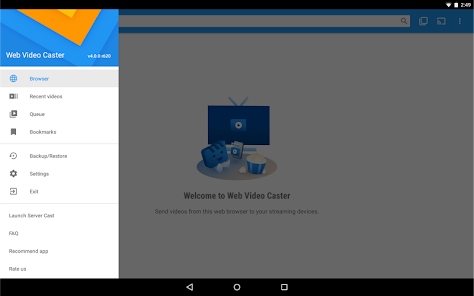
Bookmark Favorites

Web Video Cast allows you to bookmark your favorite websites and videos for quick access later. This handy feature saves you time and makes it easy to return to your preferred content, ensuring that your best shows are just a click away.

Cast Videos Easily

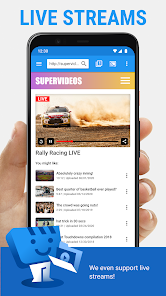
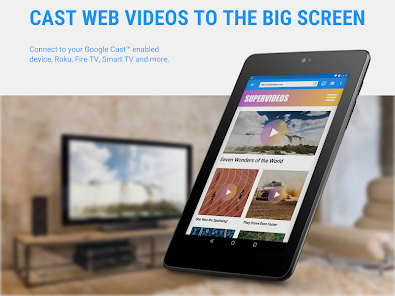
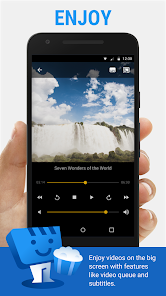
With Web Video Cast, streaming your favorite videos from the web to your TV is a breeze. Just choose a video from your browser, and cast it directly to supported devices like Chromecast, Smart TVs, and more, ensuring a seamless viewing experience.

Multiple Device Support

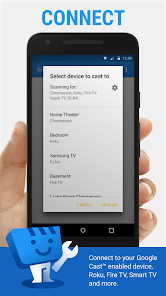
This app is designed to work with a variety of devices, making it versatile for all your streaming needs. Whether you're using a Chromecast, Roku, or any DLNA-compatible device, Web Video Cast ensures you can enjoy your content on the big screen without hassle.

User-Friendly Interface

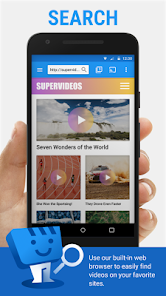
The app features an intuitive interface that makes navigation simple, even for those who aren't tech-savvy. You can easily browse, search, and select videos, providing a smooth experience from start to finish, so you can focus on enjoying your shows.

Pros & Cons

Pros
  • Stream from any browser to your TV easily
  • Enjoy high-quality video playback on a larger screen
  • Share content effortlessly with friends and family
  • Access a wide range of online streaming services
  • User-friendly interface for seamless navigation
Cons
  • Limited support for certain video formats
  • Requires stable Wi-Fi connection
  • May experience lag during streaming
  • User interface can be confusing at times

Real Experience Using Web Video Cast | Browser to TV

Application Scenarios

Web Video Cast is an app that truly shines in various scenarios where users want to enhance their viewing experience on larger screens. Whether you’re binge-watching your favorite TV series, showcasing a presentation, or sharing memorable moments from a family gathering, this app provides a seamless bridge between your mobile device and TV. Imagine sitting on your couch, phone in hand, and easily casting your favorite YouTube videos or Netflix shows directly to your smart TV. The app supports numerous streaming services, making it versatile for different content types. Additionally, it’s perfect for individuals who want to browse the web for videos and cast them without the hassle of downloading files. Families can enjoy movie nights together, while professionals can utilize the app for remote presentations, making it a go-to solution for both leisure and work-related activities.

User Experience

The user experience of Web Video Cast is largely positive, as the app boasts an intuitive interface that simplifies the casting process. Users can easily navigate through their content libraries and discover new videos with just a few taps. The app supports various casting protocols, ensuring compatibility with a wide range of devices, including Chromecast, Roku, and other DLNA devices. Many users appreciate the ability to browse and load videos from different websites directly within the app, which eliminates the need to switch between different applications. However, a few users have reported occasional lagging or connectivity issues, particularly with less powerful devices. Overall, the user feedback highlights the app’s reliability and effectiveness, with many praising its straightforward setup and functionality.

Pricing

Web Video Cast operates on a freemium model, offering a free version with limited features and a premium version that unlocks additional functionalities. The free version allows users to test the app's core features, making it accessible to a wide audience. For those who want an ad-free experience and additional capabilities like higher streaming quality and advanced settings, the premium version is available for a reasonable subscription fee. Many users find the premium features worth the investment, especially if they frequently use the app for casting and streaming content.

Updates & Support

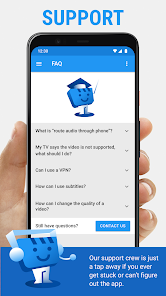
The developers of Web Video Cast are committed to providing regular updates, ensuring that the app remains compatible with the latest devices and streaming services. Users report receiving frequent bug fixes and feature enhancements, which contribute to an overall positive experience. Customer support is readily available through various channels, including email and an online FAQ section, where users can find solutions to common issues. The responsive support team often addresses user inquiries promptly, further enhancing the app's reputation for reliability and user satisfaction.

verified Security & Privacy Review

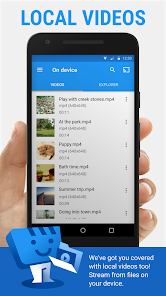
Security and privacy are significant considerations for users of the Web Video Cast app. The app requires various permissions, including access to local storage, which allows it to retrieve and stream content efficiently. However, users should be cautious about granting unnecessary permissions that could expose personal data. The app's privacy policy outlines its commitment to protecting user data, stating that it does not sell or share personal information with third parties without consent. Additionally, Web Video Cast employs encryption protocols to secure data transmission, minimizing the risk of unauthorized access during streaming activities. Users are encouraged to review their privacy settings within the app and adjust permissions based on their preferences. While the app is designed to enhance the streaming experience, users should remain vigilant about the information they share and stay informed about any updates to the privacy policy that may affect their data security. Overall, Web Video Cast demonstrates a responsible approach to user data handling, but users should always exercise caution when granting permissions and sharing sensitive information.

Reviews

4.6

“Easy to use and reliable for streaming!”

“Great for casting videos from various sources.”

“User-friendly interface with seamless connectivity.”

“Occasional buffering, but overall a solid app.”

“Love watching my favorite shows on the big screen!”

Editor's Choice