This site uses cookies to enhance your user experience. By clicking any link on this site you are giving your consent to our cookie policy. Read more
Reject
Accept All
CapCut - Video Editor

CapCut - Video Editor

verified Verified App

Developer: Bytedance Pte. Ltd.

Screenshot 1
Screenshot 2
Screenshot 3
Screenshot 4
Screenshot 5
Screenshot 6
Screenshot 7
Screenshot 8
Screenshot 9
Screenshot 10
Screenshot 11
Screenshot 12
Screenshot 13

Features & Highlights

Easy Video Editing

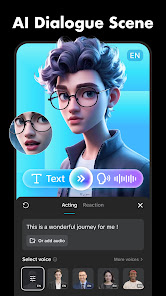
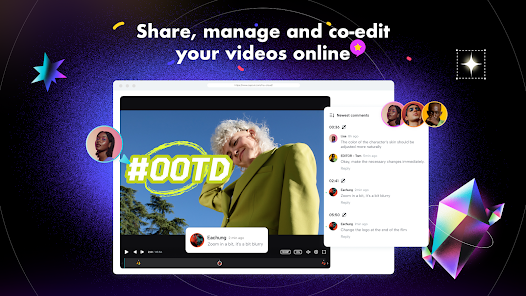
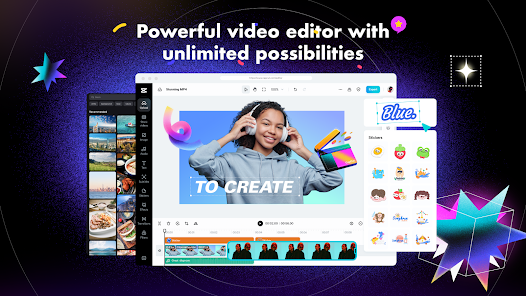
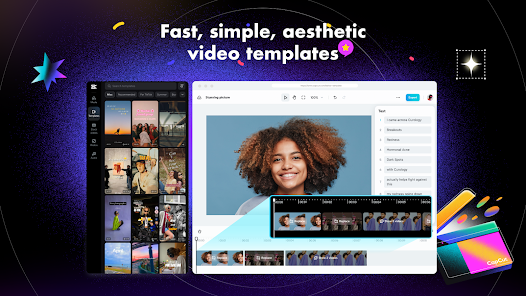
CapCut offers a user-friendly interface that simplifies the video editing process for everyone, from beginners to pros. With intuitive tools and drag-and-drop functionality, you can quickly trim, split, and merge clips to create polished videos in no time.

High-Quality Effects

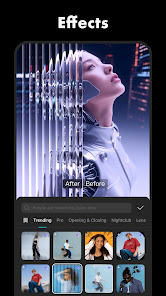
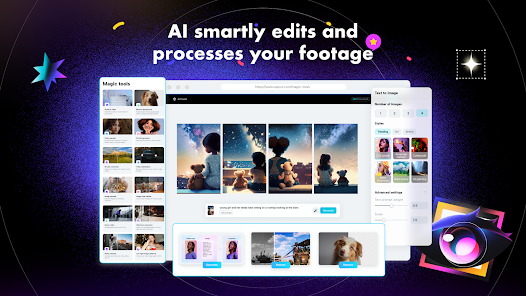
Elevate your videos with an array of high-quality effects and filters that CapCut provides. Whether you're aiming for a cinematic look or a fun, quirky vibe, these customizable options allow you to enhance your storytelling and capture your audience's attention effortlessly.

Music and Sound Effects

CapCut features an extensive music library and sound effects to enrich your video projects. You can easily sync audio tracks with your visuals, adjust volumes, and even add voiceovers, ensuring that your videos not only look great but sound great too.

Text and Stickers

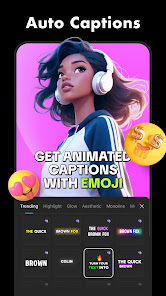
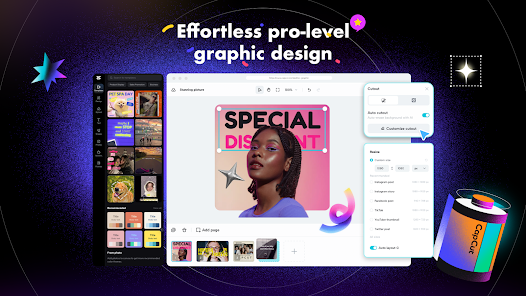
Add personality to your videos with a vast library of text styles and stickers. CapCut allows you to overlay creative graphics and captions, making it easy to convey your message or add flair to your content while keeping your audience engaged.

Pros & Cons

Pros
  • User-friendly interface for effortless editing
  • Wide range of creative effects and filters
  • Fast rendering for quick project completion
  • Supports various video formats and resolutions
  • Regular updates with new features and improvements
Cons
  • Limited advanced editing features available
  • Watermark appears on free exports
  • Performance issues on older devices
  • Subscription needed for premium content access

Real Experience Using CapCut - Video Editor

Application Scenarios

CapCut - Video Editor is a versatile tool that caters to a wide range of video editing needs. Whether you are a social media enthusiast looking to enhance your TikTok or Instagram videos, or a content creator aiming to produce high-quality vlogs and tutorials, this app has you covered. It offers a plethora of features, such as trimming, splitting, and merging clips, which make it easy to create seamless transitions. Additionally, the library of filters, effects, and music allows users to add their personal touch, making every video unique. For those who engage in marketing or educational content, CapCut provides the necessary tools to create engaging presentations that can capture attention and convey messages effectively.

User Experience

The user experience with CapCut is generally positive, characterized by its intuitive interface and user-friendly design. Even beginners can navigate through the app with ease, thanks to its well-organized layout and straightforward options. The drag-and-drop functionality allows for a seamless editing process, and the responsive performance ensures that edits are smooth and quick, reducing any frustration. The app supports a variety of formats, enabling users to export videos in high definition. Users often praise the comprehensive tutorials available within the app, which help them utilize its advanced features effectively. However, some users have reported occasional crashes, particularly when working on larger projects, which can be a setback for those looking for a flawless editing experience.

Pricing

CapCut is available for free, making it an attractive option for aspiring video editors and seasoned professionals alike. The absence of watermarks and a range of features typically found in premium apps makes it a standout choice in the market. While there are optional in-app purchases for additional resources, such as sound effects and premium filters, the core functionality remains free. This pricing strategy democratizes video editing, allowing users from various backgrounds to access powerful editing tools without financial barriers. Overall, the value offered by CapCut is impressive given its cost-free model.

Updates & Support

CapCut is consistently updated to enhance user experience and add new features. Regular updates ensure that users receive the latest tools and effects, keeping the app fresh and engaging. The development team actively listens to user feedback, implementing suggestions that improve functionality and fix bugs. Support is readily available through the app’s help section and community forums, where users can find solutions to common issues or seek advice from fellow editors. The responsive nature of the support team further enhances the overall experience, making CapCut not just an editing tool, but also a community of creators.

verified Security & Privacy Review

CapCut - Video Editor places a strong emphasis on user security and privacy, implementing several measures to protect personal data. The app requests a range of permissions, including access to storage and camera, which are essential for video editing functionalities. Users are advised to review these permissions during installation to ensure they align with their privacy preferences. The app collects user data, such as usage statistics and device information, to enhance functionality and improve the user experience. However, CapCut assures users that personal information is handled with care and is not shared with third parties without explicit consent. Additionally, the app employs encryption protocols to safeguard data transmission, reducing the risk of unauthorized access. For users seeking enhanced privacy, CapCut offers options to manage data sharing settings within the app. Regular updates also ensure that the app remains compliant with evolving privacy regulations, further boosting user confidence in its security practices. Overall, CapCut demonstrates a commitment to maintaining the privacy and security of its users while providing a powerful video editing platform.

Reviews

3.4

“Easy to use with great editing features”

“Perfect for quick and creative edits”

“Love the variety of effects and transitions”

“Super intuitive interface, highly recommend”

“Exporting videos is fast and seamless”

Editor's Choice