This site uses cookies to enhance your user experience. By clicking any link on this site you are giving your consent to our cookie policy. Read more
Reject
Accept All
GoPro Quik: Video Editor

GoPro Quik: Video Editor

verified Verified App

Developer: GoPro

Screenshot 1
Screenshot 2
Screenshot 3
Screenshot 4
Screenshot 5
Screenshot 6
Screenshot 7
Screenshot 8
Screenshot 9
Screenshot 10
Screenshot 11
Screenshot 12
Screenshot 13
Screenshot 14
Screenshot 15
Screenshot 16
Screenshot 17
Screenshot 18
Screenshot 19
Screenshot 20
Screenshot 21
Screenshot 22
Screenshot 23
Screenshot 24

Features & Highlights

Automatic Video Editing

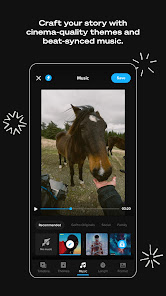
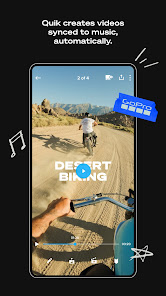
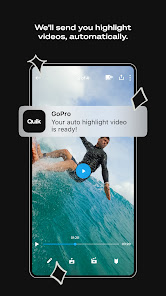
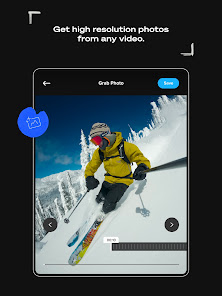
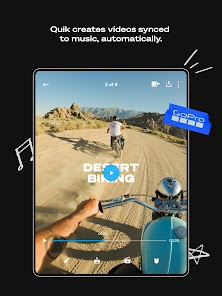
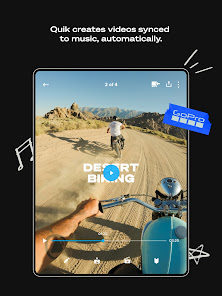
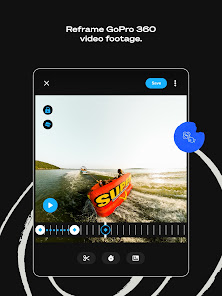
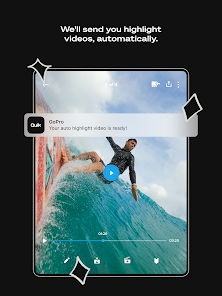
GoPro Quik takes the hassle out of editing by automatically creating stunning videos from your footage. The app intelligently selects the best moments, adds transitions, and syncs everything to the beat of your chosen music, ensuring a polished final product with minimal effort on your part.

Creative Templates

With a variety of creative templates at your fingertips, you can easily customize your videos to match your style. Whether you want something fun and energetic or sleek and professional, these templates provide a great starting point to make your content shine.

Easy Sharing Options

Once you've crafted your masterpiece, sharing it is a breeze. GoPro Quik allows you to quickly upload your videos to social media platforms or save them directly to your device, making it simple to showcase your adventures with friends and followers.

Music Library Access

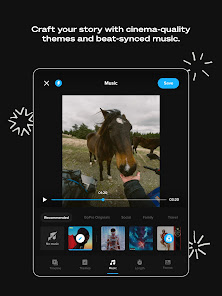
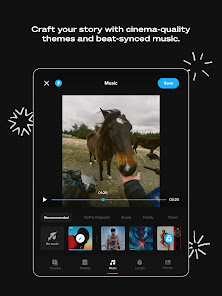
Elevate your videos with access to a rich library of licensed music tracks. You can choose the perfect soundtrack to complement your visuals, enhancing the emotional impact of your video and making it even more engaging for your audience.

Pros & Cons

Pros
  • Easy-to-use interface for quick editing.
  • Automated editing features save time and effort.
  • Rich music library enhances video appeal.
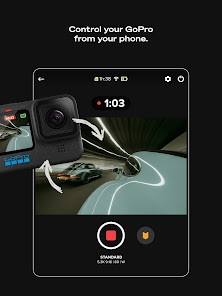
  • Syncs seamlessly with GoPro and mobile devices.
  • Share videos instantly on social media platforms.
Cons
  • Limited advanced editing features compared to competitors
  • Subscription required for full functionality
  • Can be slow on older devices
  • Interface may feel cluttered for new users

Real Experience Using GoPro Quik: Video Editor

Application Scenarios

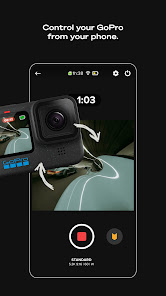
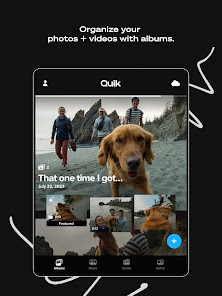
GoPro Quik: Video Editor is designed for anyone looking to create stunning videos effortlessly. Whether you're a professional content creator, an outdoor enthusiast capturing breathtaking adventures, or simply someone wanting to document family events, Quik provides a versatile platform for all your editing needs. The app is particularly useful for users of GoPro cameras, allowing seamless integration with footage captured during sports, travel, and other activities. With features like automatic video creation, real-time editing, and customizable templates, it caters to users who may not have extensive editing experience but wish to produce high-quality results. Furthermore, Quik is ideal for social media users who want to quickly generate eye-catching clips for platforms like Instagram, TikTok, and YouTube. The app’s ability to sync with your device’s photo and video library makes it easy to compile footage from various sources, creating a cohesive story.

User Experience

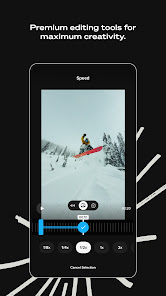
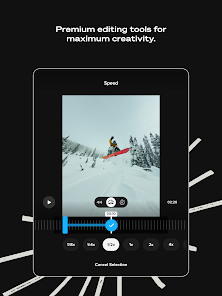
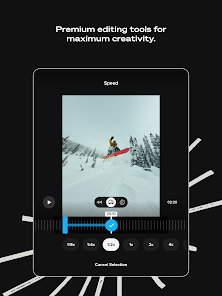
The user interface of GoPro Quik is intuitive and user-friendly, making it accessible for all skill levels. Upon opening the app, users are greeted with a streamlined layout that encourages exploration. The automatic video creation feature is a standout, as it analyzes your footage and selects the best clips, adding transitions and effects to create a polished final product. Users can further personalize their videos with text overlays, music selection, and filters. The editing tools are straightforward, allowing for quick adjustments without overwhelming the user. The app's performance is generally smooth, with minimal lag, even when working with high-resolution footage. However, some users have reported occasional crashes, particularly with larger files, which can be frustrating. Overall, the experience is largely positive, as it strikes a good balance between simplicity and functionality.

Pricing

GoPro Quik offers a freemium model, allowing users to access basic features at no cost. This includes the ability to create short videos, utilize predefined templates, and access a limited library of music. However, for those seeking advanced features and unlimited access, a subscription plan is available. The pricing is competitive, offering monthly and annual options that unlock additional editing tools, higher resolution exports, and exclusive content. This approach makes it appealing for casual users who may only need the app occasionally, while also providing serious creators with the tools necessary for professional-quality edits. Overall, the pricing structure is reasonable, especially considering the extensive capabilities of the app.

Updates & Support

GoPro is committed to regularly updating Quik, with new features and improvements rolled out frequently. Users can expect enhancements based on feedback, ensuring that the app remains relevant in the fast-evolving world of video editing. The support provided by GoPro is commendable, with a dedicated help center that features tutorials, FAQs, and troubleshooting tips. Additionally, the community forums allow users to share their experiences and solutions. However, some users have expressed a desire for more direct customer support channels, such as live chat or phone support. Overall, the combination of regular updates and accessible support makes Quik a reliable choice for video editing enthusiasts.

verified Security & Privacy Review

The GoPro Quik: Video Editor app prioritizes user security and privacy through its robust data handling practices. When users install the app, they are informed about the permissions required, including access to storage and camera features essential for video editing. The app ensures that all collected data is processed in compliance with relevant privacy regulations. GoPro Quik employs encryption protocols to safeguard user data, minimizing the risk of unauthorized access. Users can review and manage their privacy settings within the app, allowing them to control what information is shared and with whom. The app also provides clear guidelines on how personal data is used, ensuring transparency in its operations. While the app may collect usage statistics to enhance user experience, personal information is anonymized when possible. Users are encouraged to familiarize themselves with GoPro's privacy policy to understand their rights and the measures taken to protect their information. Overall, GoPro Quik demonstrates a commitment to maintaining user privacy while delivering a powerful video editing tool.

Reviews

4.5

“User-friendly interface makes editing a breeze!”

“Fantastic features, but sometimes lags on older devices.”

“Great templates, perfect for quick edits on the go.”

“Love the music options, really enhances my videos!”

“Exporting can be slow, needs improvement.”

Editor's Choice