This site uses cookies to enhance your user experience. By clicking any link on this site you are giving your consent to our cookie policy. Read more
Reject
Accept All
YouTube Studio

YouTube Studio

verified Verified App

Developer: Google LLC

Screenshot 1
Screenshot 2
Screenshot 3
Screenshot 4
Screenshot 5
Screenshot 6
Screenshot 7
Screenshot 8
Screenshot 9
Screenshot 10
Screenshot 11
Screenshot 12
Screenshot 13
Screenshot 14

Features & Highlights

Audience Engagement Features

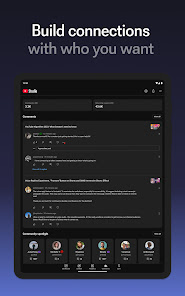
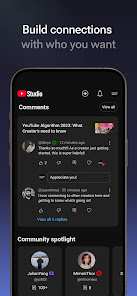
Engaging with your audience is crucial, and YouTube Studio's features like comments moderation and community posts make it easy. These tools promote interaction and help you build a loyal fan base, ensuring you stay connected with your viewers and foster a vibrant channel community.

Content Management Tools

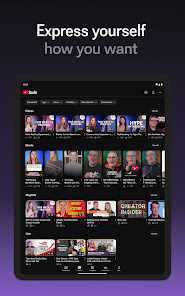
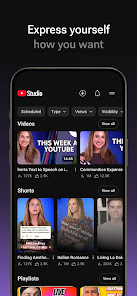
YouTube Studio offers powerful content management tools that simplify the process of organizing and editing your videos. From bulk actions to scheduling uploads, this feature helps streamline your workflow, allowing you to concentrate on creating quality content without the hassle of manual management.

Customizable Dashboard

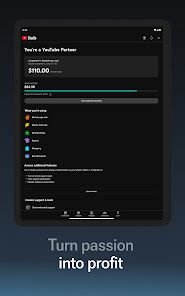
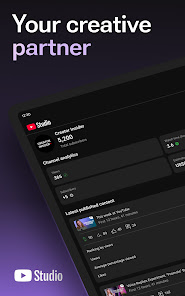
With a customizable dashboard, YouTube Studio lets you tailor your workspace to highlight the metrics that matter most to you. Whether it's subscriber count or revenue stats, this feature enhances your workflow, making it easier to focus on what drives your channel's success.

Real-Time Analytics

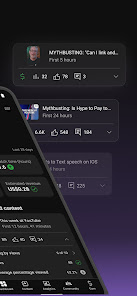
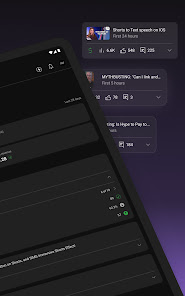
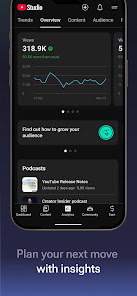
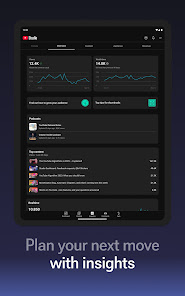
YouTube Studio provides real-time analytics that allow creators to track their video performance instantly. This feature helps you understand viewer engagement, watch time, and other vital metrics, enabling you to make informed decisions about your content strategy and optimize your videos for better reach.

Pros & Cons

Pros
  • User-friendly interface for easy navigation and management
  • Comprehensive analytics to track video performance effectively
  • Customization options enhance channel branding and identity
  • Efficient content scheduling improves consistency and engagement
  • Collaboration tools simplify teamwork and project management
Cons
  • Limited analytics can hinder content strategy development
  • User interface may feel overwhelming for beginners
  • Occasional bugs disrupt usability and workflow
  • Monetization policies are often confusing and restrictive

Real Experience Using YouTube Studio

Application Scenarios

YouTube Studio is an indispensable tool for content creators, enabling them to manage their channels efficiently. Whether you are a budding YouTuber or an established influencer, the app caters to various scenarios. For instance, while on the go, creators can check real-time analytics to gauge how their latest videos are performing. The app is particularly useful for those attending events or collaborating with other creators, allowing them to respond to comments and engage with their audience even when away from their computers. Additionally, the video editing features allow users to make quick adjustments to thumbnails or titles, ensuring that their content remains relevant and appealing.

User Experience

The user experience of YouTube Studio is designed with simplicity and accessibility in mind. Upon logging in, users are greeted with a clean and intuitive interface that makes navigation seamless. The dashboard provides a comprehensive overview of channel performance, displaying metrics such as views, watch time, and subscriber growth. The ability to filter analytics by date ranges and video types enhances the experience, allowing creators to understand their audience better. Moreover, the built-in comment moderation tools are effective, enabling users to respond quickly to viewer feedback. However, some users have reported occasional bugs when uploading videos directly from the app, which can disrupt the otherwise smooth experience. Overall, YouTube Studio offers a robust platform for creators to manage their content with ease.

Pricing

YouTube Studio is completely free to use, which is one of its most appealing aspects. This makes it accessible to a wide range of users, from hobbyists to professional creators. Unlike many other apps that charge subscription fees for premium features, YouTube Studio provides all essential tools at no cost, allowing creators to manage their channels without financial barriers. This pricing model encourages more individuals to embark on their YouTube journey, fostering a diverse community of content creators.

Updates & Support

YouTube Studio is frequently updated to enhance functionality and introduce new features. The developers are committed to improving the app based on user feedback, which is evident in the regular release of enhancements that address common issues. In terms of support, YouTube offers a comprehensive help center that provides answers to frequently asked questions and troubleshooting guides. Users can also access community forums where they can share tips and solutions with one another. While direct customer support can sometimes be slow to respond, the wealth of resources available ensures that most users can find the help they need to maximize their experience with the app.

verified Security & Privacy Review

The YouTube Studio app prioritizes user security and privacy while providing tools for content creators to manage their channels effectively. The app requires permissions that are necessary for its functionality, such as access to media files and notifications for real-time updates. Users should be aware that granting these permissions allows the app to collect data related to their activities within the platform. YouTube Studio adheres to Google's stringent privacy policies, ensuring that user data is handled with care. The app collects information such as video analytics, user engagement metrics, and device information to enhance user experience and improve service delivery. However, sensitive personal data is not shared with third parties without user consent. Users can manage their privacy settings within the app, allowing them to control what information is shared and who can view their content. YouTube also provides clear options for users to delete their data or remove their accounts if they choose to discontinue their use of the service. Overall, YouTube Studio offers robust privacy measures, but users should remain vigilant about the permissions they grant and the information they share.

Reviews

4.4

“User-friendly interface makes managing videos easy”

“Great analytics features for tracking performance”

“Real-time comments enhance viewer engagement”

“Mobile app is convenient for on-the-go updates”

“Some bugs affect video editing functionality”

Editor's Choice