This site uses cookies to enhance your user experience. By clicking any link on this site you are giving your consent to our cookie policy. Read more
Reject
Accept All

Advertiser and Editorial Disclosures

Rumble: Stream & Watch Videos

Rumble: Stream & Watch Videos

verified Verified App

Developer: Rumble Inc

Screenshot 1
Screenshot 2
Screenshot 3
Screenshot 4
Screenshot 5
Screenshot 6
Screenshot 7
Screenshot 8
Screenshot 9
Screenshot 10
Screenshot 11
Screenshot 12
Screenshot 13
Screenshot 14
Screenshot 15
Screenshot 16
Screenshot 17
Screenshot 18

Features & Highlights

Community Interaction

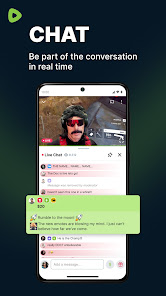
Engage with fellow users and creators through comments and likes, creating an interactive experience. This sense of community enhances your viewing experience, allowing you to share opinions and connect over shared interests in a lively environment.

Creator Empowerment

Rumble prioritizes content creators by offering them unique monetization opportunities. This means that you can support your favorite creators directly, fostering a community where quality content thrives and innovation is rewarded.

Diverse Content Library

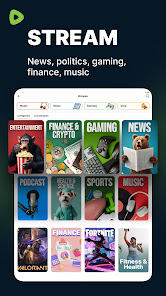
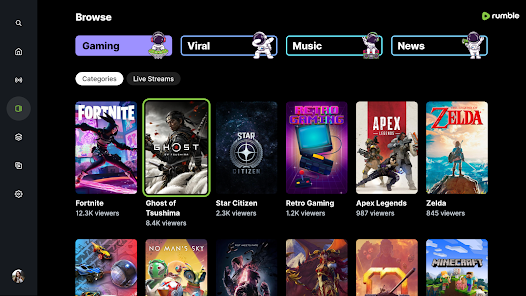
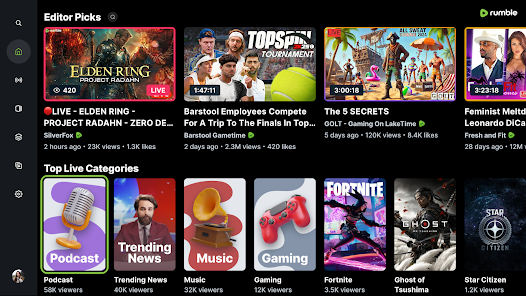
With a vast array of video categories ranging from entertainment and news to educational content, Rumble caters to a wide audience. You'll never run out of options, as the platform constantly updates its library with fresh and engaging videos.

User-Friendly Interface

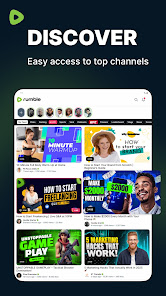
Rumble boasts a clean and intuitive design that makes navigating through videos a breeze. Whether you're a seasoned streamer or new to the platform, you'll find it easy to discover content that suits your interests without feeling overwhelmed.

Pros & Cons

Pros
  • Rumble offers a platform for free speech and diverse viewpoints.
  • Users can monetize their content easily and effectively.
  • The platform supports high-quality video uploads and livestreaming capabilities.
  • Discoverability features help creators reach wider audiences effortlessly.
  • Rumble is user-friendly, making content sharing simple and accessible.
Cons
  • Limited audience reach compared to larger platforms reduces potential visibility.
  • Content moderation may be lax, risking exposure to harmful material.
  • User interface can be less intuitive, making navigation challenging for new users.

Real Experience Using Rumble: Stream & Watch Videos

Application Scenarios

Rumble: Stream & Watch Videos serves as a versatile platform for users seeking diverse video content. It caters to various scenarios, whether you want to catch up on the latest news, enjoy entertainment, or explore niche topics. The app is particularly appealing for creators looking to upload and share their content with a broader audience. Users can find everything from viral videos to educational content, making it suitable for casual viewers and dedicated fans alike. The app's algorithm promotes a mix of trending and personalized recommendations, ensuring that users are consistently engaged with fresh material. Additionally, Rumble is an excellent choice for those who prefer an alternative to mainstream platforms, offering content that often diverges from the conventional media narrative.

User Experience

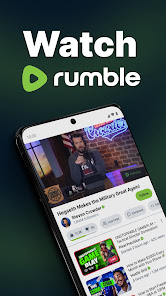
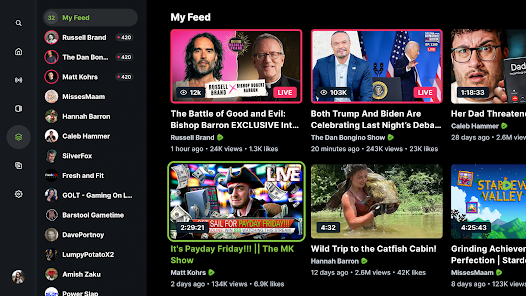
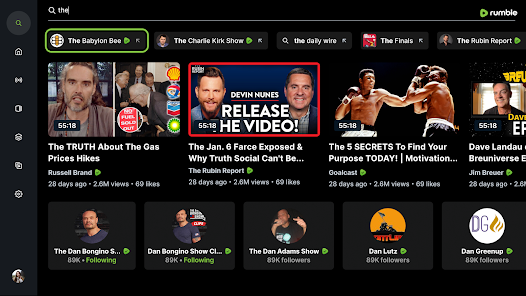
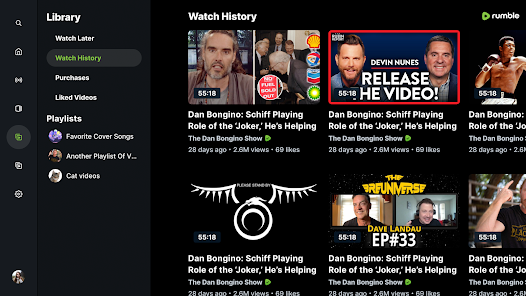
The user experience on Rumble is generally intuitive and user-friendly. Upon launching the app, users are greeted with a clean interface that facilitates easy navigation. The search functionality is robust, allowing users to quickly find specific content or discover new creators. Video playback is smooth, with minimal buffering issues, which enhances overall satisfaction. Users can also create personalized playlists, making it easy to curate their favorite videos for later viewing. One notable feature is the commenting system, which fosters community engagement and interaction among users. However, some may find the sheer volume of content overwhelming, especially if they are new to the platform. Overall, Rumble strikes a balance between simplicity and functionality, providing a pleasant viewing experience.

Pricing

Rumble operates on a freemium model, allowing users to access a significant amount of content without any cost. The free version is ad-supported, which some users might find slightly intrusive. For those who prefer an ad-free experience, Rumble offers a premium subscription option at a competitive price. This subscription not only removes ads but also grants early access to exclusive content and features. The pricing structure is transparent, with no hidden fees, making it a feasible option for users who are serious about their viewing habits. Overall, the pricing strategy appears fair, appealing to both casual viewers and dedicated fans alike.

Updates & Support

Rumble is committed to enhancing user experience through regular updates and improvements. The developers actively listen to user feedback, implementing changes that address concerns and enhance functionality. Users can expect periodic updates that introduce new features, content categories, and performance enhancements. Support options are readily available, with a dedicated help center and responsive customer service team. This ensures that users can resolve issues quickly and efficiently, contributing to a positive overall experience. The combination of consistent updates and reliable support reflects Rumble's commitment to building a robust platform that meets the evolving needs of its community.

verified Security & Privacy Review

The Rumble app prioritizes user security and privacy, employing robust measures to protect personal information. It utilizes encryption protocols to safeguard data during transmission, ensuring that user activities remain confidential. The app's privacy policy outlines its commitment to transparency, detailing how user data is collected, used, and shared. Rumble requests permissions that are essential for its functionality, such as access to the device's camera and microphone for video uploads. Users are informed about these permissions and can manage them through their device settings. The app does not sell user data to third parties, reinforcing its dedication to maintaining user trust. User data is stored securely, with regular audits to ensure compliance with data protection regulations. Rumble also provides users with the ability to delete their accounts and associated data, promoting a sense of control over personal information. Overall, Rumble's security and privacy practices effectively balance functionality with user protection, making it a reliable choice for video streaming and sharing.

Reviews

3.8

“Great alternative to mainstream video platforms!”

“User-friendly interface and easy navigation.”

“Diverse content selection keeps me engaged.”

“Stream quality is impressive for various devices.”

“Loving the independent creators featured here!”

FAQ

1

Can I submit suggestions or feedback to Rumble: Videos & Livestreams?

Yes, Rumble encourages users to submit suggestions and feedback through their app or website, helping to improve the platform based on user input.

2

Does Rumble: Videos & Livestreams collect my personal data?

Rumble does collect some personal data to enhance user experience, but it emphasizes user privacy and offers options to manage privacy settings.

3

Does Rumble: Videos & Livestreams support offline use?

Yes, Rumble allows users to download certain videos for offline viewing, making it convenient to watch content without an internet connection.

4

How do I cancel my Rumble: Videos & Livestreams subscription?

Users can cancel their subscription through the account settings in the app or website, following the prompts to manage their subscription preferences.

5

How much does a subscription to Rumble: Videos & Livestreams cost?

Subscription costs for Rumble vary depending on the plan selected, with options for monthly or yearly billing, often providing discounts for longer commitments.

How to use Rumble: Stream & Watch Videos

1

Can I update my customer number?

Unfortunately, you cannot change your customer number. If you have concerns, please contact customer service for assistance.

2

How can I check my account status after activation?

You can check your account status by logging in to your Rumble account and viewing your profile settings.

3

How do I activate my Rumble account?

To activate your account, check your email for the activation link sent after registration and follow the instructions provided.

4

How do I contact customer service for Rumble?

You can reach customer service through the help section on the Rumble website or app, where you can submit a support ticket.

5

I forgot my customer number. How can I retrieve it?

You can retrieve your customer number by checking your account settings or the confirmation email you received during registration.

Editor's Choice