This site uses cookies to enhance your user experience. By clicking any link on this site you are giving your consent to our cookie policy. Read more
Reject
Accept All

Advertiser and Editorial Disclosures

VicoHome: Smart Home Camera

VicoHome: Smart Home Camera

verified Verified App

Developer: vicohome team

Screenshot 1
Screenshot 2
Screenshot 3
Screenshot 4
Screenshot 5
Screenshot 6
Screenshot 7
Screenshot 8
Screenshot 9
Screenshot 10
Screenshot 11
Screenshot 12

Features & Highlights

AI Motion Detection

VicoHome's advanced AI motion detection technology ensures that you receive real-time alerts only when it matters. Say goodbye to false alarms from pets or passing cars, as the camera intelligently differentiates between normal activity and potential threats, keeping your home secure without unnecessary interruptions.

Cloud Storage Options

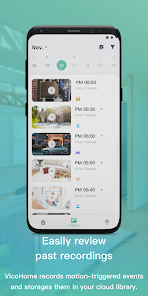
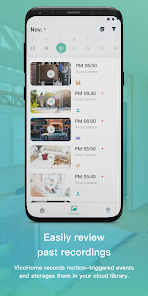
VicoHome offers flexible cloud storage options, allowing you to save and access your recorded footage easily. With various subscription plans tailored to your needs, you can review past events and keep your memories secure without worrying about running out of local storage.

Night Vision Capability

Experience crystal-clear visuals even in low-light conditions with VicoHome's night vision capability. This feature uses infrared technology to provide a clear, black-and-white image after dark, ensuring that you can monitor your home around the clock without compromising on security.

Two-Way Audio

With VicoHome's two-way audio feature, you can communicate effortlessly with family members or pets from anywhere. Whether you're checking in on your kids or calming your furry friend, the built-in speaker and microphone make it feel like you're right there, bridging the distance with just a tap.

Pros & Cons

Pros
  • High-definition video ensures clear and detailed monitoring of your home.
  • Two-way audio allows real-time communication with family or pets.
  • Smart alerts keep you informed of any unusual activity instantly.
  • Easy installation means you can set it up without professional help.
  • Remote access lets you monitor your home from anywhere at any time.
Cons
  • Limited storage options may require additional subscription fees for cloud services.
  • Video quality can be inconsistent in varying lighting conditions, affecting clarity.
  • Connectivity issues may arise, disrupting real-time monitoring and notifications.

Real Experience Using VicoHome: Smart Home Camera

Application Scenarios

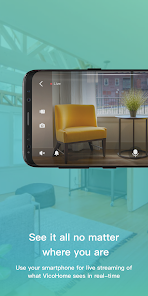
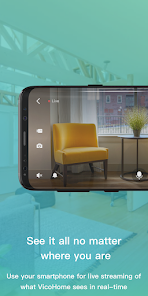
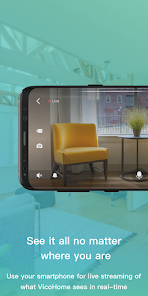
The VicoHome Smart Home Camera excels in a variety of real-world scenarios, making it a versatile addition to any smart home setup. Whether you want to monitor your home while you are away, keep an eye on your pets, or ensure the safety of your children, this camera serves multiple purposes. Users can set it up indoors or outdoors, thanks to its weather-resistant design. For instance, parents can use it to check in on their kids during playtime or to monitor a babysitter while they are out. Pet owners appreciate the ability to watch their furry friends in real-time and even interact with them via two-way audio. Additionally, the camera's motion detection feature is invaluable for security, alerting homeowners to any unusual activity and providing peace of mind. With cloud storage options, users can review recorded footage whenever necessary, further enhancing the camera's functionality in safeguarding a home.

User Experience

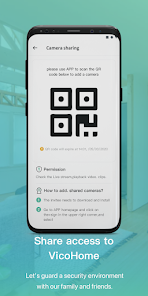
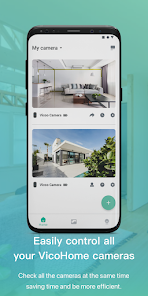
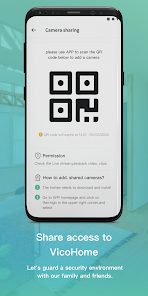
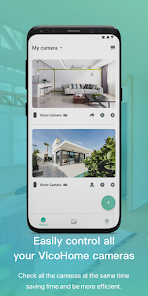
The VicoHome Smart Home Camera is designed with the user in mind, offering an intuitive interface that makes it accessible even for those who are not tech-savvy. The setup process is straightforward, allowing users to get their camera up and running quickly. The mobile app is well-organized, providing easy navigation through features such as live streaming, recorded footage, and notification settings. Users have reported a positive experience with the camera's video quality, noting that both daytime and nighttime footage are clear and detailed. The app also allows for customization, enabling users to adjust settings according to their specific needs. Notifications are timely, ensuring that users are informed of any motion detected in real-time. Overall, the seamless integration of the camera with smart home systems enhances the user experience, making it a reliable choice for home surveillance.

Pricing

The VicoHome Smart Home Camera is competitively priced, offering various purchasing options that cater to different budgets. The base model comes at an affordable price, providing essential features for homeowners looking to improve their security without breaking the bank. For users seeking advanced capabilities, such as enhanced video resolution or additional storage options, premium models are available at higher price points. The pricing structure also includes subscription plans for cloud storage, giving users the flexibility to choose how much they want to invest in their home security system. Overall, the pricing reflects the quality and functionality of the product, making it a worthwhile investment for those looking to enhance their smart home experience.

Updates & Support

VicoHome is committed to providing ongoing updates and support to its users, ensuring that the camera remains functional and secure over time. Regular firmware updates are released to enhance performance, introduce new features, and address any security vulnerabilities. Users can easily install updates through the mobile app, which streamlines the maintenance process. Additionally, VicoHome offers robust customer support, with a dedicated team available to assist users with any inquiries or technical issues they may encounter. Comprehensive FAQs and troubleshooting guides are also available on their website, providing users with self-service options. This level of support not only builds trust but also reinforces the brand's commitment to customer satisfaction.

verified Security & Privacy Review

The VicoHome: Smart Home Camera app prioritizes user security and privacy with a range of robust features and practices. Upon installation, users are required to grant specific permissions such as camera and microphone access, essential for the app's functionality. These permissions are clearly outlined during setup, ensuring transparency in user consent. Data collected by the app is encrypted both in transit and at rest, safeguarding personal information from unauthorized access. VicoHome employs advanced security protocols to protect live feeds and recorded footage, which are only accessible to authorized users. Additionally, the app provides options for users to customize their privacy settings, allowing them to manage data sharing preferences effectively. Regular updates ensure that the app remains compliant with the latest security standards, addressing potential vulnerabilities. Moreover, VicoHome adheres to strict data retention policies, ensuring that user data is not stored longer than necessary. Overall, VicoHome demonstrates a strong commitment to protecting user privacy and maintaining high security standards in its smart home camera functionality.

Reviews

4.6

“Great video quality and easy setup!”

“User-friendly app and reliable alerts.”

“Excellent night vision and motion detection.”

“Affordable price for a smart camera.”

“Customer support is responsive and helpful.”

Compare APP

FAQ

1

Can I submit suggestions or feedback to VicoHome: Smart Home Camera?

Yes, users can submit suggestions or feedback through the app's support section or by contacting customer service, helping to enhance future updates and features.

2

Does VicoHome: Smart Home Camera collect my personal data?

Yes, VicoHome: Smart Home Camera may collect personal data such as user account information and usage statistics to improve the app's performance and user experience, but it adheres to privacy regulations.

3

Does VicoHome: Smart Home Camera support offline use?

VicoHome: Smart Home Camera primarily requires an internet connection for full functionality; however, some features may be accessible offline, depending on camera settings and local storage options.

4

How do I cancel my VicoHome: Smart Home Camera subscription?

Users can cancel their subscription through the app's settings or the app store where it was purchased, following the provided cancellation instructions.

5

How much does a subscription to VicoHome: Smart Home Camera cost?

Subscription costs for VicoHome: Smart Home Camera vary depending on the plan selected, with options for monthly or annual billing, typically starting at a competitive rate.

How to use VicoHome: Smart Home Camera

1

Can I change my customer number?

Unfortunately, customer numbers cannot be changed. If you have concerns, please contact customer service for further assistance.

2

Can I update my account information after logging in?

Yes, you can update your account information in the settings section once you log in to your VicoHome account.

3

How can I activate my VicoHome account?

To activate your account, follow the link in the activation email sent to you after registration. If you didn't receive it, check your spam folder or contact customer service.

4

How do I contact customer service for VicoHome?

You can reach our customer service by calling the support number listed on our website or by emailing support

5

How do I reset my password if I can't log in?

Use the "Forgot Password" option on the login page to receive a reset link via email. If you encounter issues, reach out to customer service.

Editor's Choice