This site uses cookies to enhance your user experience. By clicking any link on this site you are giving your consent to our cookie policy. Read more
Reject
Accept All
Alight Motion

Alight Motion

verified Verified App

Developer: Alight Motion

  • category

    Category: Video Players & Editors

  • price

    Price: free

  • age rating

    Age Rating: Everyone

  • rating

    Rating: 3.9

  • download

    Downloads: 100,000,000+

  • version

    Version: 5.0.273.1028412

Screenshot 1
Screenshot 2
Screenshot 3
Screenshot 4
Screenshot 5
Screenshot 6
Screenshot 7
Screenshot 8

Features & Highlights

Collaboration Tools

Alight Motion enables users to collaborate effortlessly on projects, making it easy to share creations with friends or team members. This feature fosters creativity and allows for real-time feedback, ensuring that everyone can contribute their ideas and skills to achieve the best results.

Motion Graphics

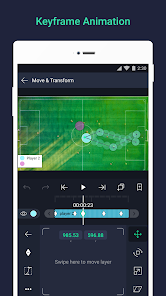
Alight Motion offers a robust suite of motion graphics tools that allow users to create stunning animations with ease. Whether you're a beginner or a seasoned pro, you'll find a variety of features to bring your creative visions to life, including customizable effects and advanced keyframe controls.

Video Editing

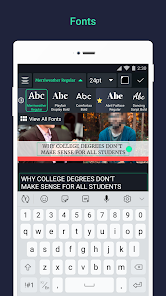
With its intuitive interface, Alight Motion makes video editing accessible for everyone. You can trim, cut, and merge clips while adding layers of graphics and effects, all in a seamless workflow that enhances your storytelling and maintains your creative flow.

Visual Effects

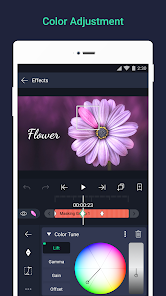
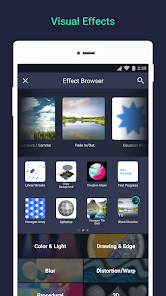
The app is packed with an impressive array of visual effects that can elevate your projects. From color adjustments to unique transitions, you can enhance your videos and animations with just a few taps, making them stand out in a crowded digital landscape.

Pros & Cons

Pros
  • User-friendly interface for easy navigation and editing
  • Powerful motion graphics tools for stunning animations
  • Supports multi-layer editing for complex projects
  • Wide range of effects and filters for customization
  • Regular updates ensure new features and improvements
Cons
  • Limited features in the free version
  • Performance issues on older devices
  • Steep learning curve for beginners
  • Occasional bugs and crashes during use

Real Experience Using Alight Motion

Application Scenarios

Alight Motion is a versatile motion graphics and video editing application that caters to a wide range of users, from casual creators to professional animators. It is particularly useful for social media content creators looking to produce eye-catching videos and animations for platforms like Instagram, TikTok, and YouTube. The app allows users to create stunning visual effects, animated graphics, and motion designs that can enhance their storytelling capabilities. Whether you’re crafting a quick promotional clip, an engaging tutorial, or a dynamic slideshow, Alight Motion provides a robust set of tools that can accommodate various creative needs. Additionally, the app is also suitable for educational purposes, enabling teachers and students to create animated presentations or explainer videos that make learning more engaging and visually appealing.

User Experience

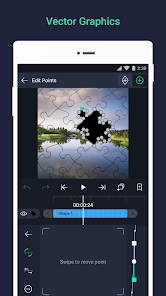
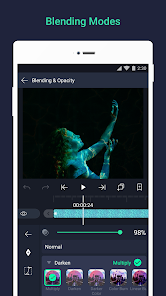
The user experience of Alight Motion is generally smooth and intuitive, making it accessible for users of all skill levels. The interface is well-designed, with a clean layout that allows easy navigation through the extensive features. Users can effortlessly layer graphics, add audio, and apply effects with just a few taps. The app supports multi-layer editing, which is essential for creating complex animations and compositions. Many users appreciate the wide array of customizable features, including vector graphics, color grading, and various blending modes. However, some may find the learning curve steep initially, especially when exploring advanced functionalities. Fortunately, numerous tutorials are available that can help ease the transition for new users. Overall, the app strikes a good balance between functionality and usability, making it a favorite among creative individuals.

Pricing

Alight Motion operates on a freemium model, offering both free and subscription-based pricing options. The free version provides access to a limited set of features, which is a great starting point for newcomers. However, to unlock the full potential of the app, including premium effects, no watermark on exports, and additional tools, users can opt for the pro subscription. The pricing is relatively competitive, and the subscription can be billed monthly or annually, providing flexibility based on user preferences. Many users find that the investment in the pro version is well worth the cost, given the advanced features and enhanced creative control it offers.

Updates & Support

Alight Motion frequently releases updates that not only improve app performance but also introduce new features and tools based on user feedback. The development team is committed to enhancing the user experience and regularly adds fresh content, such as new effects, templates, and resources that keep the app relevant in a fast-evolving digital landscape. For support, users can access a comprehensive help center featuring FAQs, tutorials, and troubleshooting guides. Additionally, the app has a responsive customer support team that users can contact for more personalized assistance. Overall, the continuous updates and robust support network contribute significantly to a positive user experience.

verified Security & Privacy Review

Alight Motion prioritizes user security and privacy, implementing robust practices to protect personal information. The app utilizes encryption protocols to safeguard data during transmission, ensuring that sensitive information remains confidential. Users should be aware that Alight Motion may request access to device permissions, such as storage and camera, to enable its full functionality. These permissions are essential for features like importing media and recording videos. The app’s privacy policy clearly outlines how user data is collected, used, and shared. Alight Motion primarily collects data to enhance user experience and improve app performance. Users can manage their privacy settings within the app, allowing them to control what information is shared. Additionally, the app does not sell personal data to third parties, reinforcing its commitment to user privacy. Overall, Alight Motion demonstrates a strong commitment to data security and user privacy, providing transparency and control over personal information while ensuring that users can enjoy its features safely.

Reviews

3.9

“Great for motion graphics and animations!”

“User-friendly interface, easy to navigate.”

“Excellent features for video editing on mobile.”

“Customizable options are impressive and versatile.”

“Export quality is outstanding, love this app!”

Editor's Choice