This site uses cookies to enhance your user experience. By clicking any link on this site you are giving your consent to our cookie policy. Read more
Reject
Accept All
Insta360

Insta360

verified Verified App

Developer: Insta360

Screenshot 1
Screenshot 2
Screenshot 3
Screenshot 4
Screenshot 5
Screenshot 6
Screenshot 7
Screenshot 8
Screenshot 9
Screenshot 10
Screenshot 11
Screenshot 12
Screenshot 13
Screenshot 14
Screenshot 15
Screenshot 16
Screenshot 17
Screenshot 18

Features & Highlights

360-Degree Capture

Insta360 offers stunning 360-degree video and photo capture, allowing you to immerse yourself in the action. With its advanced stitching technology, you can expect seamless transitions and an expansive field of view that brings every moment to life, making it perfect for adventures and events alike.

AI-Powered Editing

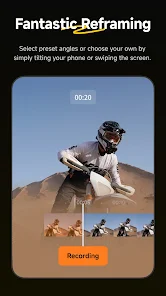
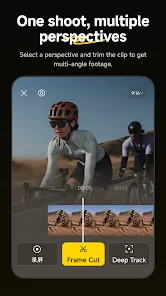
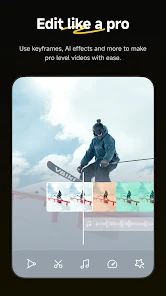
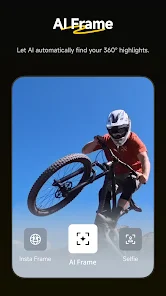
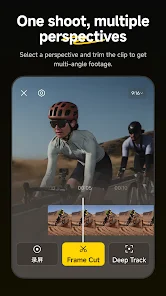
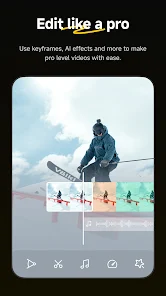
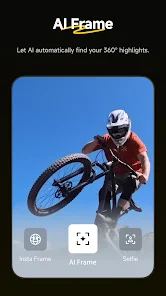
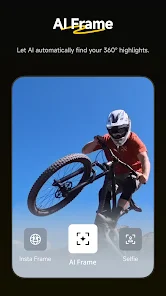
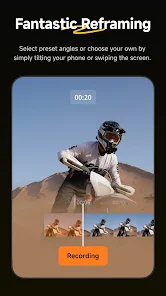
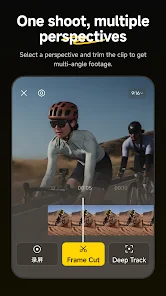
The app is equipped with AI-powered editing tools that simplify the post-production process. You can effortlessly create polished videos with smart features like automatic reframing and scene detection, ensuring that your best moments are always highlighted without the hassle of manual editing.

FlowState Stabilization

Experience smooth, shake-free footage thanks to Insta360's FlowState stabilization technology. This feature ensures that your videos maintain a professional quality, even in the most dynamic situations, allowing you to capture life’s adventures without worrying about shaky hands or bumpy rides.

Live Streaming Capability

Insta360 supports live streaming in 360 degrees, giving your audience a unique perspective in real-time. This feature is ideal for events, travel, or just sharing special moments with friends and family, making them feel like they're right there alongside you.

Pros & Cons

Pros
  • High-resolution 360-degree video capture enhances storytelling.
  • Compact design makes it portable and user-friendly.
  • Advanced stabilization ensures smooth, professional-looking footage.
  • Real-time editing features streamline the creative process.
  • Versatile shooting modes cater to diverse content needs.
Cons
  • Limited low-light performance affects image quality
  • Complicated editing process can frustrate users
  • Battery life may not last through extended shoots
  • Software updates can be slow to release

Real Experience Using Insta360

Application Scenarios

The Insta360 app is designed to complement the brand's innovative 360-degree cameras, making it ideal for a variety of applications. Users can effortlessly capture breathtaking panoramic shots while on outdoor adventures, whether hiking, biking, or traveling to scenic locations. Additionally, the app excels in social media integration, allowing users to create engaging content for platforms like Instagram, Facebook, and TikTok. It is equally useful for professional videographers looking to enhance their storytelling through immersive visuals. The app's editing tools are perfect for creating stunning time-lapse videos or slow-motion effects that add flair to any project. Whether for personal memories or professional portfolios, the Insta360 app provides versatile solutions for both casual users and serious creators alike.

User Experience

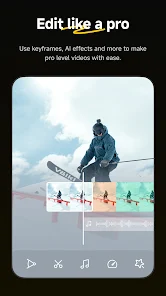
Navigating the Insta360 app is a breeze, thanks to its intuitive interface. Upon launching the app, users are greeted with a clean layout that highlights the essential features prominently. The setup process for connecting the camera is straightforward, ensuring that users can start capturing content without any hassle. The editing tools are robust yet user-friendly, allowing for seamless trimming, stitching, and adding filters. Users particularly appreciate the AI-powered editing features, which can automatically create compelling edits based on the footage. The app also supports live streaming, which has become increasingly popular among content creators. Overall, the user experience is smooth and enjoyable, with a quick learning curve that caters to both novices and experienced users alike.

Pricing

The Insta360 app is free to download, making it accessible to anyone interested in exploring the world of 360-degree photography and videography. While the core features are available at no cost, users can opt for in-app purchases that unlock premium editing tools and additional features. These additional offerings are reasonably priced and provide significant value for those looking to enhance their creative capabilities. The pricing structure is competitive compared to similar apps in the market, ensuring that users receive a high-quality experience without breaking the bank.

Updates & Support

The development team behind the Insta360 app is committed to delivering regular updates that enhance functionality and user experience. Frequent updates introduce new features, improve existing tools, and ensure compatibility with the latest devices. Users can easily access support through the app or the official website, where a comprehensive FAQ section and user forums provide valuable assistance. For more specific inquiries, the customer support team is responsive and helpful, ensuring that users feel supported in their creative endeavors. This dedication to continuous improvement and user satisfaction sets the Insta360 app apart in a crowded market, allowing it to maintain a loyal user base.

verified Security & Privacy Review

The Insta360 app prioritizes user security and privacy, employing robust measures to protect personal information. The app’s privacy policy clearly outlines how user data is collected, stored, and utilized, ensuring transparency in its practices. Users are informed about the types of data collected, including device information and usage statistics, which are essential for enhancing app functionality and user experience. Insta360 requires several permissions to function optimally, such as access to the camera, microphone, and storage. While these permissions are necessary for capturing and editing content, users are encouraged to review and manage their settings to limit access where possible. The app implements encryption protocols to safeguard data during transmission, further enhancing security. Moreover, Insta360 allows users to control their data sharing preferences, giving them the option to opt-out of analytics and marketing communications. Overall, the app demonstrates a commitment to user privacy, ensuring that data handling practices are aligned with industry standards and regulations.

Reviews

3.5

“Amazing stabilization for smooth, professional-looking videos”

“User-friendly interface makes editing a breeze”

“Compact design, perfect for on-the-go shooting”

“Great image quality in low light conditions”

“Battery life could be better for extended use”

Editor's Choice