This site uses cookies to enhance your user experience. By clicking any link on this site you are giving your consent to our cookie policy. Read more
Reject
Accept All
Cast to TV, Chromecast & Roku

Cast to TV, Chromecast & Roku

verified Verified App

Developer: InShot Inc.

Screenshot 1
Screenshot 2
Screenshot 3
Screenshot 4
Screenshot 5
Screenshot 6
Screenshot 7

Features & Highlights

Multi-Device Support

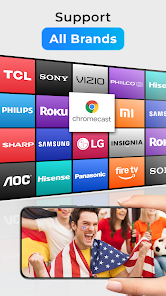
Whether you have a Chromecast, Roku, or other compatible devices, this app has you covered. It allows you to connect multiple devices effortlessly, so you can switch between them without missing a beat. Enjoy the flexibility of casting to any screen in your home, no matter the brand.

Screen Mirroring Feature

Mirror your entire smartphone screen to your TV with just a few taps, making it perfect for presentations, gaming, or sharing apps. This feature enhances versatility, allowing you to showcase anything on your phone directly on the big screen. Experience your favorite apps and games like never before!

Seamless Casting

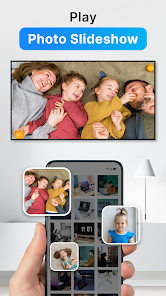
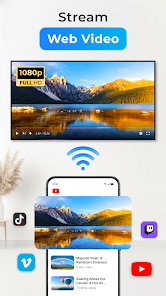
Easily cast your favorite videos, music, and photos from your mobile device to your TV with just a tap. The app supports various formats, ensuring a smooth streaming experience without any hassle. Enjoy your content on a larger screen for a more immersive experience with friends and family.

User-Friendly Interface

The app boasts an intuitive and easy-to-navigate design that makes casting simple for everyone, regardless of tech-savviness. With straightforward controls and clear instructions, you can start streaming in no time. Say goodbye to complicated setups and enjoy a stress-free casting experience.

Pros & Cons

Pros
  • Stream content directly from your devices effortlessly
  • Enjoy a wide range of apps and channels
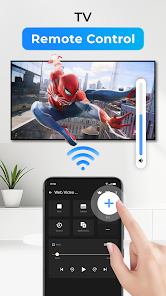
  • Control playback with your smartphone or tablet
  • Share photos and videos on a larger screen
  • Easily mirror your screen for presentations and gaming
Cons
  • Limited app support on some devices
  • Connectivity issues can disrupt streaming
  • Requires compatible devices for full functionality
  • Potential lag during casting or streaming

Real Experience Using Cast to TV, Chromecast & Roku

Application Scenarios

Cast to TV, Chromecast & Roku is designed for users who want to effortlessly stream content from their devices to their TVs. Whether you’re looking to share family photos during a reunion, stream your favorite movies from platforms like Netflix or Hulu, or display presentations for work, this app caters to a variety of scenarios. It supports multiple streaming devices, including Chromecast, Roku, Fire TV, and many smart TVs, making it a versatile choice for households with different devices. Additionally, users can cast music, videos, and even games, transforming their TV into an entertainment hub. The seamless integration with various streaming platforms means that users can enjoy a hassle-free experience when switching between different media sources.

User Experience

The user experience of Cast to TV is generally positive, with an intuitive interface that makes navigation simple for users of all ages. The app boasts a clean design that allows users to easily browse their media libraries and select what they want to cast. Connection stability is a strong point; most users report a reliable streaming experience with minimal lag or buffering. Moreover, the app supports high-definition streaming, enhancing the visual quality of the displayed content. Users appreciate the quick setup process, which typically involves just a few taps to connect their devices. However, some users have noted occasional issues with connectivity or compatibility, particularly with less common devices, which may require troubleshooting.

Pricing

The app operates on a freemium model, allowing users to access basic features without any cost. For those seeking additional functionalities, such as ad-free streaming or enhanced casting options, a premium subscription is available. The pricing is competitive compared to similar applications, making it an attractive option for users who frequently cast content to their TVs. Special promotions and discounts are occasionally offered, which can make the premium features even more accessible. Overall, the pricing structure is designed to cater to a wide audience, ensuring that both casual users and avid streamers can find value.

Updates & Support

Cast to TV is regularly updated to enhance functionality and improve user experience. The developers are active in addressing bugs and compatibility issues, ensuring that new features align with the latest streaming technologies. User feedback is taken seriously, with many updates reflecting suggestions from the community. Support options are robust, with a dedicated FAQ section and responsive customer service available through email and social media channels. Users can expect timely responses to their queries, making it easier to resolve any issues that may arise during use. Overall, the commitment to regular updates and strong customer support contributes significantly to the app's reliability and user satisfaction.

verified Security & Privacy Review

The security and privacy practices of the "Cast to TV, Chromecast & Roku" app are essential for users to consider before installation. The app requires several permissions to function effectively, including access to local storage and network connections. These permissions are necessary for casting content to various devices. However, users should be mindful of granting these permissions, as they can potentially expose personal data. The app's privacy policy outlines how user data is collected, used, and shared. It emphasizes that the app does not store personal information without consent. Nonetheless, users should remain cautious, as data may be shared with third-party services for analytics and advertising purposes. The app also implements standard encryption protocols to protect data transmitted over networks, enhancing security during streaming sessions. Overall, while the "Cast to TV, Chromecast & Roku" app provides a convenient casting experience, users should carefully review the permissions requested and the privacy policy to make informed decisions about their data security and privacy. Regular updates and transparency in handling user data are crucial for maintaining trust.

Reviews

4.5

“Easy to use and setup, great streaming quality!”

“Works flawlessly with my Chromecast devices, highly recommend!”

“User-friendly interface, perfect for casting videos.”

“Reliable app, no lag during streaming.”

“Love the variety of supported devices!”

Editor's Choice