This site uses cookies to enhance your user experience. By clicking any link on this site you are giving your consent to our cookie policy. Read more
Reject
Accept All

Advertiser and Editorial Disclosures

Animation Creator: Flipbook 2D

Animation Creator: Flipbook 2D

verified Verified App

Developer: CEM SOFTWARE LTD

  • category

    Category: Art & Design

  • price

    Price: free

  • age rating

    Age Rating: Everyone

  • rating

    Rating: 3.6

  • download

    Downloads: 1,000,000+

  • version

    Version: 1.3.4

Screenshot 1
Screenshot 2
Screenshot 3
Screenshot 4
Screenshot 5
Screenshot 6
Screenshot 7
Screenshot 8
Screenshot 9
Screenshot 10
Screenshot 11
Screenshot 12
Screenshot 13
Screenshot 14
Screenshot 15
Screenshot 16

Features & Highlights

Export Options

Animation Creator: Flipbook 2D offers multiple export options, making it easy to share your creations across various platforms. Whether you want to save your animation as a GIF, video, or other formats, you can quickly export and showcase your work to friends, family, or social media.

Frame-by-Frame Animation

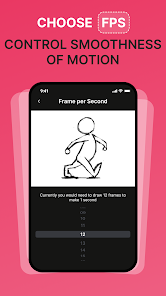
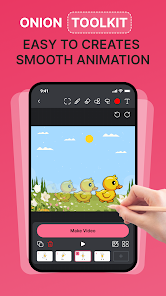
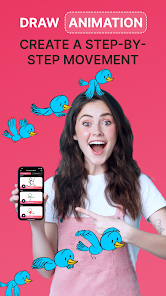
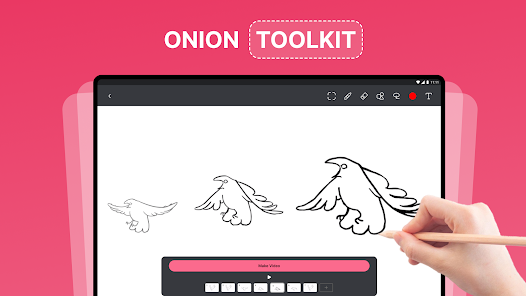
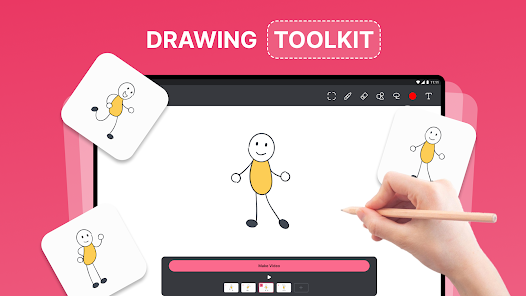
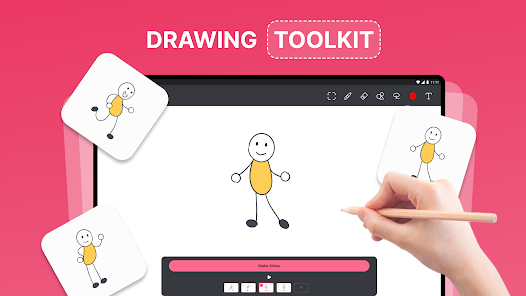
This app allows for precise frame-by-frame animation, enabling users to create smooth and detailed sequences. You can easily add, edit, and delete frames, giving you complete control over the timing and movement of your animations, making every project uniquely yours.

Intuitive Interface

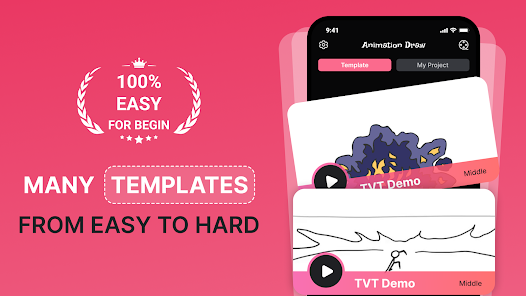
Animation Creator: Flipbook 2D boasts a user-friendly interface that makes it easy for both beginners and experienced animators to dive right into creating animations. With straightforward tools and a clean layout, users can focus on their creativity without being overwhelmed by complex features.

Layer Support

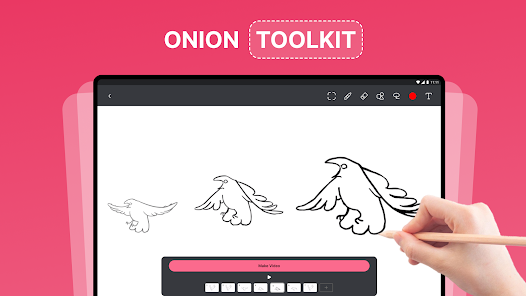
Take your animations to the next level with layer support that allows you to separate different elements of your artwork. This feature helps you manage complex scenes efficiently, enhancing your ability to create depth and dimension in your animations without cluttering your workspace.

Pros & Cons

Pros
  • Create stunning animations with easy-to-use tools
  • Enjoy a smooth workflow with intuitive interface
  • Access a variety of brushes and effects
  • Share your creations effortlessly across platforms
  • Learn animation skills through engaging tutorials
Cons
  • Limited features for advanced animations
  • Requires significant time investment
  • Steep learning curve for beginners
  • Lacks robust export options

Real Experience Using Animation Creator: Flipbook 2D

Application Scenarios

Animation Creator: Flipbook 2D is a versatile tool that caters to a variety of users, from aspiring animators to seasoned professionals looking to create quick sketches. One of the standout application scenarios is in educational settings, where teachers can use the app to make learning more engaging through animated lessons. Students can also leverage the app to bring their creative projects to life, whether they are in art classes or simply exploring their artistic abilities at home. Additionally, hobbyists and social media enthusiasts can create short animations for platforms like Instagram or TikTok, allowing for unique storytelling that captures audience attention.

User Experience

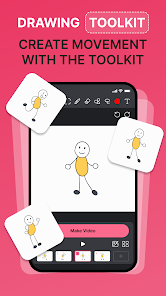
The user experience of Animation Creator: Flipbook 2D is intuitive and user-friendly, making it accessible even for those with minimal animation experience. Upon launching the app, users are greeted with a clean interface that allows for seamless navigation between tools and features. The drawing tools are responsive, providing a satisfying experience as users sketch their ideas. The layering system enables animators to manage different components of their animations effortlessly, while the playback feature allows for easy review and adjustments. Users have noted that the app's ability to add sound effects and music enhances the storytelling aspect, making their animations more dynamic. However, some users have expressed a desire for more advanced features, such as 3D capabilities, which could elevate the creative possibilities further.

Pricing

Animation Creator: Flipbook 2D operates on a freemium model, allowing users to download and explore basic features at no cost. For those seeking enhanced functionality, a premium subscription is available, which unlocks additional tools, templates, and assets. The pricing is competitive within the animation app market, offering good value for the features provided. Users often highlight that the investment in the premium version is justified, especially for those who are serious about honing their animation skills or producing higher-quality content. Overall, the pricing structure is designed to accommodate both casual users and dedicated animators.

Updates & Support

The developers of Animation Creator: Flipbook 2D are proactive in rolling out updates that enhance user experience and introduce new features. Regular updates ensure that the app stays compatible with the latest devices and operating systems, minimizing bugs and improving performance. User feedback is actively sought, and many updates are based on community suggestions, which fosters a sense of involvement among users. Support options are robust, with a dedicated help center and responsive customer service available to assist users with any issues or inquiries. This commitment to continuous improvement and customer support significantly contributes to a positive user experience.

verified Security & Privacy Review

The Animation Creator: Flipbook 2D app prioritizes user security and privacy, implementing measures to protect user data effectively. The app does not require extensive permissions, only requesting access necessary for optimal functionality, such as storage for saving and sharing animations. This limited access minimizes potential vulnerabilities associated with excessive permissions. User data is handled with care, as the app does not collect personal information unless explicitly provided by the user for specific features. Any animations or creations are stored locally on the device, ensuring that users maintain control over their intellectual property without the risk of unauthorized access through cloud storage. The app also adheres to industry-standard encryption protocols for any data transmitted during sharing processes, safeguarding against potential interception. Overall, Animation Creator: Flipbook 2D demonstrates a commitment to user privacy and data security, making it a trustworthy option for those looking to express their creativity in a safe environment.

Reviews

3.6

“Great for beginners and experienced animators alike!”

“User-friendly interface makes animation easy and fun.”

“Fantastic tools for creating detailed flipbook animations.”

“Love the variety of brushes and colors available.”

“Perfect app for unleashing creativity on-the-go!”

FAQ

1

Are there any in-app purchases in Animation Creator: Flipbook 2D?

Some features or tools may be available through in-app purchases. It's a good idea to review the app's description in the app store to understand which features may require additional payment.

2

Can I export my animations created in Animation Creator: Flipbook 2D?

Yes, you can export your animations in various formats, such as GIF or video files, allowing you to share your creations easily on social media or other platforms.

3

Can I use Animation Creator: Flipbook 2D on multiple devices?

Depending on the platform, you can often use the app on multiple devices, especially if it’s available on both mobile and tablet platforms. However, make sure to check the specific app store for compatibility details.

4

Does the app support layers for more complex animations?

Absolutely! Animation Creator: Flipbook 2D supports multiple layers, enabling users to create complex animations by separating different elements of their drawings and animations for better control and organization.

5

Is Animation Creator: Flipbook 2D suitable for beginners?

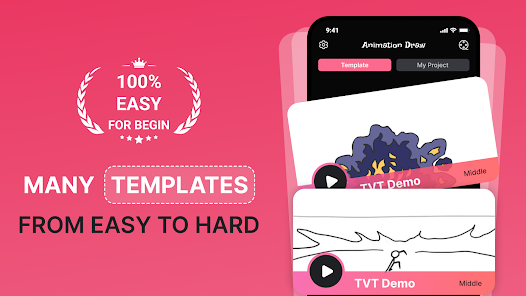
Yes, the app is designed with beginners in mind. Its intuitive interface and step-by-step functionalities make it easy for new users to learn the basics of animation while providing enough tools for more advanced users to explore.

How to use Animation Creator: Flipbook 2D

1

How can I contact customer service for the Animation Creator: Flipbook 2D app?

You can reach customer service via the app's support section or by visiting the developer's website for contact details.

2

How do I find my customer number for support inquiries?

Your customer number is typically found in your account settings within the app or in the confirmation email you received upon purchase.

3

Is there a process to activate the Animation Creator: Flipbook 2D app?

Usually, activation occurs automatically upon purchase. If needed, follow the instructions in the app or check the FAQ section on the developer’s website.

4

What should I do if I can't log in to my account?

If you can't log in, ensure your credentials are correct. If forgotten, use the "Forgot Password" feature to reset it.

Editor's Choice