This site uses cookies to enhance your user experience. By clicking any link on this site you are giving your consent to our cookie policy. Read more
Reject
Accept All
Webex Meetings

Webex Meetings

verified Verified App

Developer: Cisco Systems, Inc.

  • category

    Category: Business

  • price

    Price: free

  • age rating

    Age Rating: Everyone

  • rating

    Rating: 4.5

  • download

    Downloads: 100,000,000+

  • version

    Version: /

Screenshot 1
Screenshot 2
Screenshot 3
Screenshot 4
Screenshot 5
Screenshot 6
Screenshot 7
Screenshot 8

Features & Highlights

Breakout Rooms

Webex Meetings includes breakout rooms that let hosts split larger groups into smaller, focused sessions for more in-depth discussions. This feature is perfect for workshops or team brainstorming, allowing participants to collaborate in a more intimate setting before regrouping to share insights with the larger group.

High-Quality Video Conferencing

Webex Meetings offers crystal-clear video quality that adapts to your internet connection, ensuring a seamless experience for all participants. Whether you're in a conference room or working remotely, the platform provides reliable video capabilities that keep everyone connected and engaged throughout the meeting.

In-Meeting Chat

The in-meeting chat function allows participants to communicate via text while the meeting is ongoing, facilitating quick questions and sharing of resources without interrupting the speaker. This feature enhances engagement and ensures that everyone has a voice, making discussions more dynamic and inclusive.

Interactive Whiteboarding

With Webex Meetings' interactive whiteboarding feature, collaborators can brainstorm and visualize ideas in real time. This tool enhances creativity and productivity by allowing participants to draw, annotate, and share their thoughts on a digital canvas, making it easier to convey concepts and strategies.

Pros & Cons

Pros
  • High-quality video and audio for clear communication
  • Seamless screen sharing enhances collaboration and productivity
  • User-friendly interface simplifies meeting setup and participation
  • Robust security features protect sensitive information
  • Integrates smoothly with various productivity tools and apps
Cons
  • Complex interface can confuse new users
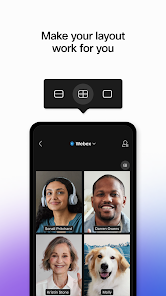
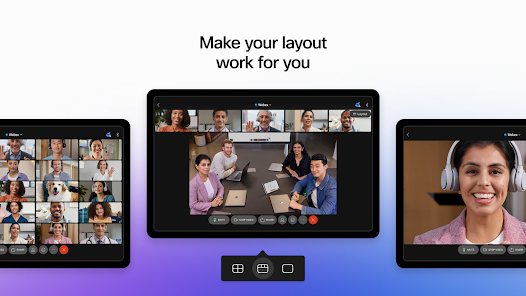
  • Limited customization options for meeting layouts
  • Audio and video quality can be inconsistent
  • High resource usage may slow down devices

Real Experience Using Webex Meetings

Application Scenarios

Webex Meetings is designed to cater to a variety of professional and personal communication needs. It excels in scenarios such as online conferences, team meetings, and virtual events. Businesses can utilize the app for seamless collaboration among remote teams, allowing participants to join from anywhere in the world. Additionally, educators can leverage Webex Meetings for online classes, enabling interactive learning experiences through features like screen sharing and breakout rooms. The app is equally effective for webinars, where hosts can engage large audiences with high-definition video and audio quality. This versatility makes Webex Meetings a go-to solution for anyone needing reliable and efficient virtual communication.

User Experience

Users often praise Webex Meetings for its intuitive interface and user-friendly design. The onboarding process is straightforward, enabling both novices and experienced users to navigate the app with ease. Joining a meeting is as simple as clicking a link, and the app offers various options for both video and audio participation. Features like whiteboarding, file sharing, and chat functions enhance collaboration during meetings. Users have reported high satisfaction with the video and audio clarity, which significantly contribute to the overall experience. Additionally, the ability to record sessions for later viewing is a valuable feature that many users appreciate. However, some users have noted occasional connectivity issues, which can be a drawback in high-stakes meetings.

Pricing

Webex Meetings offers a range of pricing plans to accommodate different user needs, from individual users to large enterprises. The basic version is free, allowing users to host meetings with up to 100 participants, albeit with a time limit of 50 minutes. For those requiring more features and extended meeting lengths, paid plans are available, starting at a competitive price point. These plans include options for larger meeting capacities, additional storage for recordings, and advanced administrative controls. Many users find the pricing to be reasonable, especially when considering the extensive features that come with the premium plans.

Updates & Support

Webex Meetings is committed to continuous improvement, regularly rolling out updates that enhance functionality and security. These updates often include new features, performance enhancements, and bug fixes, contributing to a more robust user experience. The app also provides comprehensive support resources, including a detailed knowledge base, FAQs, and user forums. Customers can reach out to the support team via chat or email for personalized assistance. Many users have reported positive experiences with the support team, citing quick response times and effective solutions. Overall, Webex Meetings ensures that users have the tools and support they need to make the most of the platform.

verified Security & Privacy Review

Webex Meetings prioritizes user security and privacy, implementing robust measures to safeguard data. The app employs end-to-end encryption for meetings, ensuring that all communications are secure and accessible only to authorized participants. Additionally, it adheres to compliance standards such as GDPR and HIPAA, which reinforces its commitment to protecting sensitive information. In terms of permissions, Webex Meetings requires access to the microphone, camera, and storage to facilitate seamless communication and collaboration. Users are informed about these permissions during the setup process, allowing for informed consent. The app also offers customizable privacy settings, enabling users to control who can join meetings and access shared files. Webex Meetings has a transparent privacy policy that outlines how user data is collected, used, and shared. Personal data is processed with care, and users have the ability to manage their data preferences, including options for data deletion. Overall, Webex Meetings provides a secure environment for online meetings, reinforcing trust through its strong privacy practices and commitment to user data protection.

Reviews

4.5

“User-friendly interface, easy to navigate.”

“Excellent video quality and stable connection.”

“Great features for collaboration and screen sharing.”

“Reliable performance during large meetings.”

“Customer support is responsive and helpful.”

Editor's Choice