This site uses cookies to enhance your user experience. By clicking any link on this site you are giving your consent to our cookie policy. Read more
Reject
Accept All
Microsoft Teams

Microsoft Teams

verified Verified App

Developer: Microsoft Corporation

  • category

    Category: Business

  • price

    Price: free

  • age rating

    Age Rating: Everyone

  • rating

    Rating: 4.7

  • download

    Downloads: 500,000,000+

  • version

    Version: 1416/1.0.0.2026015202

Screenshot 1
Screenshot 2
Screenshot 3
Screenshot 4
Screenshot 5
Screenshot 6
Screenshot 7
Screenshot 8
Screenshot 9
Screenshot 10
Screenshot 11
Screenshot 12
Screenshot 13
Screenshot 14
Screenshot 15
Screenshot 16
Screenshot 17
Screenshot 18

Features & Highlights

Customizable Channels

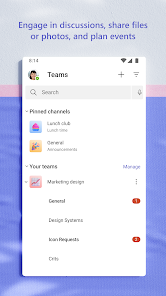
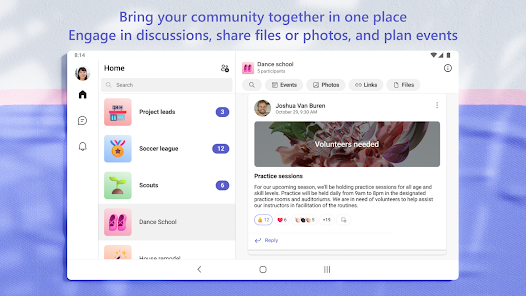
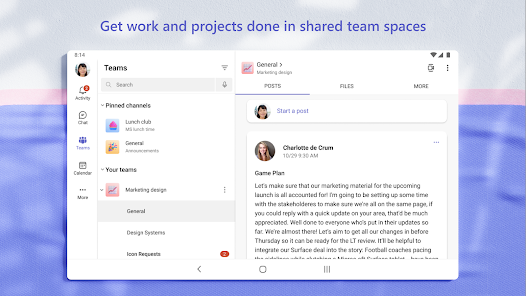
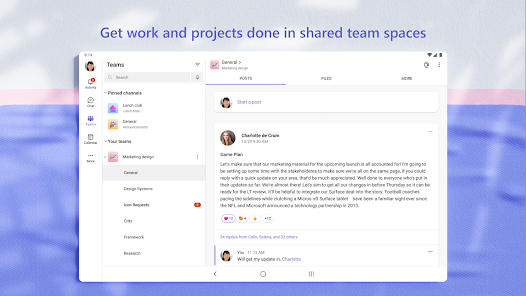
Teams allows you to create customizable channels for specific projects or topics, helping to organize conversations and resources effectively. This feature encourages focused discussions and ensures that team members can quickly find relevant information, fostering better communication and collaboration.

Integrated Collaboration

Microsoft Teams offers a seamless collaboration experience where team members can communicate, share files, and work on projects together in real-time. With integrated apps and tools, users can streamline their workflow without needing to switch between different platforms, enhancing productivity and teamwork.

Task Management Integration

With built-in task management tools, Microsoft Teams enables users to create, assign, and track tasks directly within the app. This integration helps teams prioritize workloads and stay aligned on project goals, ensuring that everyone knows their responsibilities and deadlines.

Video Conferencing

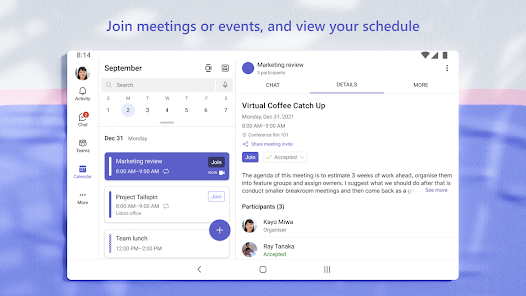
The platform boasts high-quality video conferencing capabilities, allowing users to host and join virtual meetings with ease. Features like screen sharing, background blur, and meeting recordings make it ideal for remote work and ensuring that everyone stays connected, no matter where they are.

Pros & Cons

Pros
  • Boosts collaboration with integrated chat and video calls
  • Supports seamless file sharing for team projects
  • Enhances productivity with customizable apps and tools
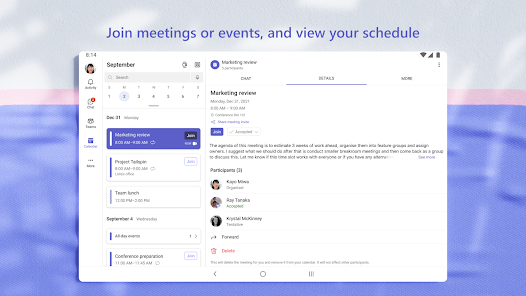
  • Facilitates easy scheduling with calendar integration
  • Ensures security with advanced data protection features
Cons
  • Limited integration with non-Microsoft apps
  • Complex user interface for newcomers
  • Performance issues with large teams
  • Notification overload can cause stress

Real Experience Using Microsoft Teams

Application Scenarios

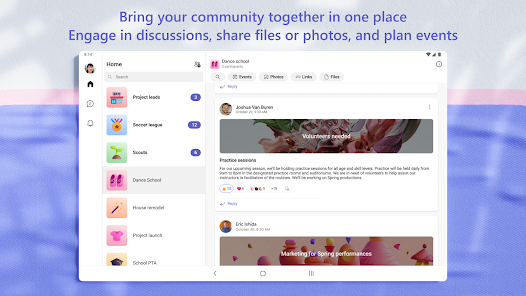
Microsoft Teams is a versatile collaboration platform that caters to various application scenarios across different sectors. It is widely utilized in corporate environments for facilitating seamless communication and project management. Teams can hold virtual meetings, share files, and collaborate on documents in real-time, making it ideal for remote work environments. Educational institutions also leverage Microsoft Teams to conduct virtual classes, enabling teachers and students to interact effectively. Additionally, it serves as a valuable tool for non-profit organizations and community groups, allowing for coordination and outreach efforts through dedicated channels and group discussions.

User Experience

The user experience of Microsoft Teams is largely positive, characterized by its intuitive interface and robust functionality. The platform integrates well with other Microsoft 365 applications, allowing users to access Word, Excel, and PowerPoint directly within Teams. This integration significantly enhances productivity as users can easily collaborate on documents without switching between apps. The chat feature is user-friendly, enabling quick communication, while the threaded conversations help in keeping discussions organized. However, some users report a steep learning curve when first navigating the app due to its extensive features. Overall, the ability to customize notifications and the mobile app's efficiency contribute to a favorable user experience.

Pricing

Microsoft Teams offers a variety of pricing plans to suit different user needs. The basic version of Teams is free, providing essential features such as chat and video calling. For businesses and organizations, the paid plans start at a competitive rate, offering enhanced features like advanced security, compliance, and larger meeting capacities. The Microsoft 365 subscription bundles Teams with other productivity tools, making it a cost-effective choice for companies already invested in the Microsoft ecosystem. Users can choose plans based on their specific needs, ensuring flexibility and scalability as organizations grow.

Updates & Support

Microsoft Teams is frequently updated, with new features and enhancements rolled out regularly to improve user experience and functionality. The development team actively listens to user feedback, incorporating suggestions into updates that address common pain points. Support is readily available through various channels, including a comprehensive online help center, community forums, and direct customer support options. Users can access tutorials and documentation that guide them through troubleshooting and maximizing the app's potential. Overall, the commitment to ongoing improvements and robust support makes Microsoft Teams a reliable choice for users seeking a collaborative platform.

verified Security & Privacy Review

Microsoft Teams places a strong emphasis on security and privacy, making it a reliable choice for organizations and individuals alike. The app utilizes end-to-end encryption for data in transit and at rest, ensuring that sensitive information remains secure during communication. Furthermore, Teams complies with major industry standards, such as GDPR and HIPAA, which reinforces its commitment to protecting user data. User permissions are customizable, allowing administrators to control access levels and manage what information can be shared within teams. This feature is particularly beneficial for businesses that need to safeguard proprietary information. Additionally, Teams offers multi-factor authentication (MFA), adding an extra layer of security to user accounts. In terms of data handling, Microsoft clearly outlines its privacy practices in its privacy policy. Users can manage their data preferences, including the ability to delete accounts and data when no longer needed. Overall, Microsoft Teams demonstrates a robust approach to security and privacy, making it a trustworthy platform for collaboration and communication.

Reviews

4.7

“Great collaboration tool for remote teams!”

“User-friendly interface enhances productivity.”

“Audio and video quality need improvement.”

“Integrates well with other Microsoft apps.”

“Frequent updates keep adding useful features.”

Editor's Choice