This site uses cookies to enhance your user experience. By clicking any link on this site you are giving your consent to our cookie policy. Read more
Reject
Accept All

Advertiser and Editorial Disclosures

Square Point of Sale: Payment

Square Point of Sale: Payment

verified Verified App

Developer: Block, Inc.

  • category

    Category: Business

  • price

    Price: free

  • age rating

    Age Rating: Everyone

  • rating

    Rating: 4.6

  • download

    Downloads: 10,000,000+

  • version

    Version: 6.92

Screenshot 1
Screenshot 2
Screenshot 3
Screenshot 4
Screenshot 5
Screenshot 6
Screenshot 7
Screenshot 8
Screenshot 9
Screenshot 10
Screenshot 11
Screenshot 12
Screenshot 13
Screenshot 14
Screenshot 15
Screenshot 16
Screenshot 17
Screenshot 18
Screenshot 19
Screenshot 20
Screenshot 21

Features & Highlights

Customer Engagement Features

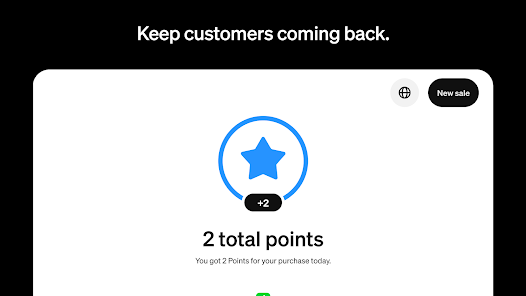
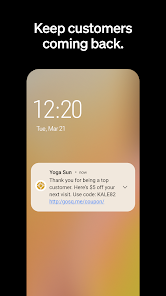
Enhance your customer relationships with built-in engagement tools like loyalty programs and email marketing integrations. Square Point of Sale helps you connect with your audience, encouraging repeat business and fostering a loyal customer base that keeps coming back.

Inventory Management Tools

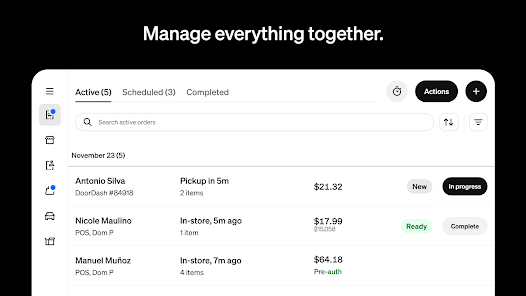
Keep track of your stock effortlessly with Square's inventory management features. Easily update product details, monitor stock levels, and receive notifications when items are running low, allowing you to manage your business more effectively and avoid missed sales opportunities.

Sales Reporting Insights

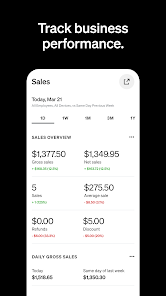
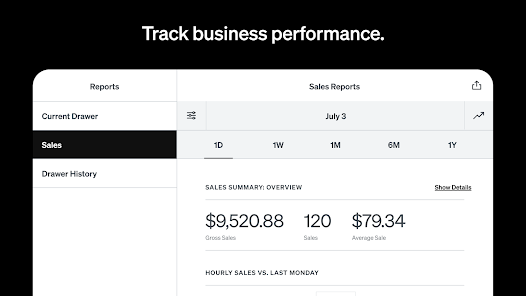
Gain valuable insights into your business with detailed sales reports provided by Square Point of Sale. Analyze trends, track performance over time, and make informed decisions to optimize your operations and drive growth, all from a user-friendly dashboard.

Seamless Payment Processing

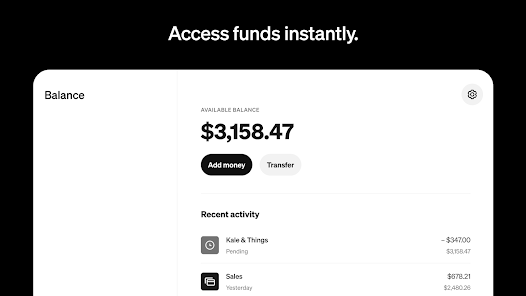
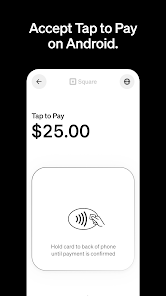
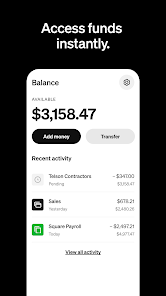
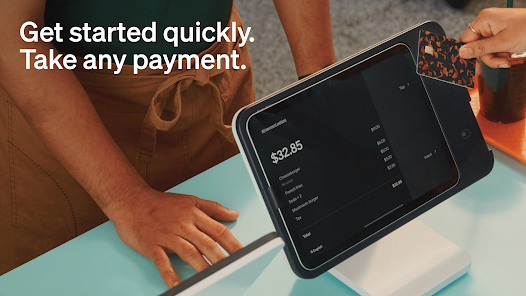
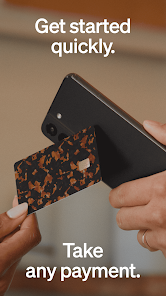
Square Point of Sale simplifies transactions with its fast and secure payment processing system. Accept various payment methods including credit cards, mobile wallets, and more, ensuring a smooth checkout experience for your customers while boosting your sales efficiency.

Pros & Cons

Pros
  • Easy setup for quick transactions
  • Supports various payment methods for flexibility
  • Real-time sales tracking for informed decisions
  • User-friendly interface for seamless operation
  • Robust security features protect customer data
Cons
  • Limited advanced reporting features for analytics
  • High transaction fees for small businesses
  • Difficulties with customer support response times
  • Hardware compatibility issues may arise

Real Experience Using Square Point of Sale: Payment

Application Scenarios

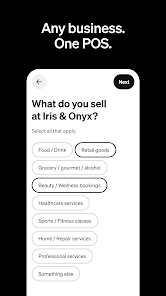
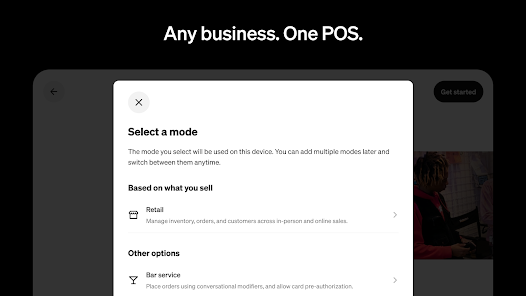
The Square Point of Sale: Payment app is designed for a variety of business environments, making it a versatile tool for entrepreneurs and retailers alike. It is particularly advantageous for small businesses, mobile vendors, and pop-up shops, where the ability to accept payments on-the-go is crucial. For instance, food trucks can use the app to quickly process transactions while serving customers, ensuring a seamless experience. Additionally, brick-and-mortar stores benefit from the app’s inventory management features, allowing them to keep track of stock levels in real-time. Moreover, service-based businesses such as salons and repair shops can schedule appointments and accept payments on-site, enhancing customer convenience.

User Experience

The user experience of the Square Point of Sale app is intuitive and straightforward, making it accessible for users of all tech-savviness levels. The interface is clean and easy to navigate, enabling users to process payments quickly without unnecessary complications. Setting up the app is a breeze; users can create an account and link their bank information within minutes. The app supports various payment methods, including credit cards, debit cards, and digital wallets, catering to a wide range of customer preferences. Users often appreciate the detailed sales reports and analytics that help them make informed business decisions. Additionally, the customer support features, including live chat and extensive FAQs, further enhance the user experience, ensuring that help is readily available when needed.

Pricing

Square Point of Sale operates on a transparent pricing model that is appealing to small business owners. There are no monthly fees or hidden charges, which makes it easy for businesses to manage their expenses. The app charges a competitive transaction fee for each sale processed, allowing users to pay only for what they use. This pay-as-you-go structure is particularly beneficial for seasonal businesses, as they can scale their payment processing without incurring fixed costs. Square also offers optional add-ons, such as advanced reporting tools and marketing features, allowing users to customize their experience based on their specific needs and budget.

Updates & Support

Square consistently rolls out updates to enhance the functionality of the Point of Sale app, ensuring users have access to the latest features and security improvements. The company actively listens to user feedback, which often shapes the enhancements they implement. Support is readily available through various channels, including email, phone, and live chat, ensuring that users can get assistance whenever they face issues. The app’s comprehensive help center is rich with tutorials and resources, further empowering users to troubleshoot common problems independently. Overall, Square’s commitment to regular updates and robust support contributes to a reliable and efficient payment processing experience for users.

verified Security & Privacy Review

Square Point of Sale: Payment prioritizes user security and privacy through robust measures that safeguard sensitive information. The app employs end-to-end encryption to protect transaction data, ensuring that payment details remain confidential during processing. This encryption extends to both cardholder information and personal user data, mitigating risks of unauthorized access. In terms of privacy practices, Square adheres to strict data handling policies, only collecting necessary user information for transaction purposes. The app provides transparency about data usage, allowing users to understand how their information is stored and utilized. Additionally, users have control over their data and can delete their accounts or request data removal, reinforcing their privacy rights. Permissions requested by the app are limited to what is essential for its functionality, such as access to the camera for scanning payment cards. Square ensures that all permissions are clearly communicated, enabling users to make informed decisions regarding their privacy. Overall, Square Point of Sale demonstrates a strong commitment to maintaining user security and privacy in the digital payment landscape.

Reviews

4.6

“User-friendly interface makes transactions quick and easy.”

“Great for small businesses with reliable payment processing.”

“Excellent customer support and resources available.”

“Customizable features enhance business management.”

“Syncs seamlessly with other Square tools.”

FAQ

1

Does Square Point of Sale: Payment collect my personal data?

Square Point of Sale: Payment collects personal data to facilitate transactions, improve user experience, and comply with legal requirements, but it has measures in place to protect your information.

2

Does Square Point of Sale: Payment offer a free trial or free version?

Yes, Square Point of Sale: Payment offers a free version with essential features, allowing users to start processing payments without any upfront costs.

3

Does Square Point of Sale: Payment require an internet connection?

Yes, Square Point of Sale: Payment requires an internet connection to process transactions and sync data in real-time, although some features may be accessible offline.

4

How can I contact support or send feedback for Square Point of Sale: Payment?

You can contact Square's support team through the app, their website, or by email, and you can also send feedback directly through the app's feedback feature.

5

How do I manage or cancel my Square Point of Sale: Payment subscription?

You can manage or cancel your Square Point of Sale: Payment subscription through your Square account settings, where you can update your plan or discontinue your subscription at any time.

How to use Square Point of Sale: Payment

1

Can I change my Square Point of Sale email address?

Yes, log in to your account settings and update your email address under the profile section.

2

Do I need to activate my Square Point of Sale account?

Yes, after creating an account, you may need to verify your email to activate it fully.

3

How can I contact Square Point of Sale customer service?

You can reach Square customer service through the app, their website, or by calling their support number provided in your account.

4

How do I enable notifications for Square Point of Sale?

Go to the app settings and toggle on notifications to receive updates about payments and sales.

5

How do I log in to my Square Point of Sale account?

Open the app, tap on "Sign In," and enter your email and password associated with your account.

Editor's Choice