This site uses cookies to enhance your user experience. By clicking any link on this site you are giving your consent to our cookie policy. Read more
Reject
Accept All
TeamViewer Remote Control

TeamViewer Remote Control

verified Verified App

Developer: TeamViewer

  • category

    Category: Business

  • price

    Price: free

  • age rating

    Age Rating: Everyone

  • rating

    Rating: 4.4

  • download

    Downloads: 100,000,000+

  • version

    Version: 15.74.56

Screenshot 1
Screenshot 2
Screenshot 3
Screenshot 4
Screenshot 5
Screenshot 6
Screenshot 7
Screenshot 8
Screenshot 9
Screenshot 10
Screenshot 11
Screenshot 12
Screenshot 13
Screenshot 14
Screenshot 15
Screenshot 16
Screenshot 17
Screenshot 18
Screenshot 19

Features & Highlights

Cross-Platform Access

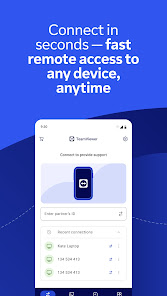
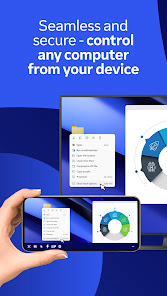
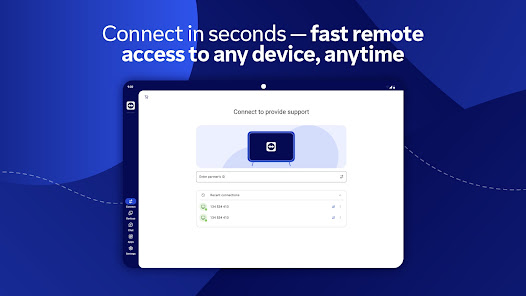
TeamViewer Remote Control allows users to connect seamlessly across various devices and operating systems, whether you're on Windows, macOS, Linux, or mobile. This versatility ensures you can access your work and support clients from virtually anywhere, enhancing productivity and collaboration like never before.

File Transfer Capabilities

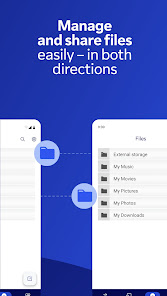
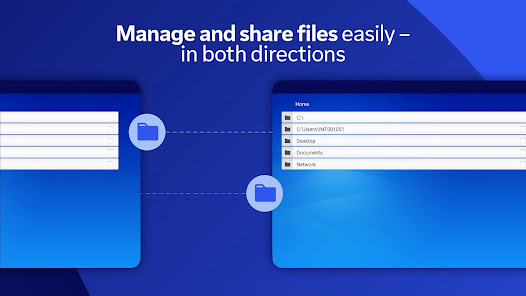
Easily transfer files between connected devices with TeamViewer's intuitive drag-and-drop functionality. This feature simplifies the process of sharing documents, images, or software, allowing for quick and efficient collaboration without the hassle of complicated setups or additional tools.

High-Quality Remote Support

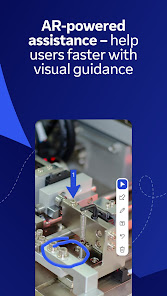
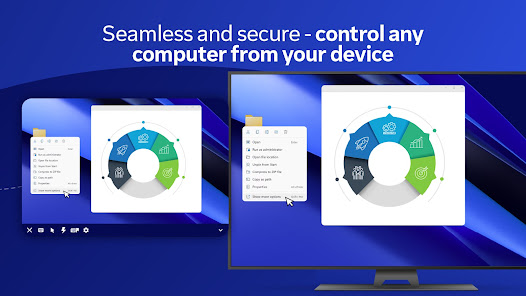
With its advanced technology, TeamViewer provides high-quality remote support with minimal latency and crystal-clear resolution. This means you can troubleshoot issues efficiently, ensuring a smooth experience for both the technician and the end user, making remote assistance feel almost like being there in person.

Session Recording & Reporting

TeamViewer Remote Control includes features for recording sessions and generating detailed reports. This functionality not only helps in reviewing past interactions but also aids in training and compliance, ensuring that your team can learn from each experience and maintain high standards of service.

Pros & Cons

Pros
  • Fast and reliable remote access anytime, anywhere.
  • User-friendly interface for effortless navigation and control.
  • Supports multiple platforms for versatile connectivity.
  • Strong security features protect sensitive information effectively.
  • Quick file transfer simplifies sharing documents remotely.
Cons
  • High latency can disrupt remote sessions easily
  • Limited functionality in free version restricts usage
  • Frequent updates may cause compatibility issues
  • Security concerns with unauthorized access risks

Real Experience Using TeamViewer Remote Control

Application Scenarios

TeamViewer Remote Control is a versatile application designed to facilitate remote access and support across various scenarios. Users can leverage the app for troubleshooting technical issues, providing customer support, or accessing files on their home or office computers while on the go. IT professionals often utilize TeamViewer to manage and monitor multiple systems, enabling them to resolve issues promptly without the need for physical presence. Additionally, the app is beneficial for collaborative projects, allowing team members to share screens and work together in real-time, regardless of their geographical locations. Whether you are a freelancer assisting a client or a corporate team managing a remote workforce, TeamViewer provides a seamless solution for efficient communication and problem-solving.

User Experience

The user experience with TeamViewer Remote Control is generally positive, marked by its intuitive interface and ease of use. Upon installation, users can quickly set up their accounts and begin connecting to remote devices with minimal hassle. The app’s design is clean and straightforward, making navigation a breeze even for those who may not be tech-savvy. Users appreciate features such as file transfer capabilities, remote printing, and multi-monitor support, which enhance productivity. Moreover, the connection quality is often praised for its reliability, allowing for smooth interactions without significant lag. However, some users have reported occasional connectivity issues, especially when dealing with unstable internet connections. Overall, TeamViewer provides a robust and user-friendly experience that caters to a wide range of remote access needs.

Pricing

TeamViewer offers a variety of pricing plans tailored to different user needs, including a free version for personal use that allows basic remote access functionalities. For businesses and professionals, paid subscriptions unlock advanced features such as remote printing, session recording, and enhanced security measures. The pricing structure is competitive, with options ranging from single-user licenses to corporate plans that support multiple users and devices. While some users may find the costs a bit on the higher side, the value provided through reliable service and a comprehensive feature set justifies the investment for many businesses looking for efficient remote support solutions.

Updates & Support

TeamViewer is committed to delivering regular updates that enhance functionality and address security vulnerabilities. The app frequently rolls out improvements, ensuring users have access to the latest features and performance optimizations. Customer support is another strong point, with various resources available, including a detailed knowledge base, community forums, and direct support channels. Users can reach out for assistance via email or live chat, and feedback indicates that the support team is responsive and knowledgeable. Overall, TeamViewer’s dedication to updates and robust support systems contributes to a positive user experience, fostering trust and reliability among its user base.

verified Security & Privacy Review

TeamViewer Remote Control prioritizes security and privacy, implementing robust measures to protect user data. The app employs end-to-end encryption, ensuring that all sessions are secure from unauthorized access. This encryption uses AES (Advanced Encryption Standard) with a key length of 256 bits, which is widely recognized as a strong security standard. In terms of user data handling, TeamViewer is committed to transparency. The app collects minimal personal information, primarily for account creation and session management purposes. Users have control over their data, with options to manage privacy settings and revoke permissions as needed. TeamViewer also requires specific permissions to function effectively, such as access to the internet and device screen. These permissions are essential for remote support and control but are clearly outlined during the installation process. Users are encouraged to review these permissions to ensure they are comfortable with the app’s access. Overall, TeamViewer Remote Control demonstrates a strong commitment to security and privacy, making it a reliable choice for users seeking secure remote access solutions.

Reviews

4.4

“Reliable connectivity for remote support and assistance.”

“User-friendly interface makes remote access easy.”

“Excellent performance, even with slow internet connections.”

“Great for troubleshooting technical issues quickly.”

“Frequent updates improve functionality and security.”

Editor's Choice