This site uses cookies to enhance your user experience. By clicking any link on this site you are giving your consent to our cookie policy. Read more
Reject
Accept All
Teamup Calendar

Teamup Calendar

verified Verified App

Developer: Teamup Solutions AG

  • category

    Category: Business

  • price

    Price: free

  • age rating

    Age Rating: Everyone

  • rating

    Rating: 4.7

  • download

    Downloads: 1,000,000+

  • version

    Version: 1.20.9 (765)

Screenshot 1
Screenshot 2
Screenshot 3
Screenshot 4
Screenshot 5
Screenshot 6
Screenshot 7
Screenshot 8
Screenshot 9
Screenshot 10
Screenshot 11
Screenshot 12
Screenshot 13
Screenshot 14
Screenshot 15
Screenshot 16

Features & Highlights

Customizable Calendars

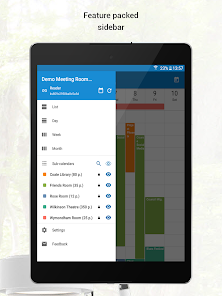
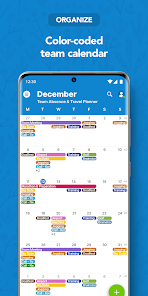
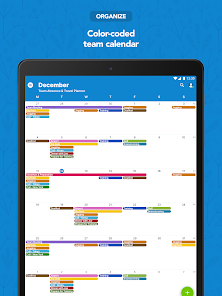
Teamup Calendar offers fully customizable calendars that allow users to tailor their experience to fit their specific needs. You can create multiple calendars for different teams or projects, each with unique colors and settings, making it easy to manage schedules at a glance.

Event Management Features

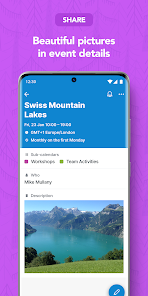
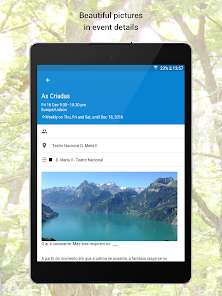
The app provides robust event management capabilities, allowing users to create, edit, and track events effortlessly. You can set reminders, add notes, and link documents, making it a comprehensive tool for keeping your team organized and on schedule.

Group Collaboration Tools

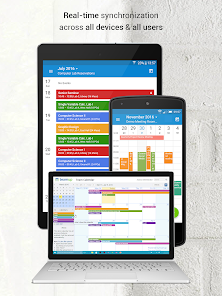
With Teamup Calendar, collaboration is seamless and efficient. You can share your calendar with team members, assign permissions, and even enable real-time updates, ensuring everyone stays aligned and informed about important events, deadlines, and meetings.

Mobile Accessibility

Teamup Calendar is designed with mobile accessibility in mind, ensuring that you can stay connected and manage your calendar on the go. Whether you're at the office or traveling, the mobile app offers all the features you need to keep your plans on track.

Pros & Cons

Pros
  • User-friendly interface simplifies event management
  • Customizable views cater to diverse scheduling needs
  • Real-time collaboration enhances team communication
  • Mobile access keeps schedules handy anytime, anywhere
  • Integration with other tools streamlines workflow efficiency
Cons
  • Limited customization options for event appearances
  • User interface can feel cluttered and confusing
  • Mobile app lacks some desktop features
  • Performance issues with larger teams or events

Real Experience Using Teamup Calendar

Application Scenarios

Teamup Calendar shines in various scenarios, making it a versatile tool for both personal and professional use. For families, it serves as an excellent way to coordinate schedules, ensuring that everyone is on the same page regarding appointments, activities, and events. In educational settings, teachers can use Teamup to share class schedules, track assignments, and keep parents informed about important dates. Businesses benefit significantly from its group calendar feature, allowing teams to manage project timelines, meetings, and deadlines collaboratively. Organizations can create specific sub-calendars for departments, projects, or events, fostering better organization and communication within large teams.

User Experience

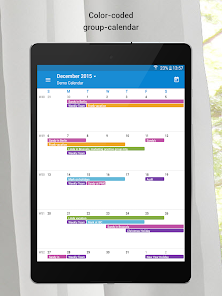
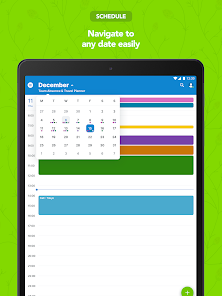
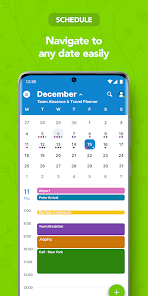
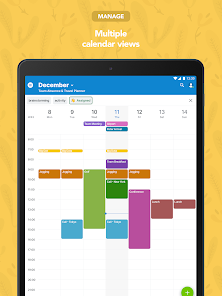
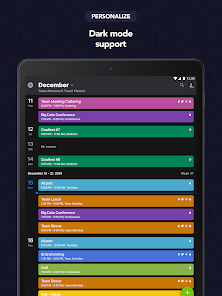
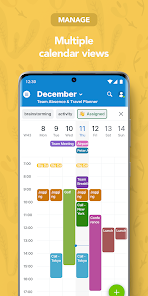
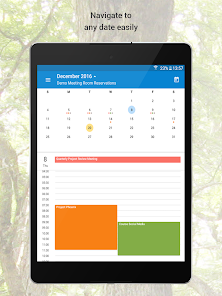
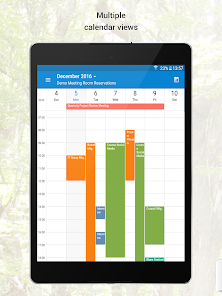
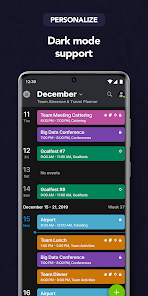
The user experience of Teamup Calendar is one of its strongest selling points. The interface is intuitive and user-friendly, enabling users to navigate through features without any steep learning curve. Calendar views can be customized, allowing users to toggle between day, week, and month formats, which makes it easy to visualize schedules at a glance. The color-coding feature enhances clarity, making it simple to distinguish between different types of events or group activities. Additionally, the mobile app ensures that users can access their calendars on the go, with real-time syncing across devices. Notifications and reminders can be tailored to individual preferences, ensuring that no important event goes unnoticed.

Pricing

Teamup Calendar offers a freemium model, which is appealing for casual users or small teams. The basic version is free and provides essential features, making it accessible to anyone looking to improve their scheduling capabilities. However, for those requiring advanced functionalities such as additional sub-calendars, custom branding, and enhanced reporting tools, Teamup offers a range of subscription plans. These paid plans are reasonably priced and provide significant value for organizations that require robust calendar solutions. With options to scale, users can choose a plan that fits their needs and budget, ensuring flexibility as requirements grow.

Updates & Support

Teamup Calendar is consistently updated, with developers actively incorporating user feedback to enhance functionality and usability. Regular updates ensure that the app remains compatible with the latest devices and operating systems. The support team is responsive, offering assistance through various channels, including email and a comprehensive help center filled with FAQs and tutorial resources. This commitment to user support and continuous improvement reflects Teamup's dedication to providing a reliable scheduling solution, making it a trusted choice for individuals and teams alike.

verified Security & Privacy Review

The Teamup Calendar app places a strong emphasis on security and privacy, ensuring that user data is handled with care. The app employs robust encryption protocols to protect data in transit and at rest, safeguarding sensitive information from unauthorized access. User permissions are clearly outlined, allowing users to control who can view or edit their calendars. The app operates on a principle of least privilege, meaning that users only grant permissions necessary for specific functionalities. This minimizes the risk of data exposure. Teamup Calendar adheres to strict privacy practices, including compliance with relevant data protection regulations. The app does not sell user data to third parties or use it for advertising purposes, fostering a trust-based relationship with its users. Additionally, users have the ability to export their data at any time, ensuring they retain control over their information. Overall, Teamup Calendar demonstrates a commitment to maintaining user privacy and securing data through transparent practices and robust security measures.

Reviews

4.7

“User-friendly interface makes scheduling easy and efficient.”

“Great for managing group events and activities.”

“Customizable features help tailor it to my needs.”

“Syncs well with other calendars, very convenient.”

“Excellent support team, always ready to help.”

Editor's Choice