This site uses cookies to enhance your user experience. By clicking any link on this site you are giving your consent to our cookie policy. Read more
Reject
Accept All

Advertiser and Editorial Disclosures

myGov

myGov

verified

Services Australia

3.5
Rating
1,000,000+ Downloads
1.35.0 Version
  • category

    Category: Productivity

  • price

    Price: free

  • age rating

    Age Rating: Everyone

  • rating

    Rating: 3.5

  • available on

    Available on: /

  • updated on

    Updated on: Jul 5, 2026

Screenshot 1
Screenshot 2
Screenshot 3
Screenshot 4
Screenshot 5
Screenshot 6
Screenshot 7
Screenshot 8
Screenshot 9
Screenshot 10

Features & Highlights

Centralized Services

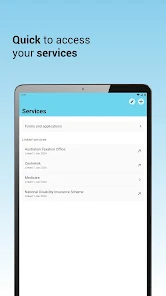
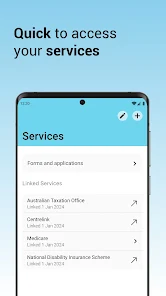
With myGov, you can link multiple government services in one convenient location. This means managing your health, tax, and social security all in one place, streamlining your interactions with various departments and saving you valuable time.

Easy Notifications

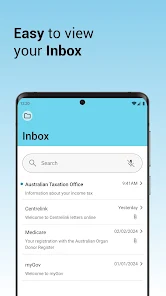
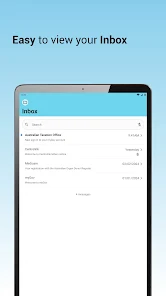
Stay informed with myGov's easy notification system that keeps you updated on important messages and deadlines. Whether it’s reminders for appointments or alerts about new services, you’ll never miss out on crucial information.

Secure Access

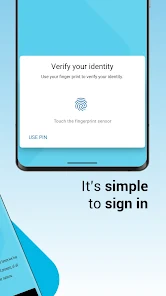
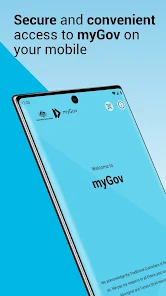
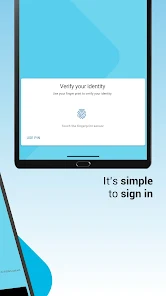
myGov offers a secure and user-friendly platform for Australians to manage their government services. With robust authentication methods, you can rest assured that your personal information is well-protected while you access essential services seamlessly.

User-Friendly Interface

The myGov platform features a clean and intuitive interface designed for users of all ages. Navigating through various services is a breeze, making it easier for you to find what you need without any hassle.

Pros & Cons

Pros
  • Access multiple government services in one place
  • Manage your personal information securely and easily
  • Receive timely notifications about important updates
  • Submit applications and documents online with convenience
  • Track your service requests and progress effortlessly
Cons
  • Limited accessibility for those without internet access
  • Complex navigation can confuse users
  • Frequent system outages disrupt service availability
  • Privacy concerns regarding personal data security

Real Experience Using myGov

Application Scenarios

The myGov app is designed to streamline the interaction between users and various government services in Australia. Users can utilize the app to access their personal information, submit tax returns, manage healthcare records, and apply for various government benefits. Whether you are a student seeking financial assistance, a job seeker looking to access employment services, or a retiree managing your pension, the myGov app serves as a centralized hub for essential services. The app is particularly beneficial during tax season, where users can easily lodge their returns and track their refunds. Additionally, it is useful for those needing to stay updated on any changes to their benefits or entitlements, providing real-time notifications and reminders.

User Experience

Users report a generally positive experience with the myGov app, praising its intuitive interface and ease of navigation. The app's design prioritizes user accessibility, allowing individuals of varying tech-savviness to manage their government-related tasks efficiently. Registration is straightforward, requiring minimal personal information, which is a significant plus for users concerned about security. One of the standout features is the secure messaging system that allows users to communicate directly with various government agencies, making it easier to resolve issues without lengthy phone calls. However, some users have noted occasional glitches, such as slow loading times during peak periods. Overall, the myGov app is a reliable tool that simplifies the management of government services, despite some minor technical hiccups.

Pricing

The myGov app is completely free to download and use, making it accessible to all Australians without any hidden fees or subscription costs. This pricing model is particularly advantageous for users who may need to access multiple government services but are deterred by the costs associated with other applications. The absence of charges ensures that everyone can benefit from the streamlined services provided by the app, enhancing its appeal as a necessary tool for everyday life.

Updates & Support

The developers of the myGov app are committed to continuous improvement, frequently releasing updates to enhance functionality and security. Users can expect regular updates that address bugs, improve user experience, and add new features based on user feedback. Support is readily available through the app, with a dedicated help section that includes FAQs and contact options for direct assistance. The government encourages user feedback, ensuring that the app evolves to meet the changing needs of its user base. Overall, the commitment to updates and support contributes to a strong user experience and ensures the app remains a valuable resource for managing government services.

verified Security & Privacy Review

The myGov app prioritizes user security and privacy, employing robust encryption protocols to protect sensitive information during transmission and storage. The app requires users to create a secure login, which includes multi-factor authentication to enhance account protection against unauthorized access. In terms of permissions, the myGov app requests only essential access to device features, such as internet connectivity, ensuring that user data remains safeguarded. The app does not request unnecessary permissions that could compromise user privacy. myGov adheres to strict data handling practices, ensuring that personal information is collected solely for the purpose of providing government services. User data is not shared with third parties without explicit consent, aligning with current privacy regulations. Additionally, the app provides transparency regarding its data collection policies, allowing users to review and manage their information effectively. Overall, myGov demonstrates a strong commitment to security and privacy, making it a reliable choice for users seeking to manage their government services digitally.

User Reviews

  • Sue Daniels
    2026/06/28

    Hard work to set-up but I guess it's for security reasons. if it helps, make sure you set up biometrics first and look online at your licence details and use details from online licence not your card. it is also case sensitive. very frustrating but once you get in, it's all good from there on.

  • Bob Morris
    2026/04/30

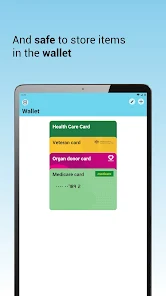
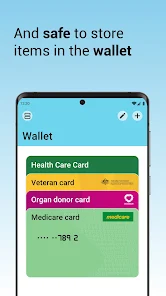
    This would have to be the most user unfriendly and convulated app that I have ever had the misfortune to use. Nothing is straightforward or easy to use, even connecting to my MyGov account took multiple attempts requiring you to re enter the same information again and again after it had already been accepted. Attempts to link cards to the wallet results in a success message which then quickly reverts to a no cards in wallet message. Doesn't appear that it actually does anything.

  • Sally Tam
    2026/06/15

    Useless app. Downloaded & uninstalled multiple times but can't even log into the app. Every time after selecting one of the 3 log in options, I can't get past the spinning circle busy symbol. i.e. I can't log into my.gov at all. Which means I can't access Medicare on my phone now they've discontinued the Medicare app!! Either fix myGov app so it doesn't have these bugs or bring back the Medicare app.

  • LMS
    2026/07/04

    FOR GODS SAKE DO SOMETHING ABOUT THIS AP!!!! PLEASE!!! life's stressful enough let alone having to deal with this ap! Kept going around in circles and still got no where! all I want to do is log into my centrelink account but just kept getting Bounced back and forth between getting the code from the code generator and my Gov! it's an absolute joke and a Total waste of time that triggers my anxiety! getting help you have to call, wait for over an hour, for it not to work again! FIX THE AP! PLS

  • Janelly Lin
    2026/05/11

    I've seen a bunch of similar reviews, but I don't think they're actually doing anything about it. I can't even log in to the website or app with my username and password. Plus, I can't access my Medicare digital card or link it back, which is super annoying, especially if I didn't have my physical card.

Review Source: Google Play store public user reviews.

FAQ

1

Does myGov collect my personal data?

Yes, myGov collects personal data to provide its services, but it is committed to protecting your privacy and handling your information in accordance with Australian privacy laws.

2

Does myGov offer a free trial or free version?

myGov is a free service provided by the Australian Government, and there are no subscription fees or trials associated with it.

3

Does myGov require an internet connection?

Yes, myGov requires an internet connection to access its services and features.

4

How can I contact support or send feedback for myGov?

You can contact myGov support through their website or by calling the relevant government agency associated with your inquiry for assistance or to provide feedback.

5

How do I manage or cancel my myGov subscription?

As myGov does not have a subscription model, there is no need to manage or cancel a subscription. You can simply stop using the service at any time.

How to use myGov

1

How can I find my customer number for myGov?

Your customer number is usually found on correspondence from services linked to your myGov account, like Centrelink or the ATO.

2

How do I activate my myGov account?

To activate your myGov account, visit the myGov website, click on 'Create an account', and follow the step-by-step instructions, including verifying your identity.

3

How do I contact customer service for the myGov app?

You can contact myGov customer service by visiting the myGov website and using the contact options available, including phone and online support.

4

How do I log in to the myGov app?

To log in, open the app, enter your email or username and password, then follow the prompts for two-factor authentication if enabled.

What's New

We’ve made small improvements to the look, stability and functionality of the app.

Editor's Choice