This site uses cookies to enhance your user experience. By clicking any link on this site you are giving your consent to our cookie policy. Read more
Reject
Accept All

Advertiser and Editorial Disclosures

Adobe Acrobat Reader: Edit PDF

Adobe Acrobat Reader: Edit PDF

verified Verified App

Developer: Adobe

  • category

    Category: Productivity

  • price

    Price: free

  • age rating

    Age Rating: Everyone

  • rating

    Rating: 4.5

  • download

    Downloads: 500,000,000+

  • version

    Version: /

Screenshot 1
Screenshot 2
Screenshot 3
Screenshot 4
Screenshot 5
Screenshot 6
Screenshot 7
Screenshot 8
Screenshot 9
Screenshot 10
Screenshot 11
Screenshot 12
Screenshot 13
Screenshot 14
Screenshot 15
Screenshot 16
Screenshot 17
Screenshot 18
Screenshot 19
Screenshot 20
Screenshot 21
Screenshot 22
Screenshot 23
Screenshot 24

Features & Highlights

Annotate and Comment

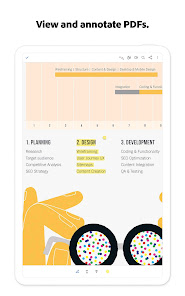
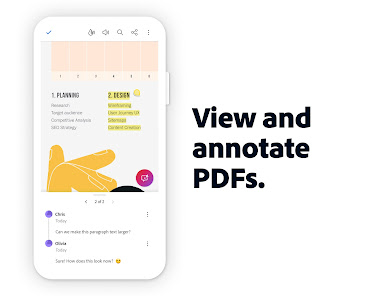
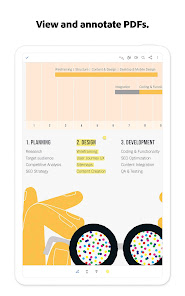
Collaborate seamlessly with others by using annotation tools to highlight, underline, or add comments directly onto your PDF files. This feature makes it easy to share feedback and engage with colleagues or clients, enhancing your workflow and communication.

Convert and Export

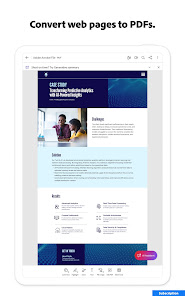
Effortlessly convert your PDF files into other formats, such as Word or Excel, with Adobe Acrobat Reader. This capability allows for greater flexibility in how you use your documents, making it easy to repurpose content for different needs.

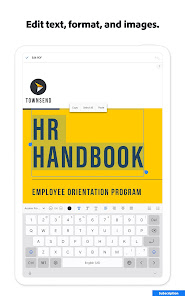
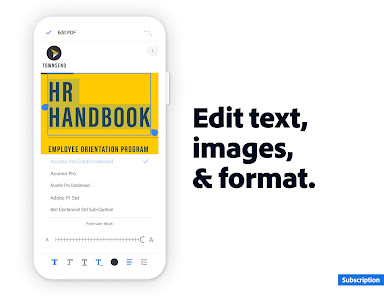
Edit Text Easily

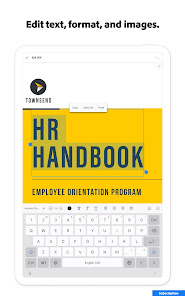
With Adobe Acrobat Reader, editing text in your PDFs is a breeze. You can effortlessly make changes to existing content, adjust font sizes, or even add new text where needed, ensuring your documents are always up-to-date and polished.

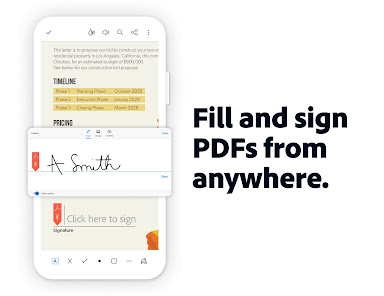
Fill and Sign Forms

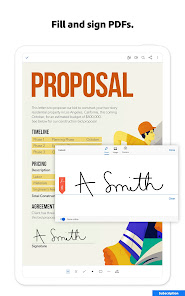
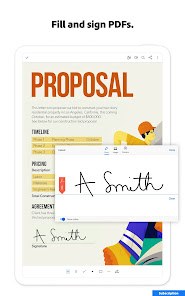
No more printing and scanning! Adobe Acrobat Reader allows you to fill out forms electronically and sign documents with just a few taps. This feature streamlines the signing process, saving you time and making it more convenient to manage important paperwork.

Pros & Cons

Pros
  • Easily edit text and images in PDFs
  • Merge multiple files into a single PDF
  • Add comments and annotations for collaboration
  • Convert PDFs to Word or Excel formats
  • Secure documents with password protection
Cons
  • Limited editing features compared to full software
  • Requires subscription for advanced tools
  • Performance issues with large files
  • User interface can be confusing

Real Experience Using Adobe Acrobat Reader: Edit PDF

Application Scenarios

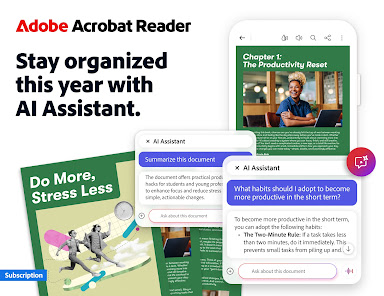
Adobe Acrobat Reader: Edit PDF is an essential tool for professionals and students alike, catering to various application scenarios. For business users, it serves as an indispensable asset for creating, reviewing, and sharing contracts, reports, and presentations. The capability to edit PDFs directly makes it ideal for those looking to streamline document workflows without the need to revert to the original source files. In educational settings, students can annotate lecture notes, collaborate on group projects, and fill out forms, enhancing their learning experience. Additionally, remote workers can rely on the app to manage and sign documents securely, making it a versatile choice for anyone needing a robust PDF solution.

User Experience

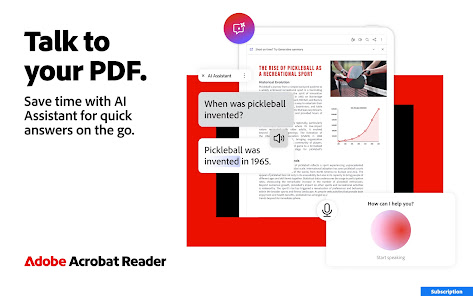
The user experience of Adobe Acrobat Reader: Edit PDF is generally positive, characterized by its intuitive interface and rich feature set. Users appreciate the clean design that allows for easy navigation between tools. The editing capabilities are particularly well-received; users can effortlessly modify text, add images, and incorporate comments. The app's annotation features, such as highlights and sticky notes, are beneficial for both reviewing and collaborating on documents. While some users report occasional performance lags when handling larger files, most find that the app runs smoothly on various devices. The ability to sync documents across platforms ensures that users can pick up where they left off, enhancing productivity.

Pricing

Adobe Acrobat Reader: Edit PDF adopts a subscription-based pricing model, which may be a point of contention for some users. The basic version of the app is free and includes essential features for viewing and annotating PDFs. However, to unlock the full suite of editing tools, users must subscribe to the premium version. This premium service is available through monthly or annual plans, offering flexibility based on user needs. While some may find the cost a bit steep compared to alternative PDF editors, the reliability and comprehensive features of Adobe Acrobat justify the investment for many professionals who require advanced functionalities.

Updates & Support

Adobe is known for its commitment to regular updates and customer support, which are significant advantages of using Acrobat Reader: Edit PDF. The app receives frequent updates that enhance performance, add new features, and address any bugs, ensuring users have access to the latest tools. The support options are robust, with extensive online resources including tutorials, forums, and FAQs. For users requiring direct assistance, Adobe offers customer support through chat and email, though response times may vary. Overall, the combination of regular updates and solid support makes Adobe Acrobat Reader: Edit PDF a reliable choice for users needing a dependable PDF editing solution.

verified Security & Privacy Review

Adobe Acrobat Reader: Edit PDF prioritizes user security and privacy, implementing robust measures to protect sensitive information. The app employs strong encryption protocols for data both in transit and at rest, ensuring that your documents are secure from unauthorized access. In terms of permissions, the app requests access to storage for saving and editing documents, but it does not require unnecessary permissions that could compromise user privacy. Users can control their data sharing preferences, allowing them to manage how their information is utilized within the app. Adobe is committed to transparency regarding data handling practices. The company's privacy policy outlines how user data is collected, used, and shared, providing clarity on what information may be accessed. Adobe also offers features that allow users to redact sensitive information from documents, further enhancing privacy protection. Overall, Adobe Acrobat Reader: Edit PDF demonstrates a strong commitment to security and privacy, making it a reliable choice for users who prioritize safeguarding their documents and personal information.

Reviews

4.5

“Easy to use for editing PDFs on the go”

“Great features for document signing and sharing”

“Reliable performance, but can be slow at times”

“User-friendly interface, perfect for quick edits”

“Subscription costs can be high for occasional users”

FAQ

1

Does Adobe Acrobat Reader: Edit PDF collect my personal data?

Adobe Acrobat Reader: Edit PDF may collect certain personal data to enhance user experience, such as usage statistics and preferences. However, Adobe prioritizes user privacy and provides options for managing data collection settings.

2

Does Adobe Acrobat Reader: Edit PDF offer a free trial or free version?

Adobe Acrobat Reader: Edit PDF offers a free version with basic functionalities, and users can also access a free trial of premium features to explore advanced editing and collaboration tools before committing to a subscription.

3

Does Adobe Acrobat Reader: Edit PDF require an internet connection?

While some features of Adobe Acrobat Reader: Edit PDF may require an internet connection, such as cloud storage access and collaboration tools, the basic functionalities like viewing and editing PDFs can be used offline.

4

How can I contact support or send feedback for Adobe Acrobat Reader: Edit PDF?

You can contact support or send feedback for Adobe Acrobat Reader: Edit PDF through the Adobe website, where you will find resources like live chat, community forums, and help articles to assist you with your inquiries.

5

How do I manage or cancel my Adobe Acrobat Reader: Edit PDF subscription?

You can manage or cancel your Adobe Acrobat Reader: Edit PDF subscription through your Adobe account settings. Simply log in, navigate to the 'Plans' section, and follow the prompts to make changes to your subscription.

How to use Adobe Acrobat Reader: Edit PDF

1

How do I activate Adobe Acrobat Reader: Edit PDF app?

Activation is automatic upon signing in with your Adobe ID. If you have a subscription, ensure you are logged in to access premium features.

2

How do I contact customer service for Adobe Acrobat Reader: Edit PDF app?

You can reach Adobe customer service through their official website or by calling their support number listed on the site.

3

How do I log in to Adobe Acrobat Reader: Edit PDF app?

Open the app, tap on 'Sign In' and enter your Adobe ID and password. If you don’t have an account, you can create one from the same screen.

4

What is the customer number for Adobe Acrobat Reader?

Adobe does not have a specific customer number; support can be accessed via their website or through the Adobe Support Community.

Editor's Choice