This site uses cookies to enhance your user experience. By clicking any link on this site you are giving your consent to our cookie policy. Read more
Reject
Accept All
Okta Verify

Okta Verify

verified Verified App

Developer: Okta Inc.

  • category

    Category: Productivity

  • price

    Price: free

  • age rating

    Age Rating: Everyone

  • rating

    Rating: 4.5

  • download

    Downloads: 10,000,000+

  • version

    Version: /

Screenshot 1
Screenshot 2
Screenshot 3
Screenshot 4
Screenshot 5
Screenshot 6

Features & Highlights

Biometric Authentication

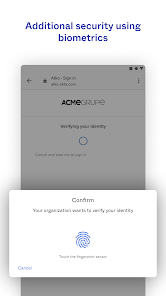
Utilizing biometric capabilities, Okta Verify allows users to authenticate using their fingerprint or facial recognition. This feature not only offers a modern and convenient way to access accounts but also ensures a high level of security with unique biometric data.

Multi-Factor Authentication

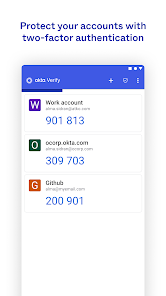
Okta Verify enhances security through multi-factor authentication, allowing users to verify their identity using a combination of something they know and something they have. This additional layer of protection significantly reduces the risk of unauthorized access, making it a vital tool for safeguarding sensitive information.

Offline Access

Okta Verify offers offline access, enabling users to generate one-time passcodes even without an internet connection. This ensures that users can securely log in to their accounts anytime, anywhere, providing flexibility and reliability in various scenarios.

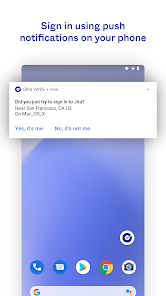
Push Notifications

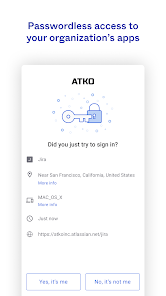
Receive instant push notifications for authentication requests, streamlining the login process without the need for manually entering codes. This feature not only saves time but also improves user experience by providing quick and seamless access to applications.

Pros & Cons

Pros
  • Enhances security with multi-factor authentication
  • User-friendly interface for easy navigation
  • Seamless integration with various applications
  • Supports adaptive authentication for risk-based access
  • Real-time notifications for account activity
Cons
  • Limited offline access for authentication purposes
  • Requires a smartphone for usability
  • Potential compatibility issues with some devices
  • Dependence on internet connectivity can hinder access

Real Experience Using Okta Verify

Application Scenarios

Okta Verify is designed primarily for businesses and organizations that prioritize security in their digital environment. It serves as a multifactor authentication (MFA) tool, enhancing the login process by requiring a second form of verification. This is especially beneficial in scenarios where employees need to access sensitive information or applications remotely. For example, when accessing company resources from home or while traveling, Okta Verify ensures that only authorized users can log in, significantly reducing the risk of unauthorized access. Additionally, it can be utilized in educational institutions for secure access to digital learning environments, making it an excellent choice for varied organizational needs.

User Experience

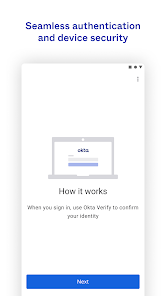
The user experience of Okta Verify is generally seamless and intuitive. Upon downloading the app, users are guided through a straightforward setup process that doesn’t require extensive technical knowledge. The interface is user-friendly, featuring easy navigation that allows users to manage their accounts without hassle. Notifications for authentication requests are timely and clear, ensuring users can respond quickly. One of the standout features is the ability to approve or deny login attempts with just a tap, which enhances efficiency. However, some users have reported occasional glitches or delays in receiving push notifications, which can be frustrating during urgent logins. Overall, the app strikes a balance between functionality and ease of use, making it suitable for users of varying technical skills.

Pricing

Okta Verify is offered as part of the broader Okta Identity Cloud services, which means it does not have a standalone pricing model. Instead, organizations must subscribe to one of Okta's plans, which can range from basic identity management to comprehensive enterprise solutions. Pricing is typically based on the number of users and the features included in the chosen plan. While this may seem less transparent for individuals, businesses can find value in the robust security features and support that Okta Verify provides. For small to medium-sized businesses, Okta offers flexible pricing structures that can accommodate growth, ensuring that as organizations expand, their security solutions can scale accordingly.

Updates & Support

Regular updates are a hallmark of Okta Verify, with the development team focused on enhancing security features and user experience. These updates often include bug fixes, performance improvements, and new functionalities that respond to user feedback. Okta also provides extensive support options, including a comprehensive knowledge base, community forums, and dedicated customer service for subscribers. Users can easily access resources to troubleshoot common issues or learn about new features, fostering a supportive environment for both new and experienced users. The commitment to continuous improvement and user assistance is evident, making Okta Verify a reliable choice for organizations seeking secure authentication solutions.

verified Security & Privacy Review

Okta Verify places a strong emphasis on security and privacy, ensuring that user data is well-protected throughout its lifecycle. The app employs robust encryption protocols to safeguard sensitive information both in transit and at rest, minimizing the risk of unauthorized access. Users can rest assured that their personal information is not stored on the device, as the app generates temporary codes that are tied to the user's account, enhancing security further. In terms of permissions, Okta Verify requires access to device features such as camera for QR code scanning and notifications for real-time authentication alerts. Users are informed about the permissions needed at the time of installation, allowing for informed consent. The app adheres to strict privacy practices, with a clear privacy policy outlining how data is collected, used, and shared. Okta is committed to compliance with global data protection regulations, ensuring that user data is handled responsibly and transparently. Overall, Okta Verify is a reliable option for those seeking a secure authentication method, prioritizing user safety and data integrity.

Reviews

4.5

“Easy to use and reliable for authentication needs”

“Seamless integration with other apps”

“Occasional syncing issues, but overall effective”

“User-friendly interface, love the push notifications”

“Great security feature, enhances account protection”

Editor's Choice