This site uses cookies to enhance your user experience. By clicking any link on this site you are giving your consent to our cookie policy. Read more
Reject
Accept All
Xfinity

Xfinity

verified Verified App

Developer: Comcast

  • category

    Category: Productivity

  • price

    Price: free

  • age rating

    Age Rating: Everyone

  • rating

    Rating: 3.7

  • download

    Downloads: 10,000,000+

  • version

    Version: 5.67.0-1

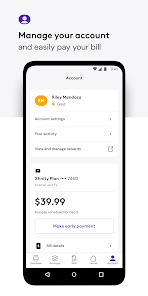
Screenshot 1
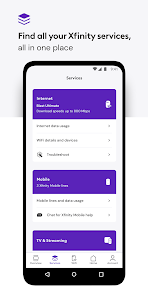
Screenshot 2
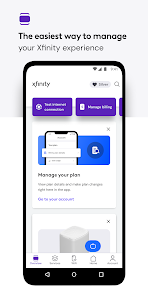
Screenshot 3
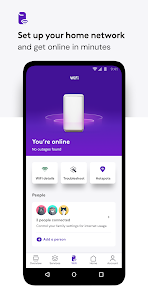
Screenshot 4
Screenshot 5
Screenshot 6

Features & Highlights

Advanced Security Features

Xfinity includes advanced security features to protect your devices and personal information while online. With tools like threat detection and automatic malware protection, you can browse confidently, knowing that your home network is safeguarded against potential cyber threats.

Flexible Plans

Xfinity offers a variety of flexible plans tailored to fit different lifestyles and budgets. Whether you need high-speed internet for gaming or a basic package for casual browsing, there's an option for everyone, ensuring you only pay for what you truly need.

Smart Home Integration

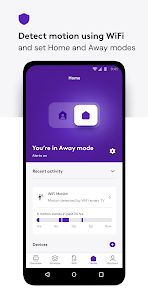
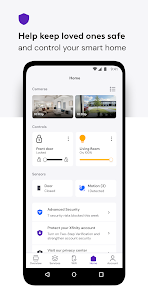
Xfinity integrates seamlessly with smart home devices, providing you with convenient control over your home environment. From managing your security system to adjusting your thermostat, Xfinity makes it easy to enhance your home's functionality and security all from a single app.

Xfinity Stream

With Xfinity Stream, you can access your favorite shows and movies on the go, directly from your mobile device or computer. This feature allows you to watch live TV, browse on-demand content, and even download shows to enjoy offline, making entertainment truly portable.

Pros & Cons

Pros
  • Fast and reliable internet speeds for seamless streaming
  • Wide range of TV channels for diverse entertainment options
  • Flexible bundle packages to fit your needs and budget
  • User-friendly app for easy account management anytime
  • Xfinity Mobile offers savings on your phone plan
Cons
  • High monthly fees for services offered
  • Poor customer service experience reported
  • Limited availability in rural areas
  • Data caps can restrict heavy usage

Real Experience Using Xfinity

Application Scenarios

The Xfinity app serves as a comprehensive hub for users of Comcast’s services, designed to enhance the overall experience of managing home entertainment and internet connectivity. Users can easily stream live TV channels, access on-demand content, and manage their DVR recordings all in one place. For those who frequently travel, the app allows users to watch their favorite shows and movies from anywhere, as long as they have an internet connection. Furthermore, the app is particularly useful for managing account settings and troubleshooting connectivity issues directly from a mobile device, which is ideal for tech-savvy individuals who prefer to handle service adjustments without lengthy calls to customer support.

User Experience

The user experience of the Xfinity app is generally positive, with an emphasis on intuitive navigation and a visually appealing interface. Upon logging in, users are greeted with a personalized homepage that displays recommended content based on previous viewing habits. This tailored experience makes it easier to discover new shows and movies. The streaming quality is commendable, with minimal buffering and quick load times, even during peak usage hours. However, some users have reported occasional bugs and glitches, such as issues with logging in or accessing certain features. These hiccups can be frustrating, but the overall functionality of the app remains strong, making it a valuable tool for Xfinity customers.

Pricing

The Xfinity app is free to download and use for all Xfinity service subscribers. There are no additional fees associated with accessing the app's core features, as it is designed to complement the services already included in users' monthly subscriptions. This means that customers can enjoy the app’s benefits without incurring extra costs. However, users should be mindful that certain on-demand content may require additional purchases or rentals, depending on their subscription package. Overall, the pricing model aligns well with the competitive landscape of streaming apps, offering good value for existing Xfinity customers.

Updates & Support

Xfinity regularly updates its app to improve functionality and address user feedback. These updates often include new features, bug fixes, and performance enhancements, ensuring that users have a seamless experience. The support system is robust, with a dedicated help section within the app that provides troubleshooting tips and FAQs. Additionally, users can contact customer service through various channels, including live chat and phone support, which enhances the overall reliability of the app. The commitment to ongoing improvements and responsive customer support helps maintain user satisfaction and trust in the Xfinity brand.

verified Security & Privacy Review

The Xfinity app prioritizes user security and privacy by implementing robust data protection measures. It utilizes encryption to safeguard personal information during transmission, ensuring that sensitive data remains secure from unauthorized access. The app requires user authentication, which adds an additional layer of security before accessing account details or making changes. Regarding permissions, Xfinity requests access to features such as location services and contacts, which are essential for providing personalized services and improving user experience. Users are encouraged to review these permissions and adjust them according to their comfort level. Transparency is a key aspect of Xfinity's privacy practices; the app clearly outlines how user data is collected, used, and shared in its privacy policy. Moreover, Xfinity adheres to industry standards for data handling and complies with applicable privacy laws, ensuring that user information is managed responsibly. Users can also manage their privacy settings within the app, allowing them to control how their data is used. Overall, Xfinity demonstrates a strong commitment to safeguarding user privacy while delivering a convenient service.

Reviews

3.7

“Great internet speed, reliable connection overall.”

“Customer service needs improvement, often hard to reach.”

“Affordable plans, great value for the features offered.”

“Installation process was easy and quick.”

“Occasional outages, but generally satisfied with service.”

Editor's Choice