This site uses cookies to enhance your user experience. By clicking any link on this site you are giving your consent to our cookie policy. Read more
Reject
Accept All
MyCase

MyCase

verified Verified App

Developer: MyCase Inc

  • category

    Category: Business

  • price

    Price: free

  • age rating

    Age Rating: Everyone

  • rating

    Rating: 2.9

  • download

    Downloads: 100,000+

  • version

    Version: 4.3.16

Screenshot 1
Screenshot 2
Screenshot 3
Screenshot 4
Screenshot 5
Screenshot 6
Screenshot 7
Screenshot 8
Screenshot 9
Screenshot 10
Screenshot 11
Screenshot 12
Screenshot 13
Screenshot 14
Screenshot 15

Features & Highlights

Client Portal

MyCase offers a user-friendly client portal that allows clients to access their case information anytime, anywhere. This feature promotes transparency and enhances communication, giving clients the ability to view documents, updates, and messages directly from their devices, making the legal process more accessible and engaging.

Document Management

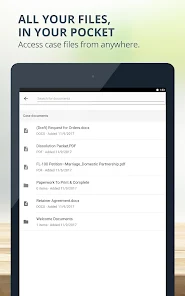
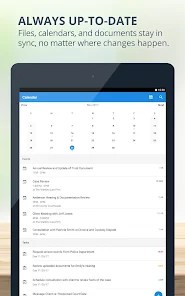
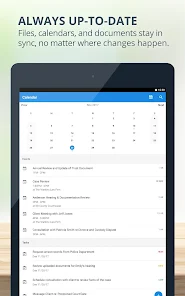
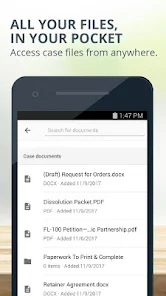
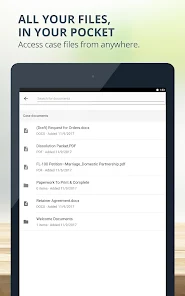
With MyCase's robust document management system, you can easily upload, organize, and share important files securely. This feature streamlines collaboration between attorneys and clients, ensuring that everyone has access to the latest documents while reducing the hassle of physical paperwork.

Integrated Billing

The integrated billing feature simplifies the invoicing process by allowing attorneys to generate and send invoices directly from the platform. This capability ensures that all billing information is accurate and up-to-date, making it easier for firms to get paid promptly while maintaining a professional appearance.

Time Tracking

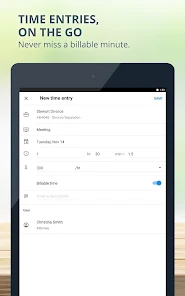
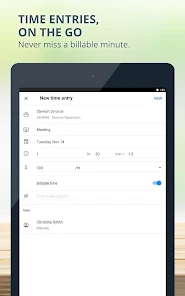
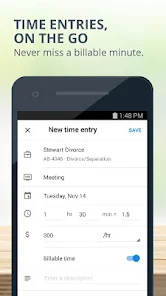
MyCase includes an intuitive time tracking tool that allows lawyers to effortlessly log their billable hours on-the-go. This feature not only helps in maintaining accurate billing but also provides insights into time management, ensuring that every minute spent on a case is accounted for effectively.

Pros & Cons

Pros
  • Streamlines case management for improved efficiency
  • Enhances communication with clients in real-time
  • Centralizes documents for easy access and organization
  • Automates billing to reduce administrative workload
  • Offers robust reporting for informed decision-making
Cons
  • Limited customization options for workflows and templates
  • High monthly fees for smaller firms
  • Steep learning curve for new users
  • Customer support response times can be slow

Real Experience Using MyCase

Application Scenarios

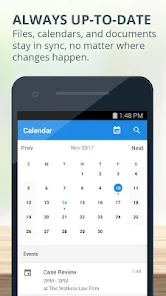
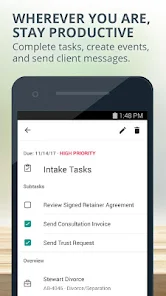
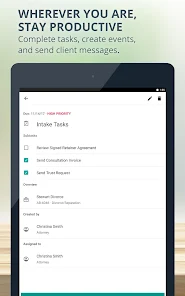
MyCase is designed to cater to a variety of legal professionals, including solo practitioners, law firms, and legal departments. The app excels in managing case files, client communications, and billing processes effectively. For instance, lawyers can utilize MyCase during litigation to keep track of deadlines, document submissions, and court dates. It's also beneficial for client consultations, providing attorneys with easy access to case information, making meetings more productive. The app supports collaboration among team members, allowing for seamless sharing of documents and case notes, which is particularly useful for firms handling multiple clients and cases simultaneously. Additionally, its mobile-friendly interface means legal professionals can access essential information on-the-go, whether they are in court, at a client meeting, or working remotely.

User Experience

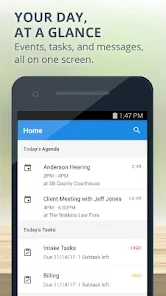
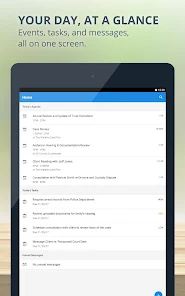
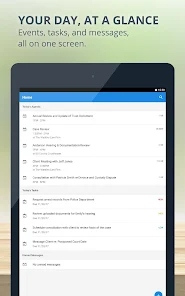
The user experience of MyCase is generally positive, with an intuitive interface that simplifies navigation. New users can expect a gentle learning curve, thanks to the app's well-organized layout and helpful tutorials. The dashboard provides an overview of ongoing cases, upcoming deadlines, and outstanding invoices, making it easy to prioritize tasks. Users have also noted the efficiency of the messaging feature, which facilitates direct communication between attorneys and clients. Notifications and reminders help keep users on track, reducing the chances of missing important dates. Moreover, the app's robust search functionality enables users to quickly find specific documents or case details, enhancing productivity. While some users have reported occasional glitches, updates often address these issues, demonstrating the developers' commitment to improving overall performance.

Pricing

MyCase offers a tiered pricing structure, making it accessible to various legal practices. The basic plan provides essential features for solo practitioners, while the more advanced plans include additional functionalities such as advanced reporting and enhanced client management tools. Monthly subscription options are available, and the app frequently offers discounts for annual commitments. Although some users may find the pricing slightly higher than competitors, the comprehensive features and ease of use justify the investment for many firms. Additionally, MyCase provides a free trial period, allowing potential users to explore the app's capabilities before making a financial commitment.

Updates & Support

MyCase is committed to continuous improvement, regularly rolling out updates that enhance functionality and fix bugs. Users can easily access the latest features and improvements through the app’s update notifications. The support team is responsive, offering assistance via email, phone, or live chat, ensuring that users can resolve any issues quickly. MyCase also maintains a robust help center filled with FAQs, tutorials, and guides, making it easy for users to find answers to common questions. Overall, the combination of regular updates and reliable customer support contributes to a positive user experience, reinforcing the app’s reputation as a valuable tool for legal professionals.

verified Security & Privacy Review

The security and privacy of user data are paramount for any application, and MyCase demonstrates a strong commitment in this regard. The app employs industry-standard encryption protocols to safeguard sensitive information during transmission and storage, ensuring that user data remains protected from unauthorized access. MyCase adheres to strict privacy practices, transparently outlining its data collection and usage policies in its privacy policy. Users are informed about the types of data collected, which primarily include personal identifiers, case details, and communication logs. The app does not sell or share user data with third-party advertisers, reinforcing its commitment to user privacy. In terms of permissions, MyCase requires access only to essential features necessary for optimal functionality, such as calendar integration and notification services. Users have control over their data, with options to manage permissions and delete their accounts if they choose to discontinue using the service. Overall, MyCase prioritizes user security and privacy, making it a reliable choice for those seeking a secure legal case management solution.

Reviews

2.9

“User-friendly interface makes case management easy.”

“Excellent customer support, always responsive and helpful.”

“Integration with other tools streamlines my workflow.”

“Mobile app functionality is a great addition.”

“Affordable pricing for the features offered.”

Editor's Choice