This site uses cookies to enhance your user experience. By clicking any link on this site you are giving your consent to our cookie policy. Read more
Reject
Accept All

Advertiser and Editorial Disclosures

Instawork: Be your own boss

Instawork: Be your own boss

verified Verified App

Developer: Instawork

  • category

    Category: Business

  • price

    Price: 0

  • age rating

    Age Rating: Everyone

  • rating

    Rating: 4.2

  • download

    Downloads: /

  • version

    Version: 2.220.2

Screenshot 1
Screenshot 2
Screenshot 3
Screenshot 4
Screenshot 5
Screenshot 6
Screenshot 7

Features & Highlights

Diverse Job Opportunities

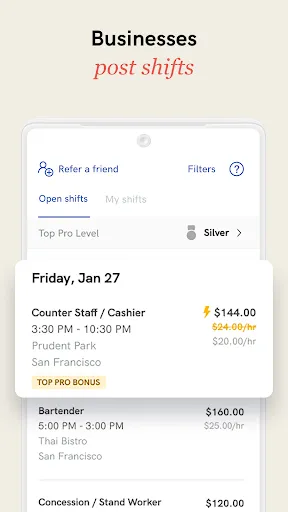
With a wide range of job categories available, Instawork connects you with various industries looking for your skills. From hospitality to events, you can explore different roles and find the perfect fit for your interests and expertise.

Flexible Scheduling

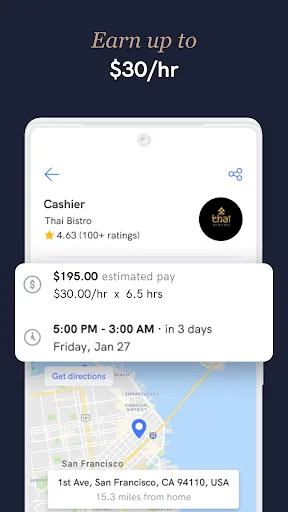
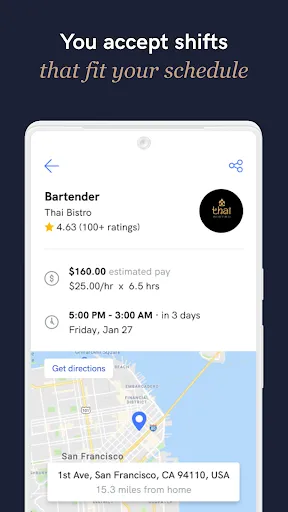
Instawork allows you to choose your own hours, giving you the freedom to work when it suits you best. Whether you need a side gig or full-time work, you can easily find shifts that fit your schedule and lifestyle.

Instant Payment Options

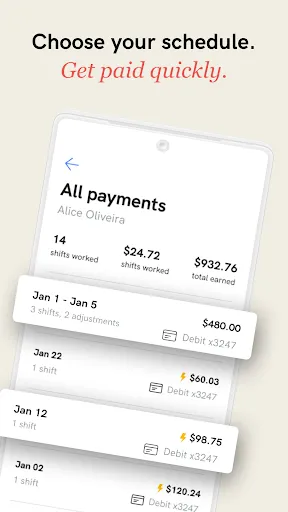
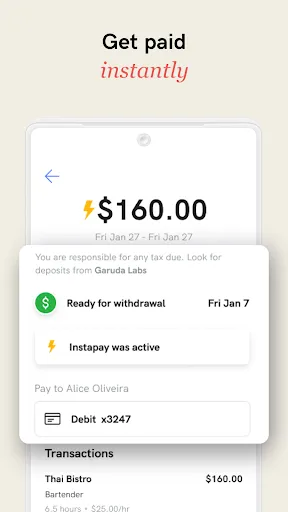
Say goodbye to waiting weeks for payment! Instawork offers instant payment options, allowing you to get paid for your shifts quickly and conveniently. This feature ensures that you have access to your earnings without unnecessary delays, so you can focus on what matters most.

User-Friendly Interface

The Instawork app is designed with simplicity in mind, making it easy for you to navigate and find shifts effortlessly. With a clean layout and intuitive features, you'll spend less time searching and more time enjoying the flexibility of being your own boss.

Pros & Cons

Pros
  • Set your own schedule for ultimate flexibility in work-life balance.
  • Choose from various job opportunities tailored to your skills.
  • Enjoy the freedom to work in diverse environments and industries.
  • Gain valuable experience while building your professional network.
  • Earn competitive pay while enjoying independence and autonomy.
Cons
  • Limited job security can lead to inconsistent income streams.
  • Lack of employee benefits may affect long-term financial stability.
  • Competitive marketplace can make it challenging to secure preferred gigs.

Real Experience Using Instawork: Be your own boss

Application Scenarios

Instawork is designed for individuals seeking flexible job opportunities, particularly in the gig economy. It appeals to job seekers across various sectors such as hospitality, warehousing, and food service. Users can find shifts that fit their schedules, whether they are looking for part-time work to supplement their income, full-time opportunities, or even seasonal jobs. The app is particularly beneficial for students, parents, or anyone requiring a more adaptable work life. Employers, on the other hand, can quickly fill shifts and connect with a pool of vetted workers, making it a win-win for both parties. The ability to filter job opportunities based on location, pay rate, and schedule ensures that users can find work that suits their unique needs.

User Experience

The user experience on Instawork is intuitive and straightforward. Upon downloading the app, users are guided through a simple registration process that includes creating a profile showcasing their skills and work history. The interface is clean and user-friendly, making it easy to browse available shifts. Notifications about new job postings and updates help users stay informed, while the in-app messaging feature allows for direct communication with employers. The convenience of applying for shifts with just a few taps enhances the overall experience. Many users appreciate the ability to accept or decline shifts based on their availability, providing a sense of autonomy and control over their work schedules. Overall, the app fosters a community where both workers and employers can connect seamlessly.

Pricing

Instawork operates on a commission-based model, meaning that users do not pay upfront fees to access job opportunities. Instead, the platform takes a percentage of the earnings from each shift completed. This model allows users to explore job options without financial risk. For employers, the pricing structure is designed to be competitive in the market, ensuring they can attract quality candidates without breaking the bank. Overall, the pricing model is transparent, making it easy for both job seekers and employers to understand the costs associated with using the platform.

Updates & Support

Instawork regularly updates its app to enhance user experience, adding new features and fixing bugs as they arise. Users can expect improvements based on feedback, such as enhanced filtering options and more robust communication tools. Customer support is readily available through in-app chat or email, ensuring that users can quickly resolve any issues they encounter. The team behind Instawork is committed to providing timely assistance and continually refining the platform. With regular updates and responsive support, users can feel confident in their experience and rely on Instawork as a stable source of employment opportunities.

verified Security & Privacy Review

The Instawork app places a strong emphasis on security and privacy, ensuring that user data is handled with the utmost care. The app employs advanced encryption protocols to protect sensitive information during transmission and storage, minimizing the risk of unauthorized access. Users are informed about the types of data collected, which primarily includes personal identifiers, work history, and location data to facilitate job matching. Instawork adheres to strict privacy practices, limiting data sharing to necessary third parties, such as employers and payment processors, while ensuring compliance with applicable data protection regulations. The app requests permissions that align with its core functionalities, such as location access for job opportunities and notification settings for updates. Users have control over their privacy settings and can manage permissions according to their preferences. Instawork also provides transparency regarding data usage, allowing users to access and delete their information as needed. Overall, Instawork demonstrates a commitment to maintaining user privacy and securing data, making it a reliable choice for those looking to work independently.

Reviews

4.2

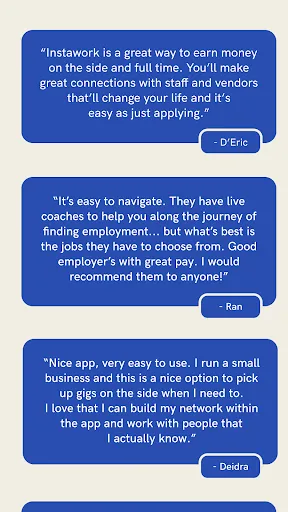
“Flexible hours, great for side income opportunities”

“User-friendly app, easy to navigate”

“Good variety of job options available”

“Reliable support from the Instawork team”

“Great platform for quick gig work”

FAQ

1

Can I submit suggestions or feedback to Instawork: Be your own boss?

Yes, users can submit suggestions or feedback through the app’s support section or via their official website to help improve the platform.

2

Does Instawork: Be your own boss collect my personal data?

Yes, Instawork: Be your own boss collects personal data such as your name, contact information, and work history to facilitate job matching and improve user experience.

3

Does Instawork: Be your own boss support offline use?

Instawork: Be your own boss primarily requires an internet connection to access job listings and features, but some information may be available offline once it is downloaded.

4

How do I cancel my Instawork: Be your own boss subscription?

Since Instawork: Be your own boss does not have a subscription model, users can simply stop using the app or delete their account if they choose to discontinue their services.

5

How much does a subscription to Instawork: Be your own boss cost?

Instawork: Be your own boss does not require a subscription fee; however, there may be service fees deducted from payments for jobs completed through the app.

How to use Instawork: Be your own boss

1

Can I change my customer number?

Unfortunately, you cannot change your customer number. If you have issues, please contact customer service for assistance.

2

How can I contact customer service for help?

You can reach customer service through the app or website by clicking on the "Help" section. They’re available 24/7 to assist you.

3

How do I activate my account after signing up?

To activate your account, check your email for the activation link and click on it to get started.

4

How do I get help with account activation issues?

For help with account activation, contact customer service through the app, and they’ll guide you through the process.

5

What if I encounter problems with customer service?

If you experience issues with customer service, please provide feedback through the app so we can improve your experience.

Editor's Choice