This site uses cookies to enhance your user experience. By clicking any link on this site you are giving your consent to our cookie policy. Read more
Reject
Accept All
Flock - Team Chat & Collaborat

Flock - Team Chat & Collaborat

verified Verified App

Developer: Titan HQ

  • category

    Category: Business

  • price

    Price: free

  • age rating

    Age Rating: Everyone

  • rating

    Rating: 4.5

  • download

    Downloads: 500,000+

  • version

    Version: v4.9.4907

Screenshot 1
Screenshot 2
Screenshot 3
Screenshot 4
Screenshot 5
Screenshot 6
Screenshot 7
Screenshot 8
Screenshot 9
Screenshot 10

Features & Highlights

Customizable Channels

Create and customize channels tailored to specific projects, teams, or topics in Flock. This organization feature allows you to streamline conversations and keep relevant discussions in one place, making it easier for your team to collaborate without the clutter.

Real-Time Messaging

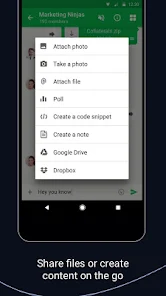
Flock offers seamless real-time messaging that keeps your team connected effortlessly. With instant notifications and the ability to share files and images, collaboration feels natural and engaging, ensuring that everyone is on the same page no matter where they are.

Task Management

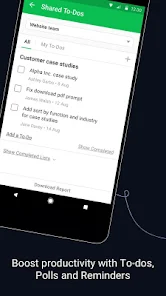
Stay organized with Flock's integrated task management tools that allow you to create, assign, and track tasks within your team. This feature helps prioritize work efficiently, ensuring deadlines are met and accountability is maintained, all within the same platform you chat on.

Video Conferencing

Flock makes virtual meetings easy with its built-in video conferencing feature. You can host team meetings or brainstorming sessions with just a click, allowing for face-to-face interaction that enhances communication and team dynamics, regardless of geographical boundaries.

Pros & Cons

Pros
  • Enhances team communication with real-time messaging
  • Integrates seamlessly with popular productivity tools
  • Boosts collaboration through file sharing and editing
  • Organizes discussions with channels and threads
  • Offers mobile access for on-the-go teamwork
Cons
  • Limited integration with third-party apps
  • User interface can feel cluttered
  • Notifications may become overwhelming
  • Offline access is restricted

Real Experience Using Flock - Team Chat & Collaborat

Application Scenarios

Flock is a versatile team collaboration tool designed to enhance communication and productivity within organizations. It is particularly effective for remote teams, startups, and established businesses alike. Users can utilize Flock for various scenarios, including project management, brainstorming sessions, and daily team check-ins. The app provides features like channels for different projects, direct messaging for quick conversations, and video calls for more complex discussions. Additionally, Flock supports file sharing, enabling teams to keep all their essential documents in one place, streamlining workflows and reducing the need for excessive email communication. This makes it an ideal choice for teams looking to optimize their collaboration processes.

User Experience

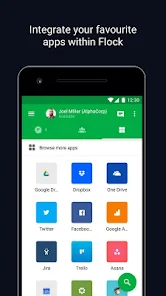
The user experience on Flock is designed to be intuitive and user-friendly. Upon signing up, users are greeted with a clean and organized interface that makes navigation effortless. The onboarding process is straightforward, allowing new users to quickly familiarize themselves with the app's features. Customizable notifications help users stay on top of important conversations without feeling overwhelmed. Flock's integration capabilities with other popular tools like Google Drive, Trello, and GitHub enhance its usability, allowing teams to work seamlessly across different platforms. Moreover, the mobile app ensures that users remain connected on the go, providing a consistent experience across devices. Overall, Flock's focus on enhancing communication and collaboration contributes to a positive user experience, helping teams maintain their productivity.

Pricing

Flock offers a variety of pricing plans to cater to different team sizes and requirements. The basic version is free, providing essential features that are suitable for small teams or startups. For larger organizations or those needing advanced functionalities, Flock offers premium plans that come with additional features such as unlimited integrations, video conferencing capabilities, and enhanced security options. The pricing structure is transparent, with no hidden fees, making it easy for teams to choose a plan that fits their budget. This flexibility in pricing ensures that Flock remains accessible to a wide range of users, from freelancers to large enterprises.

Updates & Support

Flock is committed to continuous improvement and regularly updates its application to introduce new features and enhancements based on user feedback. The support system is robust, offering various channels for assistance, including a comprehensive help center, live chat, and email support. Users can easily find answers to common questions or reach out for help with specific issues. Additionally, Flock's active community forum allows users to share tips, tricks, and best practices, fostering a collaborative environment beyond just the app itself. This dedication to customer support and regular updates ensures that Flock remains a reliable and evolving tool for team collaboration.

verified Security & Privacy Review

The Flock app prioritizes security and privacy, implementing robust measures to protect user data. All communications within the app are encrypted, ensuring that messages remain confidential and secure from unauthorized access. Flock adheres to industry-standard encryption protocols, safeguarding data both in transit and at rest. In terms of privacy practices, Flock is transparent about its data handling policies. The app collects minimal user information necessary for functionality, and users have control over their data. Flock provides options for users to manage their privacy settings, allowing them to decide what information to share and with whom. Regarding permissions, Flock requires access to certain device features to enhance user experience, such as notifications and contact lists. However, it clearly communicates the need for these permissions, allowing users to make informed decisions. Overall, Flock demonstrates a commitment to maintaining user privacy while providing a collaborative platform for team communication.

Reviews

4.5

“Great for team collaboration and communication!”

“User-friendly interface makes chatting a breeze.”

“Seamless integration with other tools is a plus.”

“Notifications help me stay updated without being overwhelmed.”

“Perfect for remote teams to stay connected.”

Editor's Choice